
Occasionally some of our customers find their sound not working or cannot even view the help and training videos available within the Support Portal.
If you follow the below steps these have been proven to get you up and running quickly.
Please make sure you have the latest version of Adobe Flash Player installed on your machine, this can be found here. Please note this will open up a new window for you.
Having made sure you have the latest version of Flash, please open Internet Explorer. Then click on the Tools menu and after that click on Internet Options.
Select the Advanced tab across the top.
Please make sure that the below options are ticked
- Under the Accelerated Graphics heading:
- Use Software Rendering instead of GPU Rendering
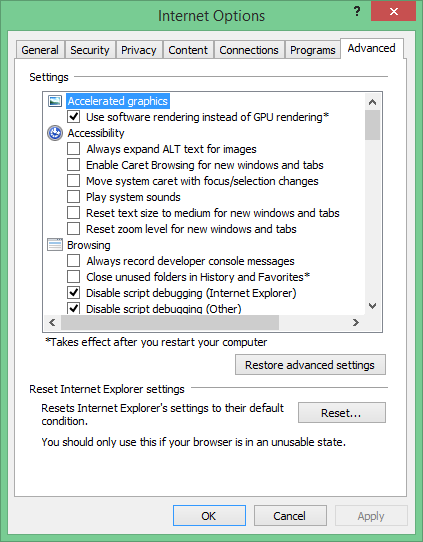
- Under the Multimedia heading:
- Enable alternative codecs in HTML5 media elements
- Enable automatic image resizing
- Play animations in webpages
- Play sounds in webpages
- Show pictures
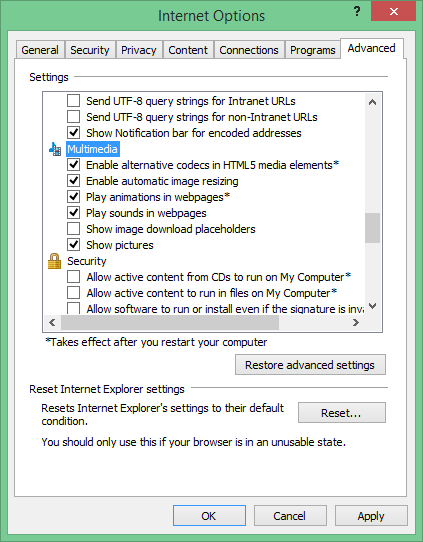
Click Apply and then OK
Restart your computer then attempt to view the video again and it should now load fine.