Management Reporting provides the ability to create custom Nominal Ledger reports for
Groups or Users.
This can be modified in Microsoft Excel, to add formatting and calculations, before
being saved back to the system for regular use with live data.
Reports can be created to include any nominal codes and applied to Reporting Groups, to which
access can be restricted down to selected groups or individual users.
Management Reporting can be found in the following location:
Accounts > Nominal Ledger > Reporting > Management (from here you have two options):
- View Reports
- Create/Amend
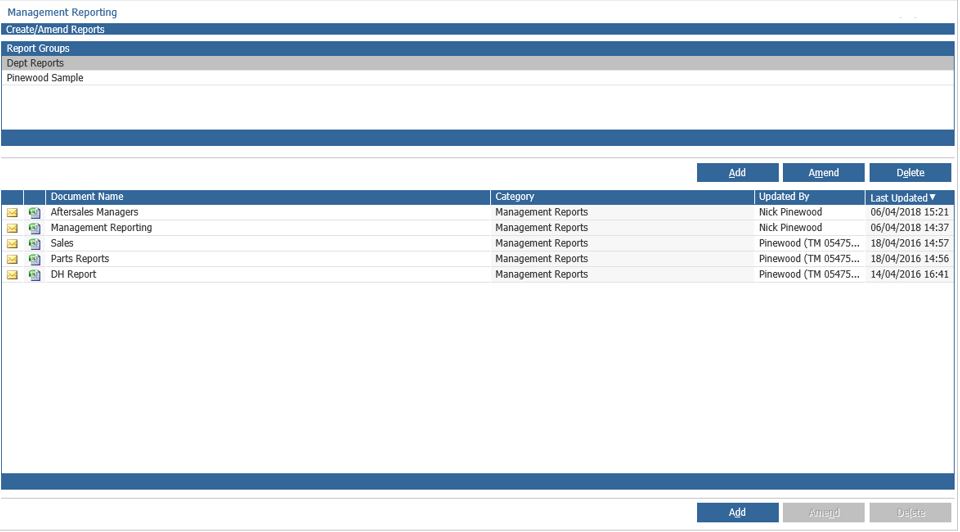
Once at this point you can either create a new 'Report Group' by clicking 'Add'
Alternatively, you can select or 'Amend' an existing Report Group, you are also able to delete a selected Report Group.
At the point you've selected a Report Group - you can then either Amend an existing report or add a new one.
When adding a new report you'll be asked to specify a Report Name and then to Accept (this will create your new report).
This is the window that prompts once creating your new report:
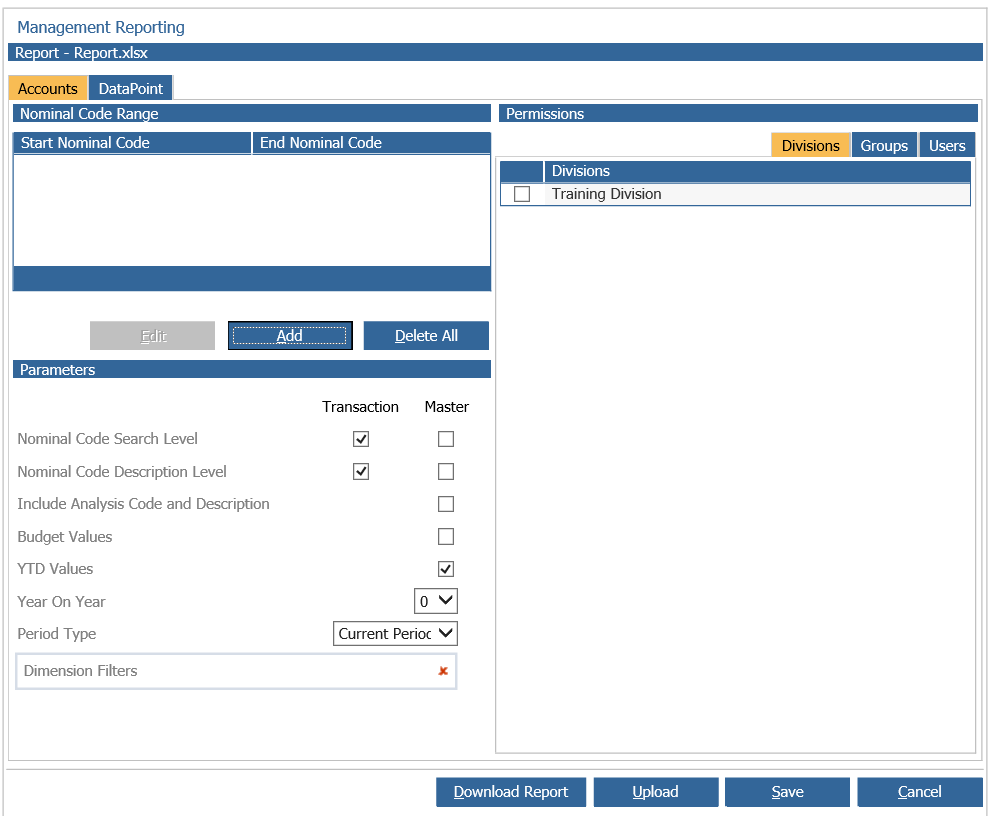
Under the Nominal Code Range header; here you can specify the nominal codes ranges you wish to be included in the report, if no nominal codes are specified all nominal codes will be included.
Under the Parameters header; here you set up the parameters relevant to this report only. This includes at which level this report will search for nominal codes and the descriptions (whether it be master or transaction); if it is to compare actual figures to budgeted figures; if its to include year-to-date values; if it is to include prior years and period type for which type of report you wish this to be.
Under the Permissions header; you are able to decide which accounting divisions data is to be
extracted and which user groups and individual users will have access to display the created reports.
The Data Point tab:
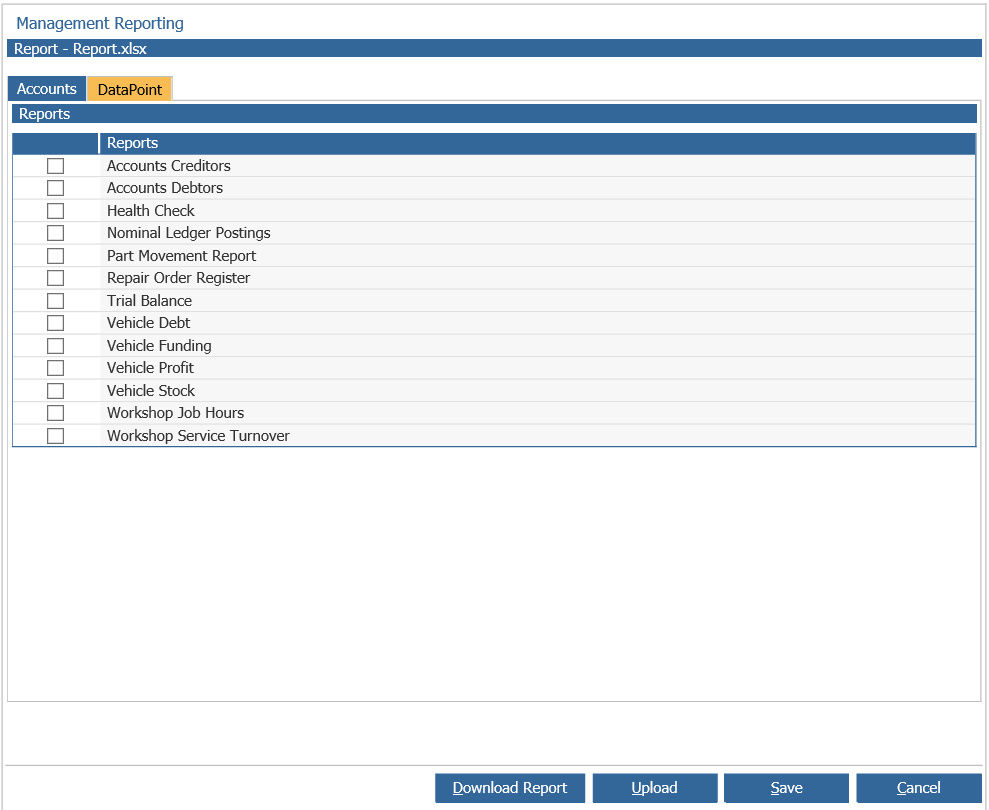
Here you can specify which report you wish your management report to include, this is done by ticking the box next to the report name.
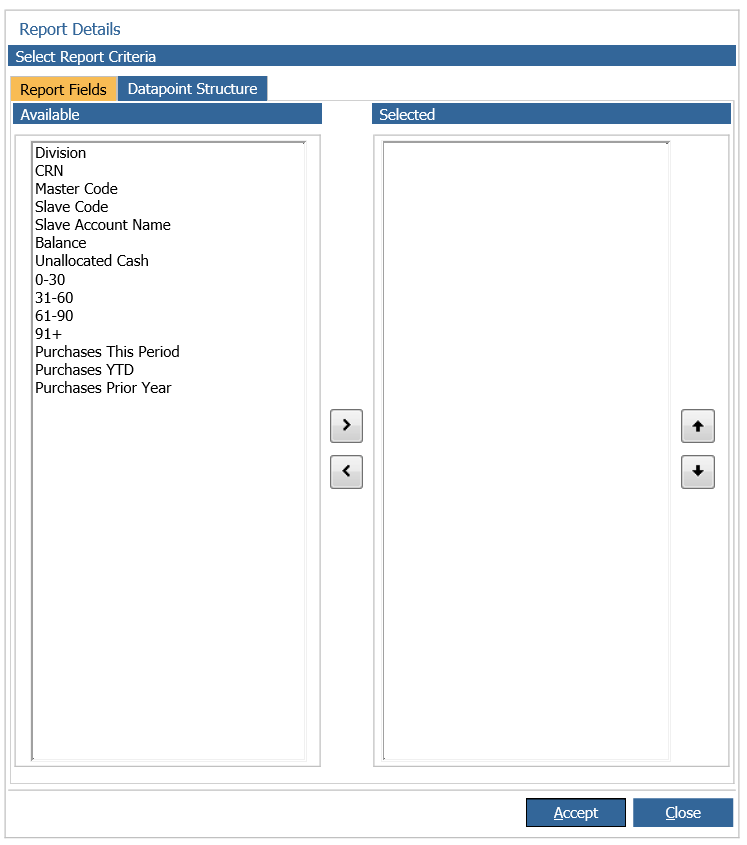
You can double click on the report name, i.e. 'Accounts Creditors' to select the Report Fields you wish to include in the excel spreadsheet once downloaded (shown in the image below).