
Question
When posting a GRNI and it is not available to be picked up, how can these invoices be processed?
Answer
The best thing to do is go into Accounts - Purchase Ledger - Processing - Post Invoice, enter your invoice details.
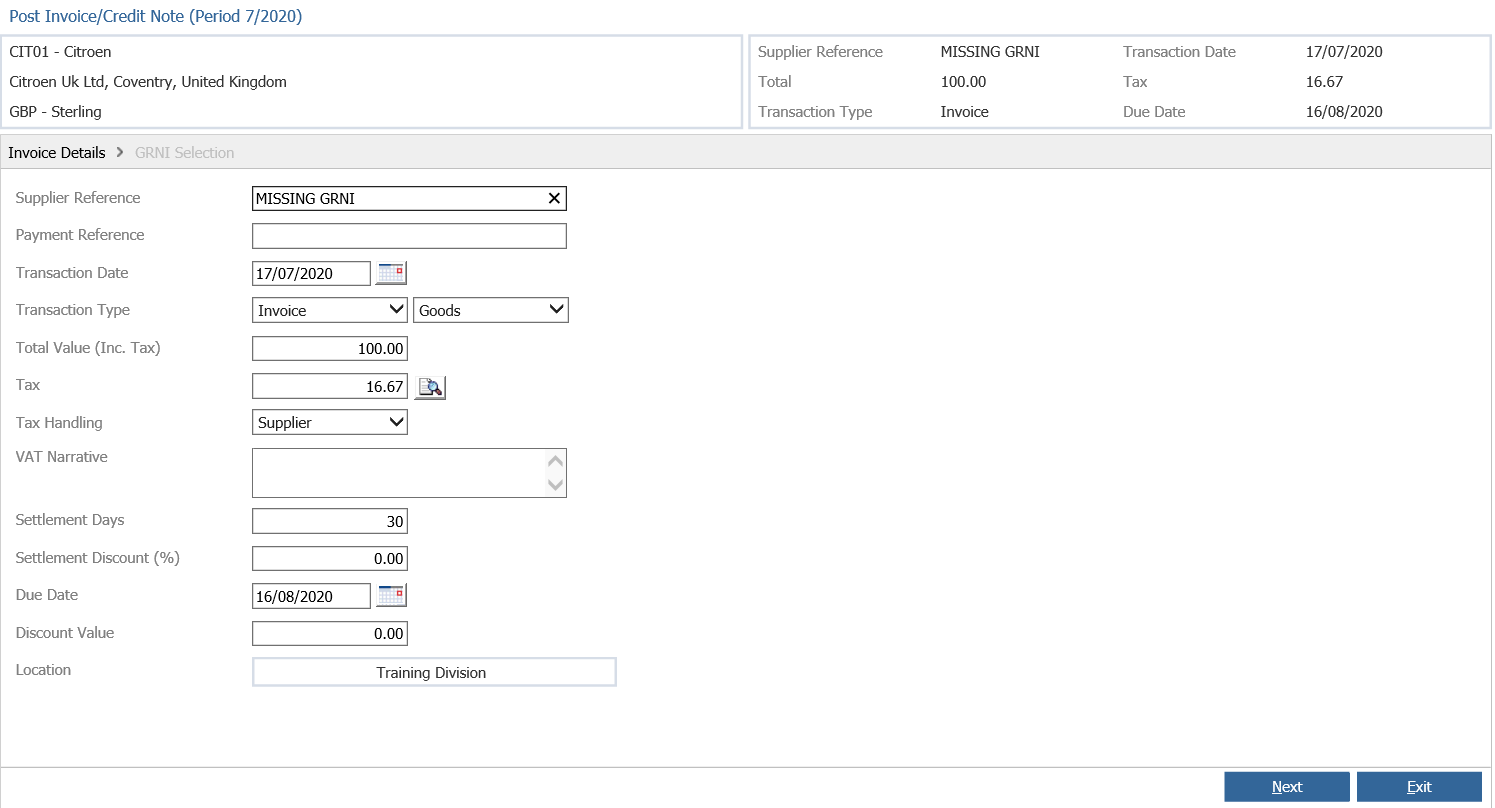
Click Next
Then, instead of picking up a GRNI line click Next again.
This will then take you to a screen which allows you to select a nominal code. If you select the Parts GRNI nominal or GRNI control nominal (Depending on which you use) this will post the invoice like it normally would when picking up the GRNI. This should then bring your nominal back into balance as it should have been out by the amount of the missing GRNI.
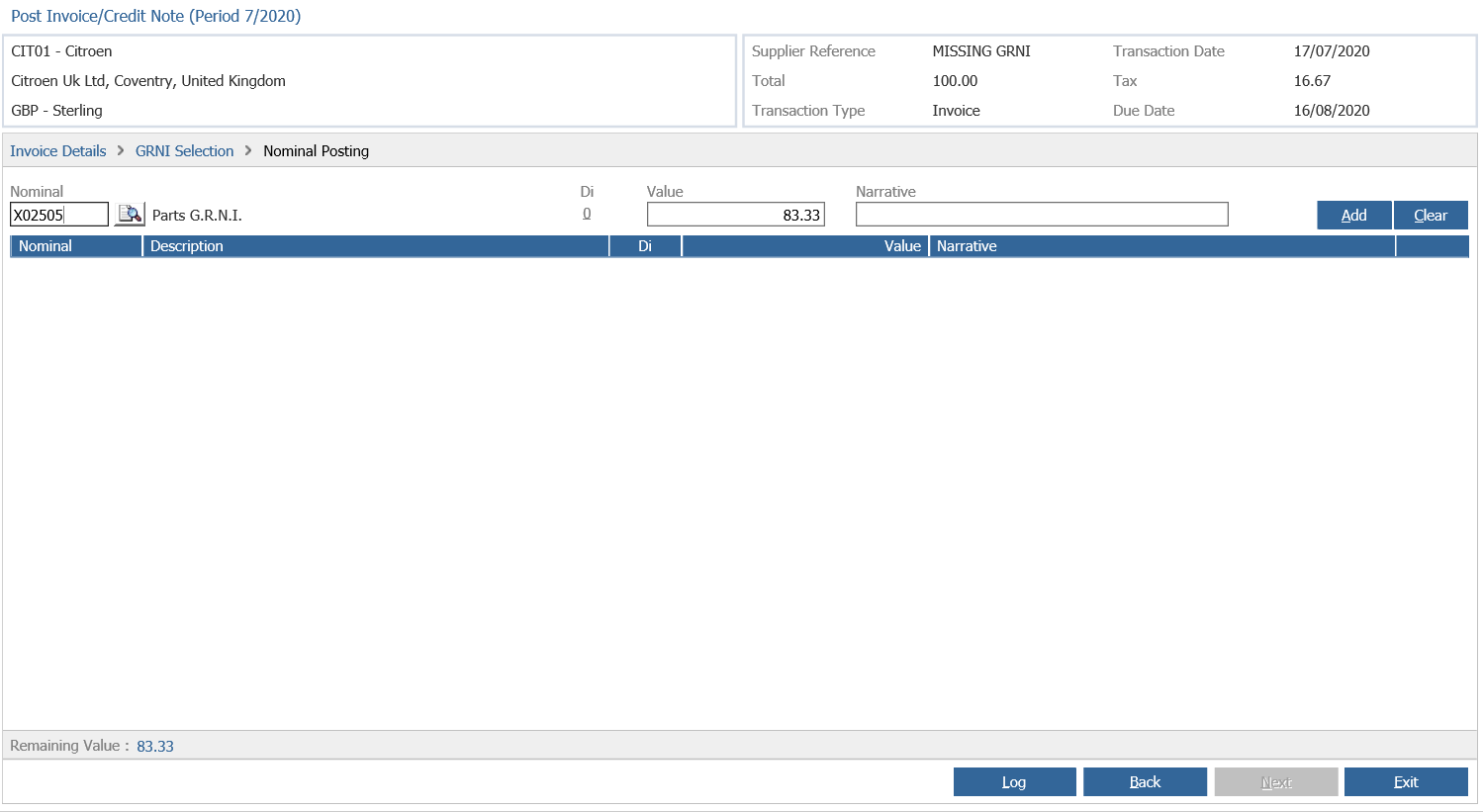
**If your nominal is already in balance then this GRNI cannot be missing and must have already been picked up.
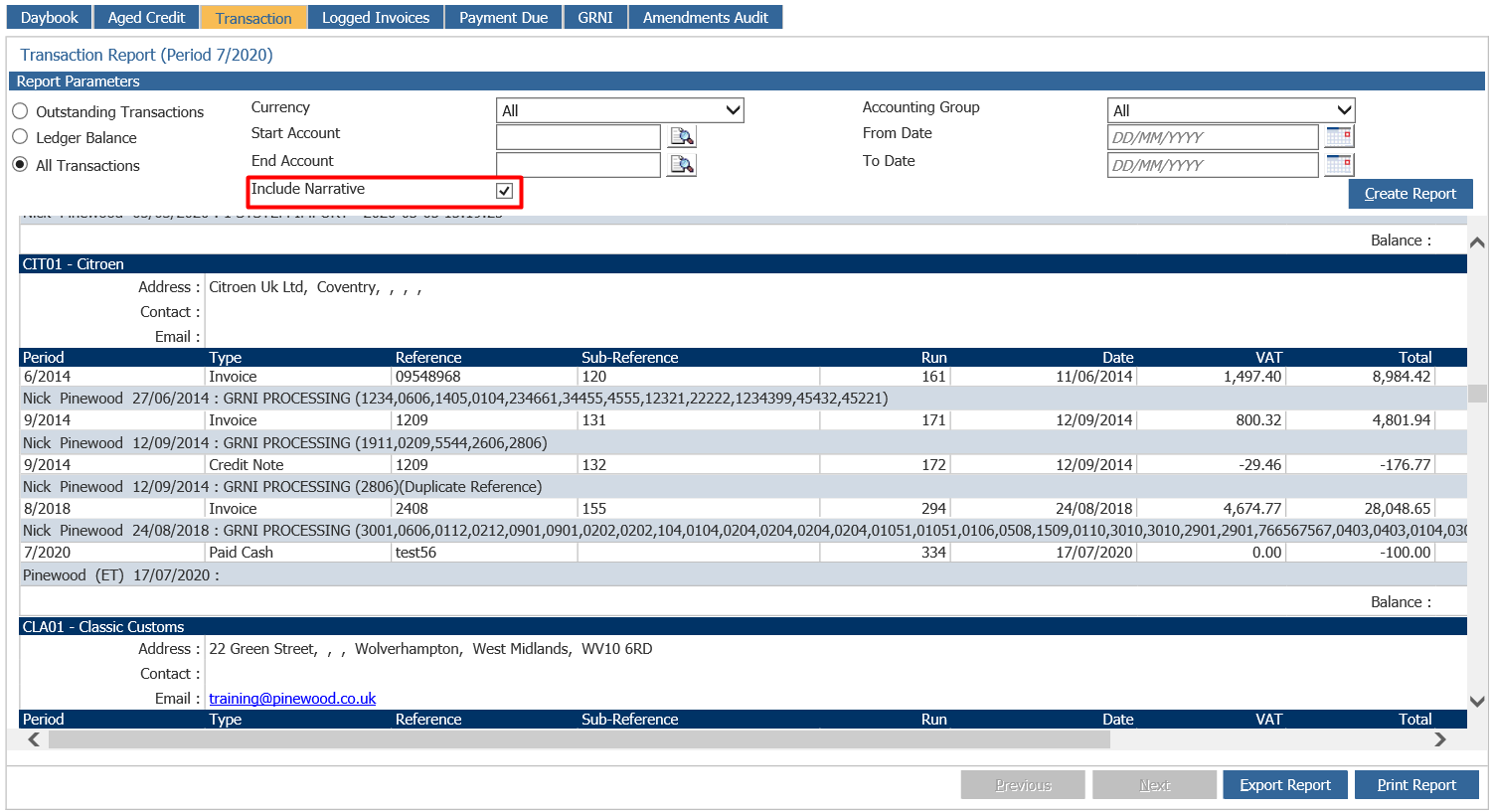
You can find this by going to Accounts - Purchase Ledger - Reporting
Go to the transaction report tab and make sure to tick the include narrative tick box.
This will then show you all GRNI's picked up.
Another possibility is that the GRNI has been delete matched.