
Question
How do you import the items for the set up of the Dimension Control Groups?
Answer
You will need to ensure that you have groups set up.
When you are happy with the groups that are set up you simply need to create an Excel spreadsheet that looks similar to the screenshot below;
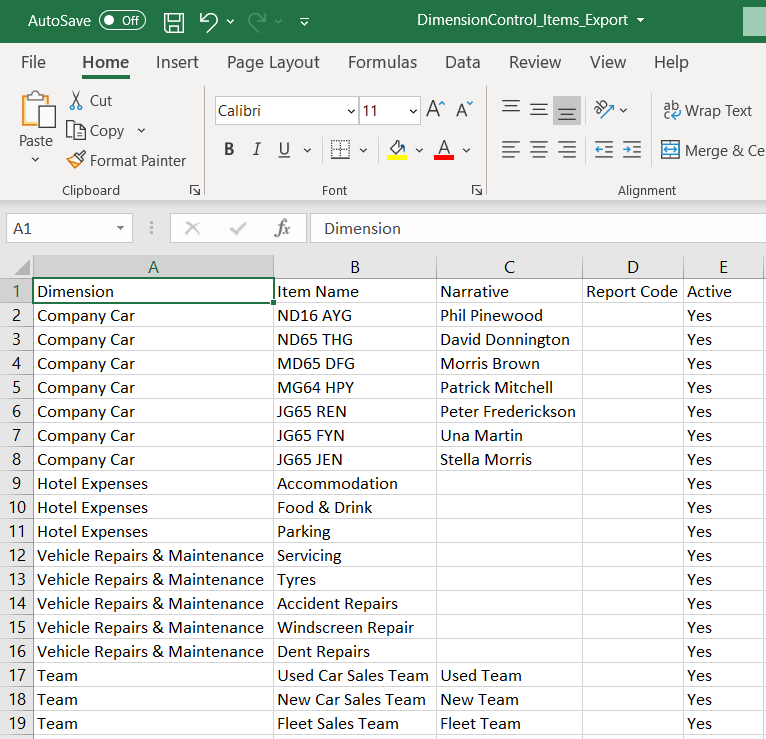
This is set with the Dimension Control column being the Group. This needs to be spelt the exact way it is on the Group list.
New is the Description, with it the name of the item. With examples on the image above being; Water, Electricity, Gas, etc.
Active is simply if that item is active or not which would result in if the item will show on the list.
Lastly is the Narrative, which is not mandatory but can be entered as a way to further identify the individual items.
This then needs to be saved as a csv file and then imported on the following screen;
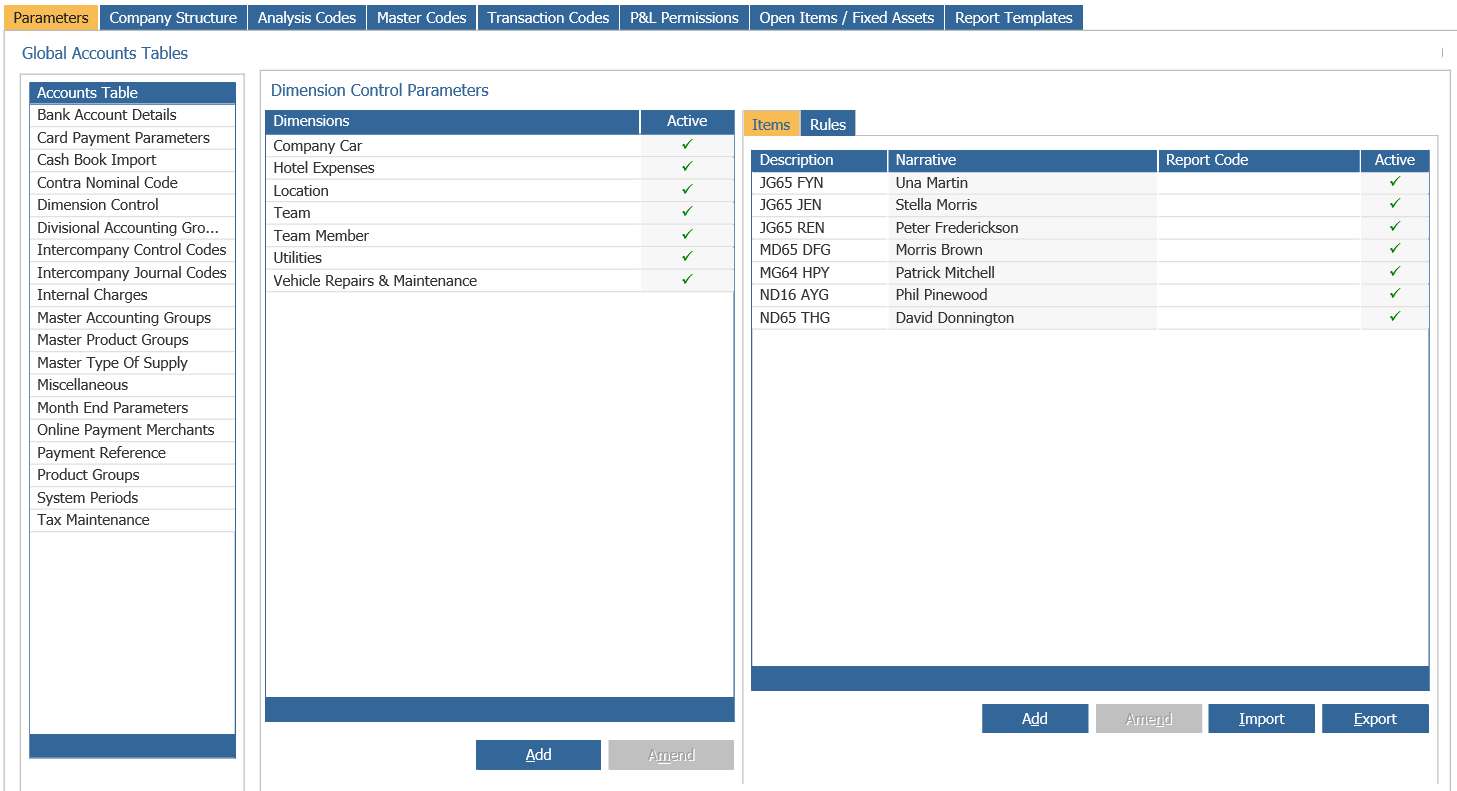
This is located in Accounts > Nominal Ledger > Ledger Parameters > Dimension Control