
Question
How would you set up a new tax type?
Answer
If you are required to set up a new Tax Type, to do this navigate to;
Accounts > Nominal Ledger > Ledger Parameters > Select Tax Maintenance
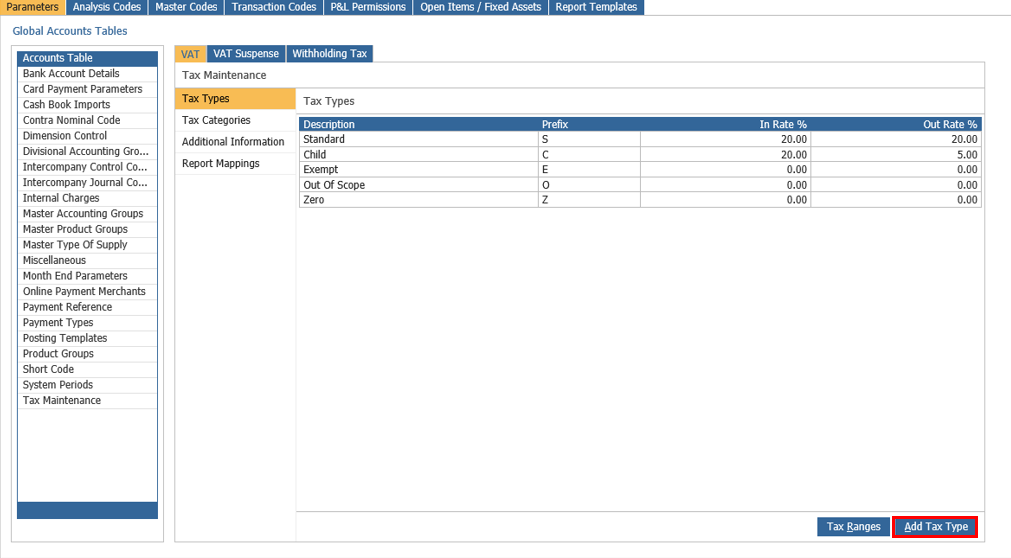
Select View Tax Types, then double click the Tax Types in the sidebar branch, you should then see the 'Add Tax Type' button as below:
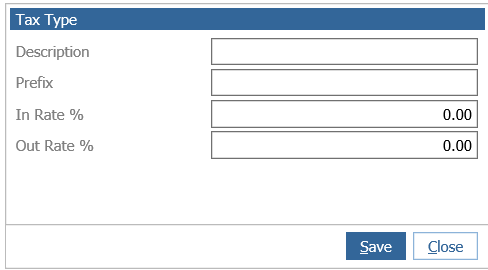
Once you've completed the Description, Prefix and Rates % you can then click Save to finalise your new Tax Rate.