
Question
How do I create a new Nominal Code Analysis Code?
Answer
This can be done by following the below path:
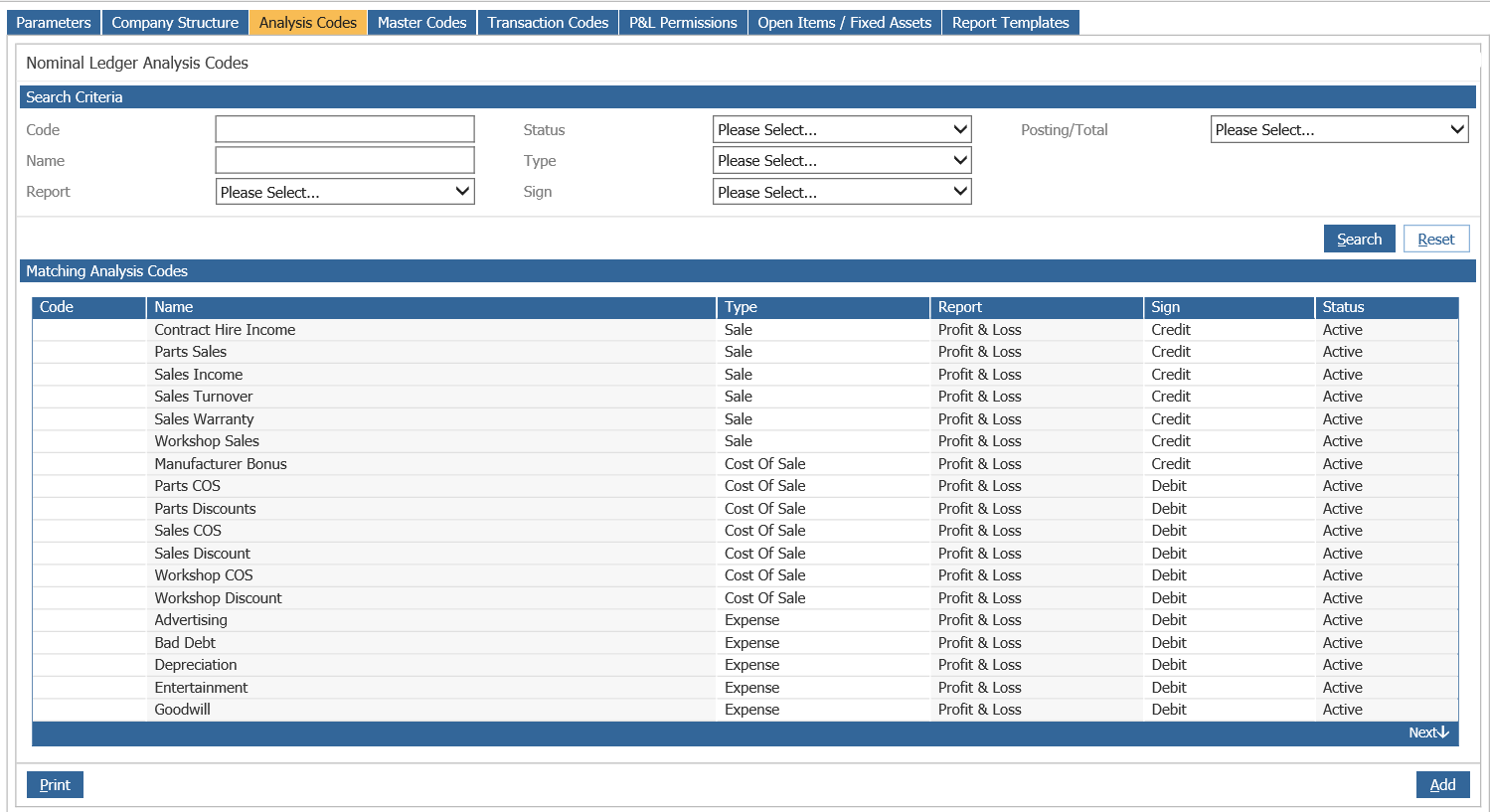
Accounts > Nominal Ledger > Ledger Parameters > Analysis Codes Tab
Once within this screen (shown below), click Add in the bottom right hand side of the screen:
Once done you'll be presented with the following window:
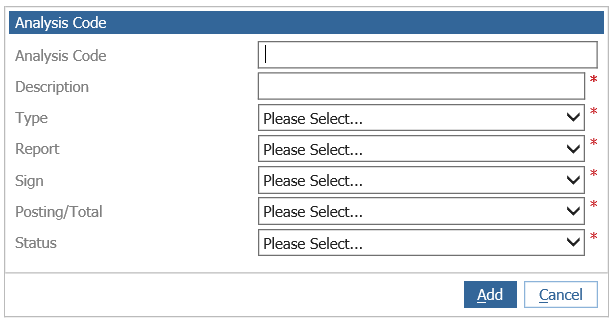
Enter the Description you wish the new category to be identified as and then select the relevant Type, Report, Sign, Posting and Status you wish to go against the Category, the below may assist you with this:
The Type must be chosen from a pre-determined selection, for use by the system, a Narrative, Sale,
Cost of Sale, Expense, Total, Asset, Liability, Tax, Dump Account or Statistics.
Report is used to determine whether the code is to be included within the profit and loss or balance
sheet reports.
Within the Sign option each category must be assigned a debit or credit status. In the profit and loss
section of the nominal, sales accounts should be identified as credits and expense codes as debits.
For the balance sheet section assets are debit and liabilities are credits.
Posting is used for posting transaction values to the relevant selection.
Status will determine whether the code is an active account for use in the current ledger. No postings
can be made to an Inactive account, but this may be changed to active status for future use. The
Retired status is no longer in use.
Once specified click Add, your newly created Category will then display as an option when creating a new Master nominal code.