
Question
Why is the VAT not automatically calculating when posting a Purchase Ledger invoice?
Answer
If you are trying to post an invoice in Purchase Ledger, you can do it in:
Accounts > Purchase Ledger > Processing > Post Invoice

Type the Account code
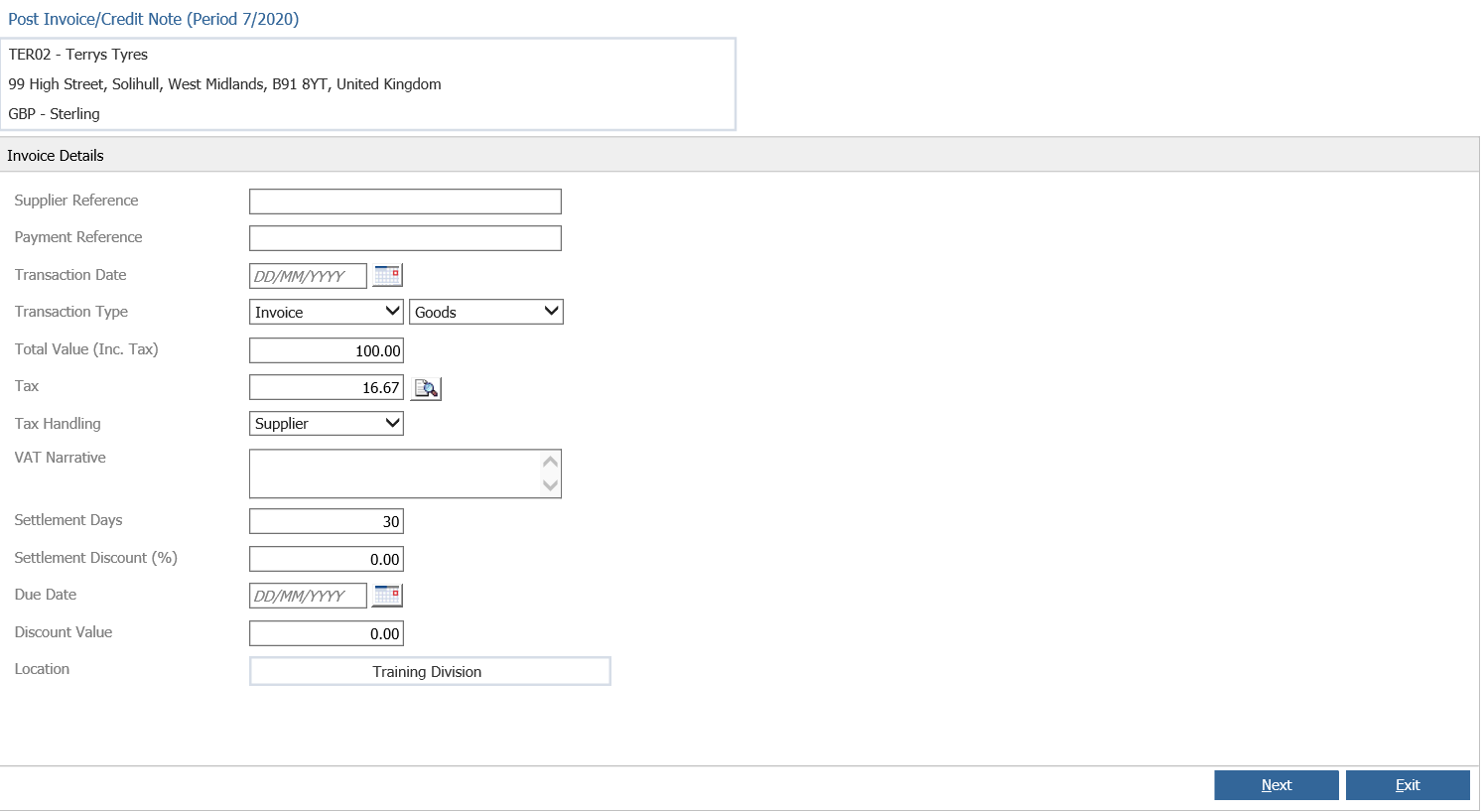
Then fill all the posting details. Once you add the Total Value, the VAT should be added automatically.
If the VAT is not automatically added you can enable the parameter for it. Go to:
Accounts > Purchase Ledger > Ledger Parameters and you will see the following screen:
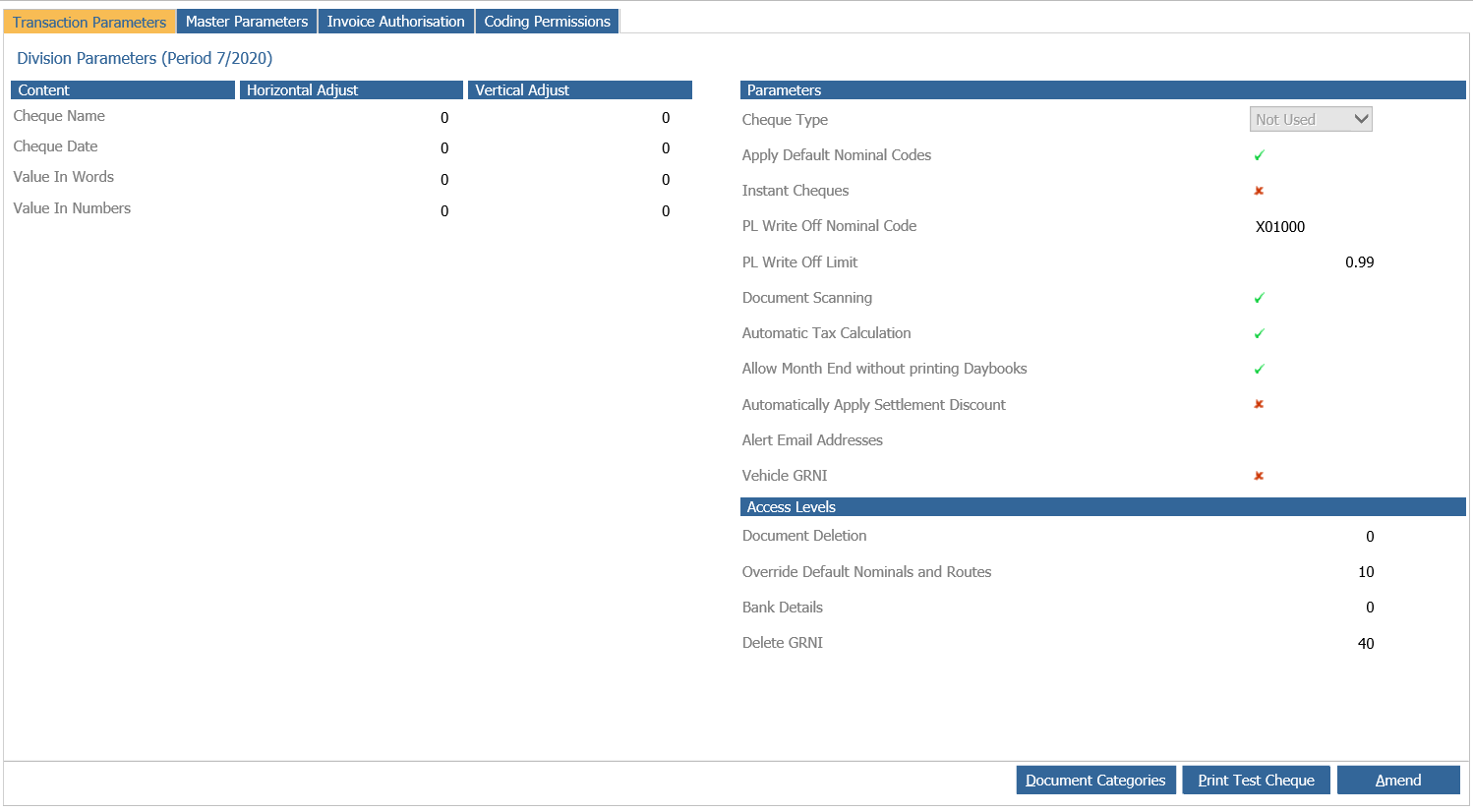
Hit the option Amend and put a check box on the following option:

Once this has been done, the VAT will be added automatically when posting an invoice in the Purchase Ledger.