
Question
How can I exclude VAT on specific accounts in the Sales Ledger?
Answer
In order to exclude VAT from an Account, first go to Accounts - Sales Ledger - Transaction Accounts - Enquiry and search for your Account.
If you have the correct Access Levels, the 'Amend' option will appear.
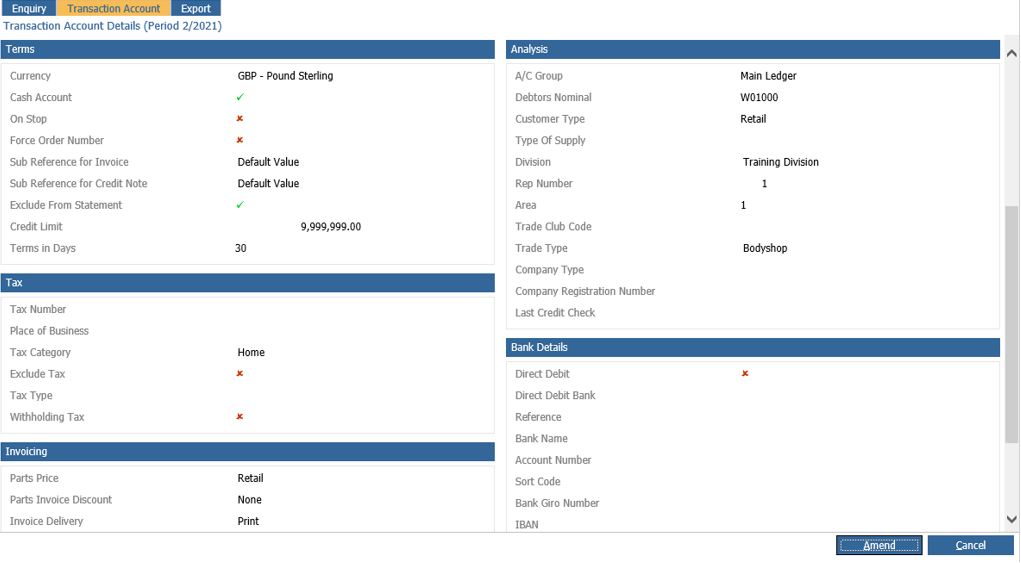
Single click onto this and scroll down to the 'Tax' header.
The option 'Exclude Tax' will be present in here. In order to exclude VAT from this account, tick the box and click 'Save'.
This Account will now been excluded from VAT.