
Within the Workshop Diary, you are able to view the hours available and also the counts available for MOT, WUW and Collect and Delivery. These are here to guide users on what is remaining to sell.
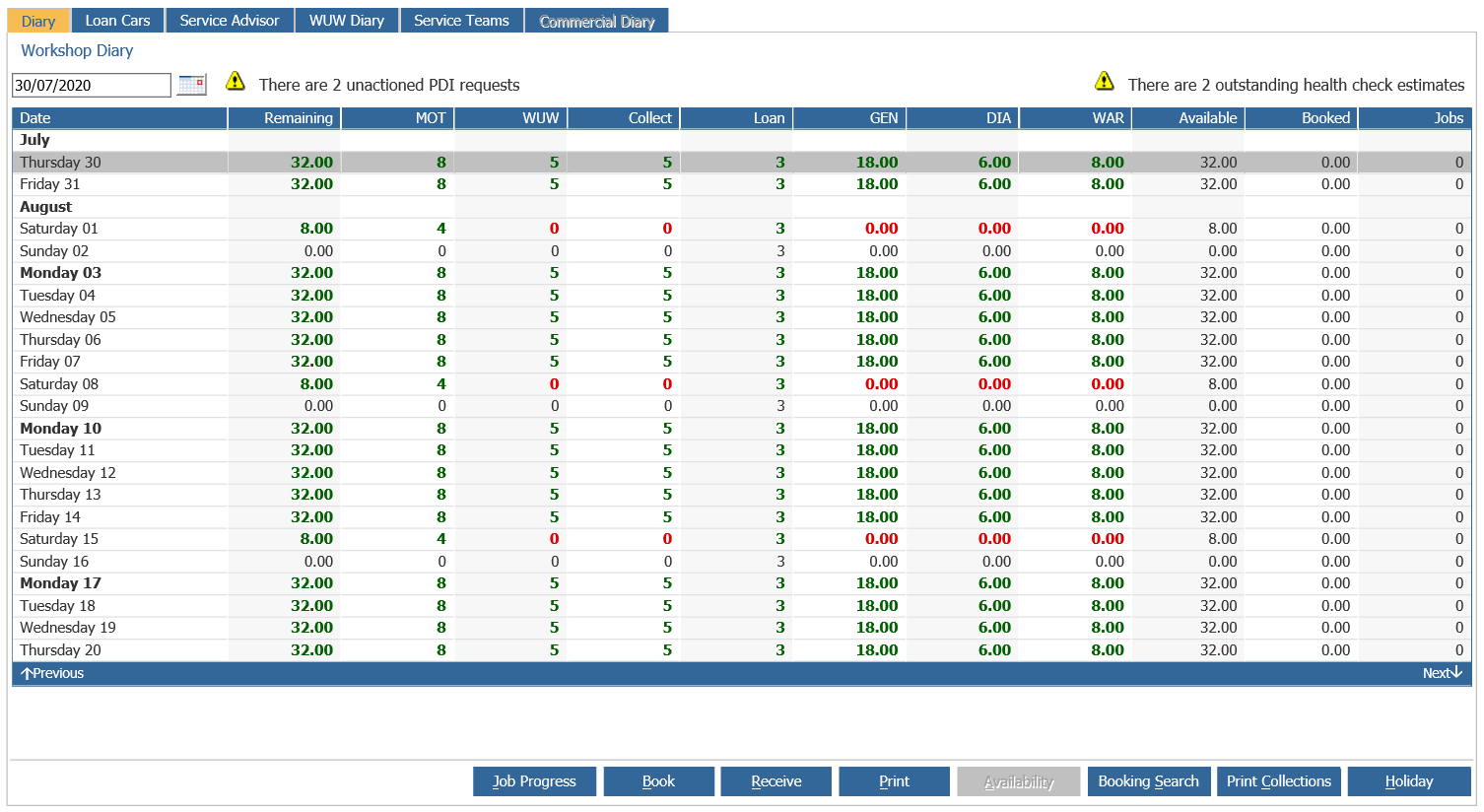
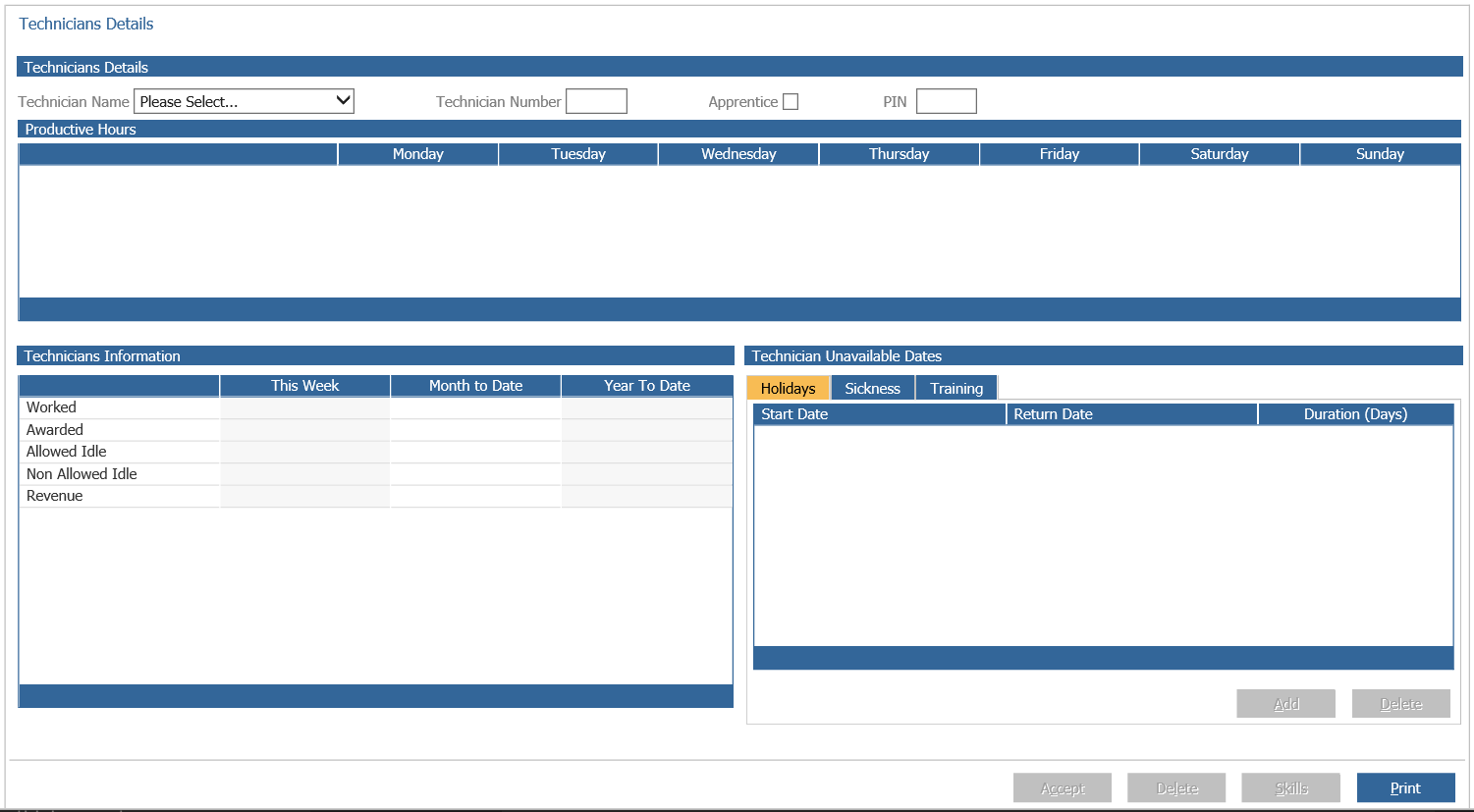
You are able to manage the technicians productive hours that reflect within the diary through;
Workshop > Parameters > Technician Details > Details
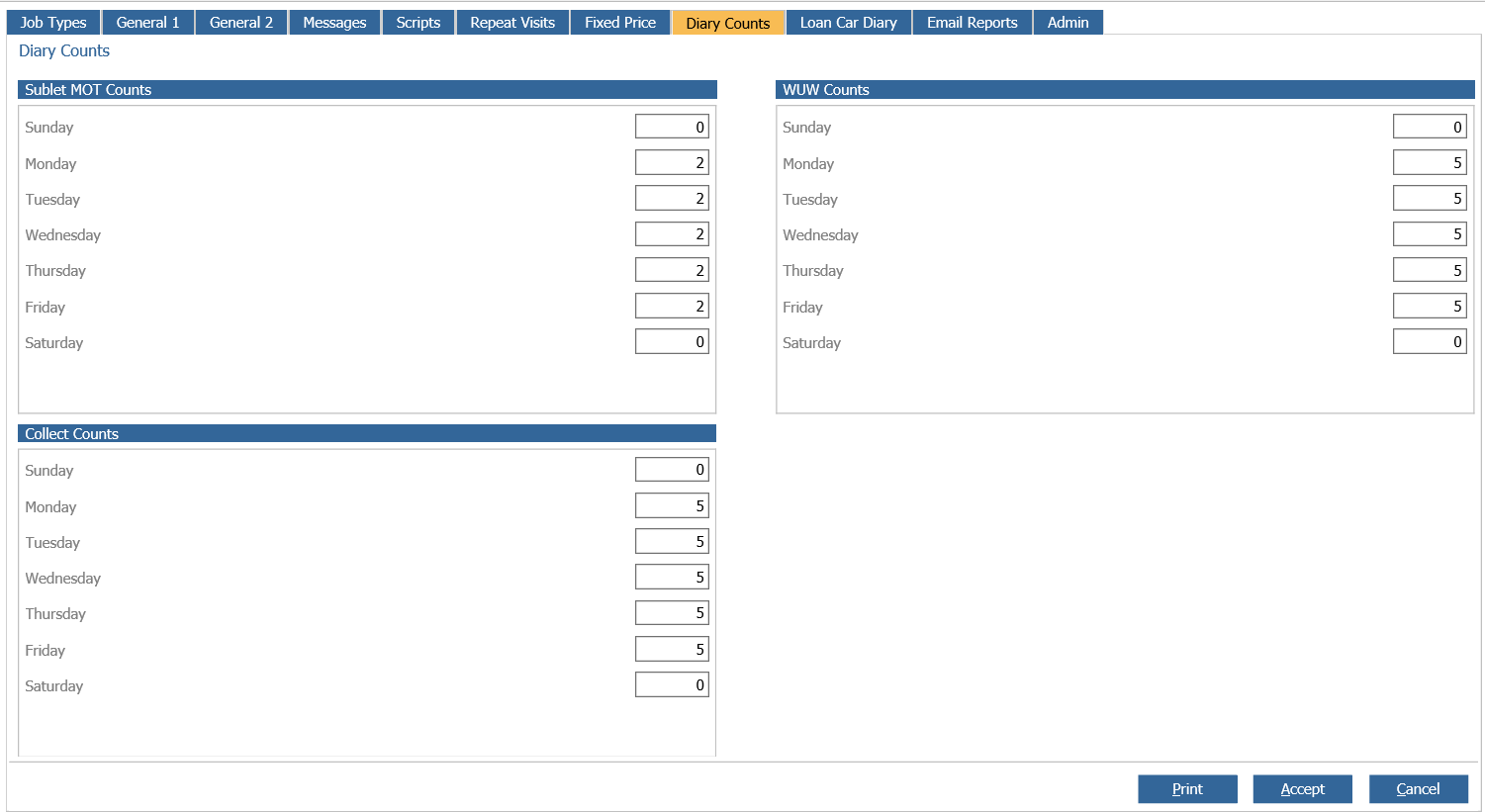
You are able to amend your diary counts for MOT, WUW and Collect and Deliver within;
Workshop > Parameters > Parameters > Diary Counts
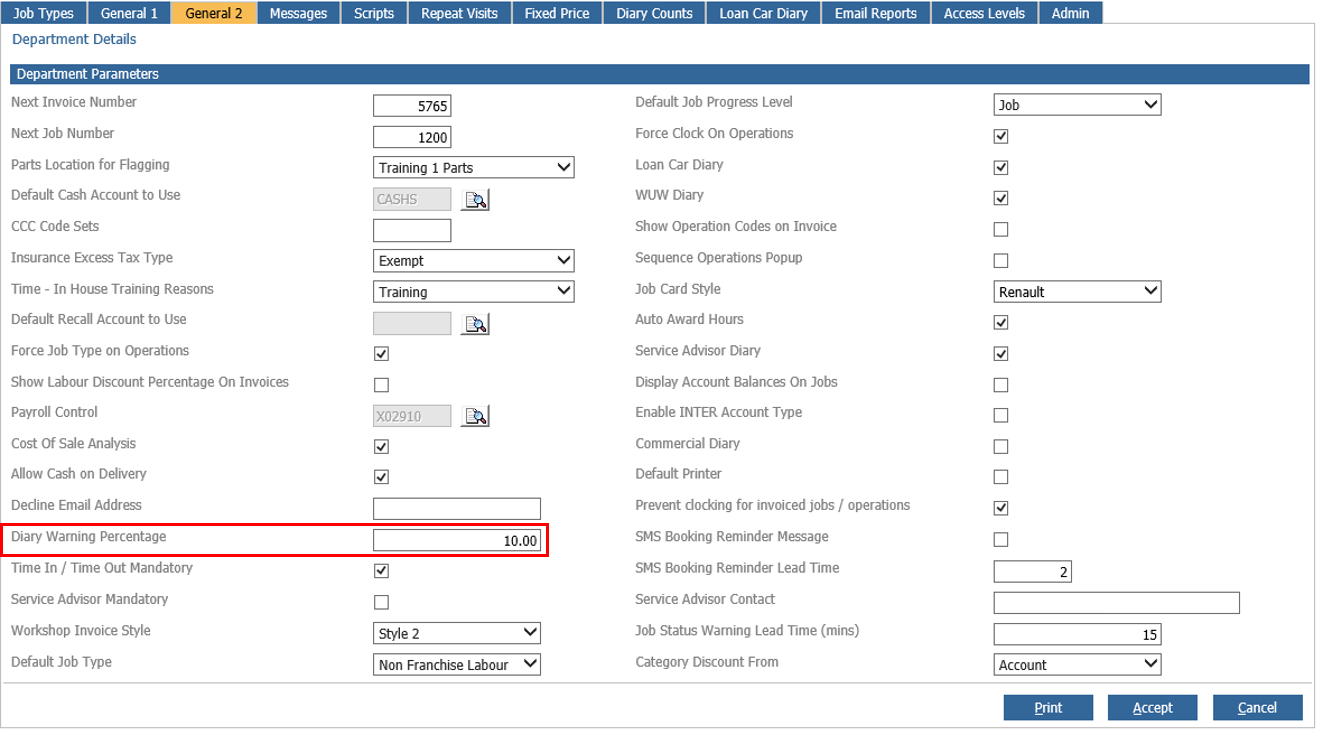
To amend your warning percentages for the Red, Amber and Green warning, the parameter to set is within;
Workshop > Parameters > Parameters > General 2
You are unable to block bookings, or prevent overbooking within the diary.
You can amend the percentage at which the warnings will start to turn from the Green to Amber to Red, however the system will not prevent bookings being created.
The Diary Percentage and Diary Counts set will aid to alert users regarding over booking.