
Question
How can I create a new transaction account where the master account already exists?
Answer
Make a note of the Master account code to be used for the additional Transaction account, by searching as described above.
Select Accounts > Sales Ledger > Transaction Accounts from the main menu and click on the Transaction Tab. Key in the Master Account Code into the Master Account Number field.
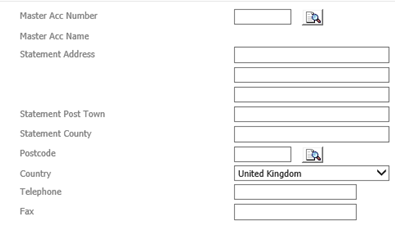
Complete the Account Code field with the same code as the existing Master Account. Complete the Account Name field with the same information as the Master Account name. This information may be copied and pasted if required, using Control + C and Control + V.
Complete the remainder of the transaction account details with the information required, as per the section above. Finally click on the ‘Save’ button to complete the account creation. This will link the new Transaction Account to the existing Master Account.