
If alternative parts have been associated to a VHC item then you can access them from within Awaiting Approval. Drill into the VHC item and click on the Parts Value box, which will be shown in blue if alternatives are present.
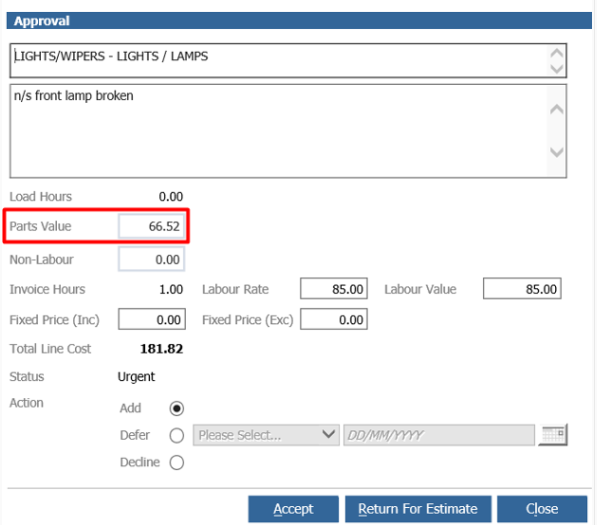
When you drill into the Parts Value box you will see the parts listed in with the main part selected. A total cost will also be displayed, that will be the cost the customer will pay for the check to be done. That is both labour and the parts inclusive of tax.
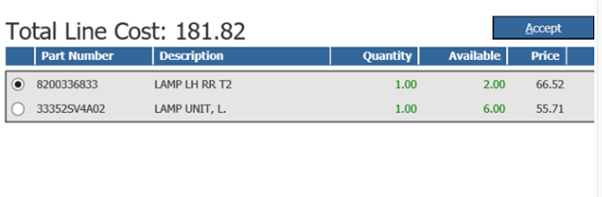
Where alternative parts are associated to a main part then they will appear in a grey box grouped together to make the alternatives easy to see. So if there were 2 parts that had alternatives associated then you would see 2 grey boxes.
As you discuss the alternative parts with the customer you can select them from the screen and the total line cost will be updated to show what the customer will be charged for the job.
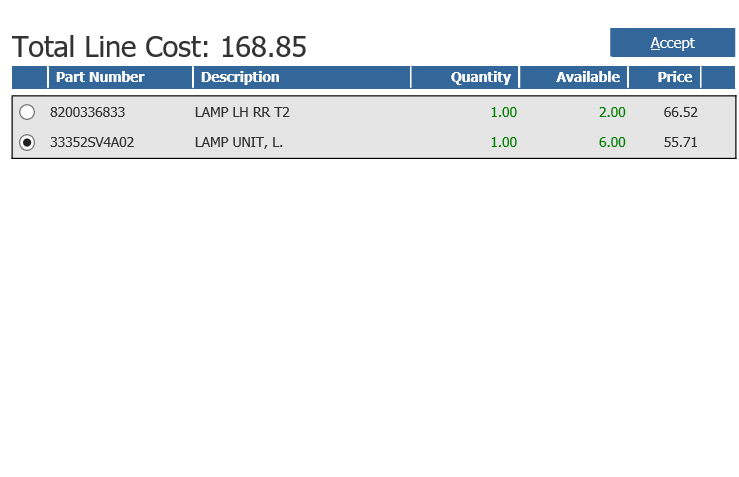
If you accept an alternative part then that updates the parts value.
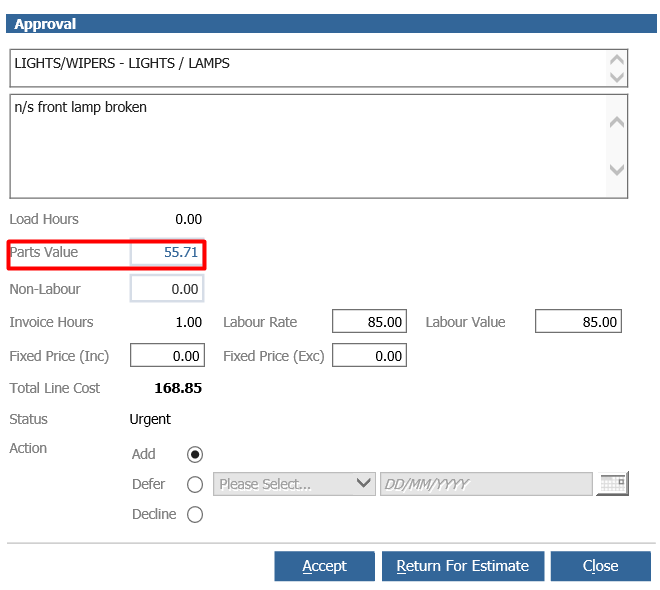
The work can still be deferred but the deferred work will be retained with the part that was selected at the point the deferral was selected.
Once you have agreed which part will be included in the check, this part will be used when you add estimate parts within workshop issues.