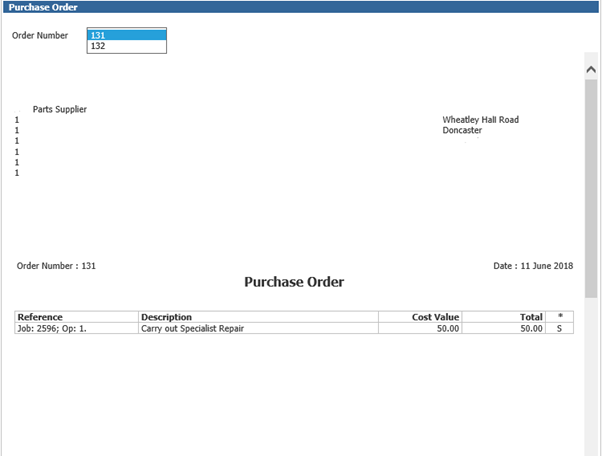
During the costing process a service advisor is able to view if a non-labour item has been
generated from a purchase order and view or print this information.

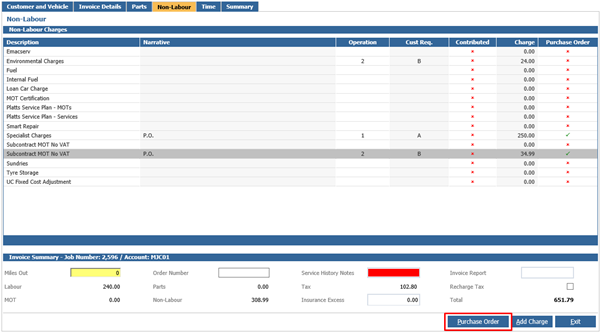
If an  icon is present, this means that the purchase order has been received.
Items with the  icon will indicate the item did not have a purchase order associated.
If you wish to view the associated Purchase Order, highlight the line you wish to view and the Purchase Order Button will become available;
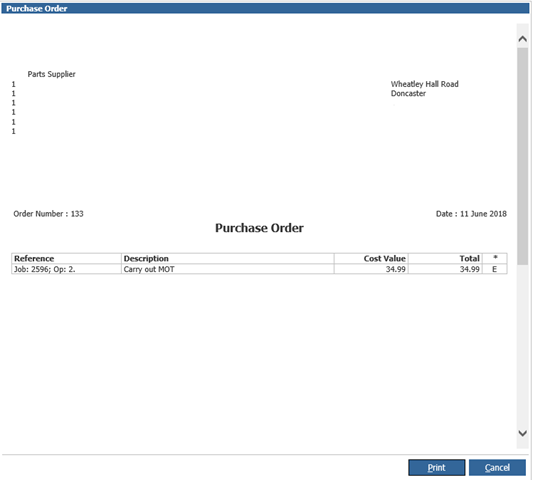
When you select the Purchase Order button, the details for that Purchase Order will be available to view;
 ##
##
You are able to view the details for the Purchase Order.
If you select a line where there are multiple purchase orders associated, the system will load the first purchase order number but there will be an option to pick from the list of purchase orders available to view.