
The budgeting option is displayed in the profit and loss. The actual value is compared to the budget value (without the tolerance) and this calculates the variance.

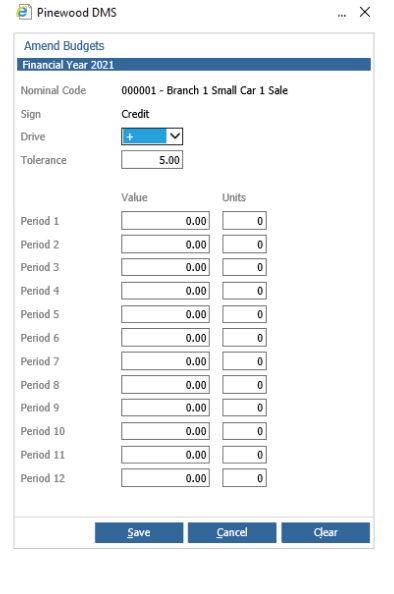
The budgeting controls are located in the main menu option labelled 'Budgeting' where you have the ability to search multiple nominal and establish budgets for each period. Budgets for the period can be split into values and units. Value is the amount of money in the nominal and the units is the amount of vehicles sold. This is shown within the deal book when filtering report type to 'Unit Sales v Budgets'.
The drive indicated whether it is a good if the variance is above or below the budget value and determines how the tolerance is applied. Generally a negative drive is used for debit nominal (expenses) and a positive drive is used for credit nominal (sales nominal). When importing nominal, the drives will be set as defaulted to the above stated and totals nominals will not be highlighted.
Each financial budget needs a tolerance indicator, held as a percentage, that allows variances to be highlighted only when they move outside this threshold in a direction opposite to the Drive.
Examples:
If the drive is negative and the actual value is lower than the budget value (minus the tolerance value) the variance will be black.
If drive negative, actual value < budget value minus tolerance = variance will be black.
If the drive is negative and the actual is higher than budget value (minus the tolerance value) the variance will be red.
If drive is negative, actual value > budget value (minus the tolerance) the variance will be red.
If the drive is positive and the actual value is higher than the budget value (adding the tolerance value), the variance will be black.
The drive is positive, actual > budget value (adding the tolerance) the variance will be black.
If the drive is positive and the actual value is lower than the budget value (adding the tolerance value), the variance will be red.
The drive is positive, actual < budget value (adding the tolerance) the variance will be red.
If the actual value is equal to the budget value (± tolerance), the variance will be black.
If drive is positive or negative, actual = budget (± tolerance) = variance will be black.