
When opening a job card / booking, there is a pop up for ‘MOT & service’ lines. This pop up is actually linked to the aftersales diary in CRM. Each vehicle CRM record has dates on it where MOT and Service are calculated based on information provided then subsequently calculated from the last invoice produced that was flagged as service or MOT.
Pinewood DMS does have the functionality to add a "user defined date" where you can enter a due date for anything - so in theory you could add health check on to here and it would appear annually like MOT and Service do to be pulled on to a job. However, as a health check is something you want to do ad-hoc as people bring their vehicles in it might not be something you want to process through the aftersales diary.
Alternatively if your site is using Checklists then you can add a checklist on to the dictionary item of MOT and service so that the checklist automatically pulls on to these when you raise them - however, this will mean it won’t have its own operation line for your technicians to clock on to.
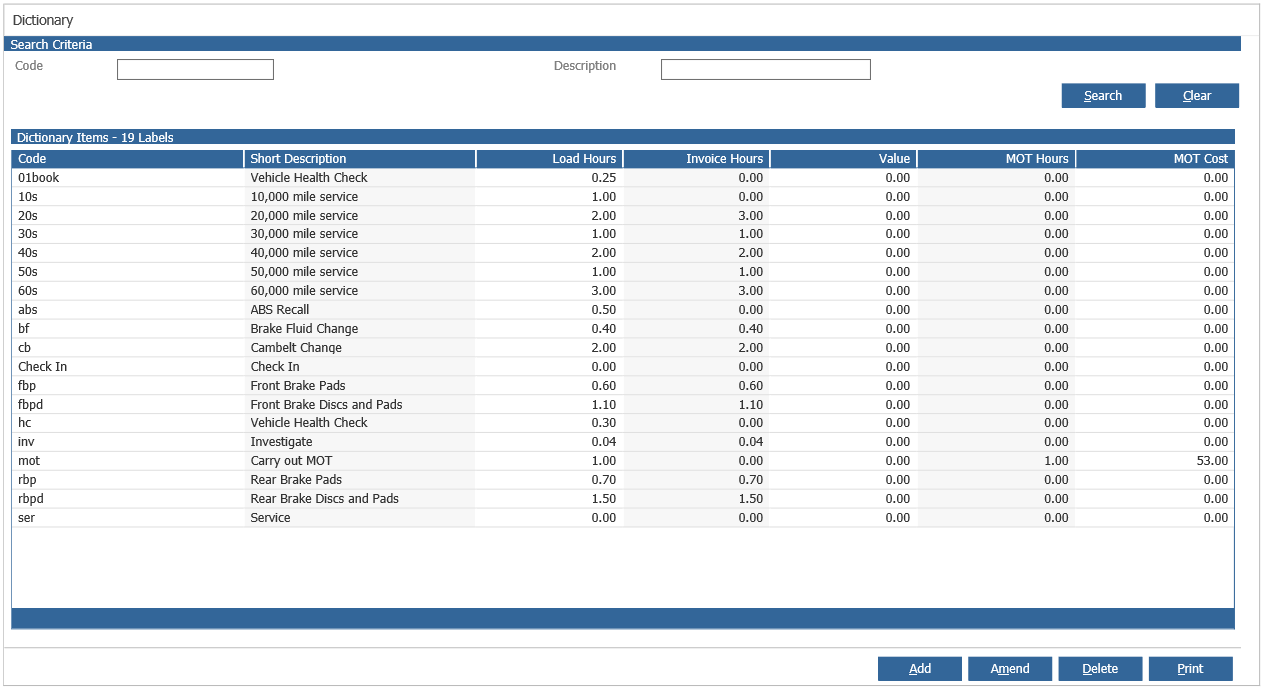
You can create a health check dictionary item so it has its own operation and always pull through the checklist but this will need to be manually added to the job by service advisers - there's no way to pull these through on to the job automatically.
This can be done through Workshop > Parameters > Dictionary and here you can create a new dictionary item as well as amend existing items.
If your site is using checklists in the set up of this item there is a dropdown in the screen asking you to add a checklist - if you add your VHC here it will pull through each time you use this item.