
The Agent Bookings report, is a report on where you can view agents bookings via their system role of a Call Centre Agent within Administration or by selecting the Include - Non Agent Bookings to view bookings by all users.
If you want to change the system role of the user to a call centre agent you need to go to;
Administration > User Admin
Select the users tab and search for your user you need to change the role of. If you then drill in to their record you can then select edit and amend the system role to a 'call centre agent'.
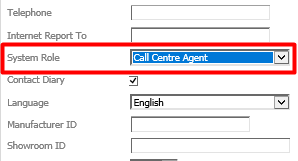
The next time this user creates a booking the booking will then be recorded against the call centre agent bookings report.
This report can be viewed by going to;
Workshop > Reporting > Call Centre > Agent Bookings
You can choose the date range and if you want to include your non agent bookings you can place a tick in the tick box for Include Non-Agent Bookings.
Once you have filled out the criteria you can select accept.
The following screen will then be displayed.
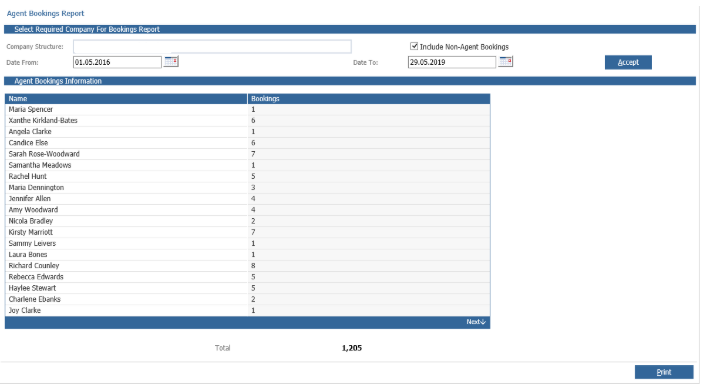
You will then see the name of the agent/agents and the number of bookings made.
You can also print this page.
You can also see the option to include non agent bookings. If this is selected this will then display the bookings made by the rest of your users who are not set as an call centre agent.