
Question
How can I delete GRNI?
Answer
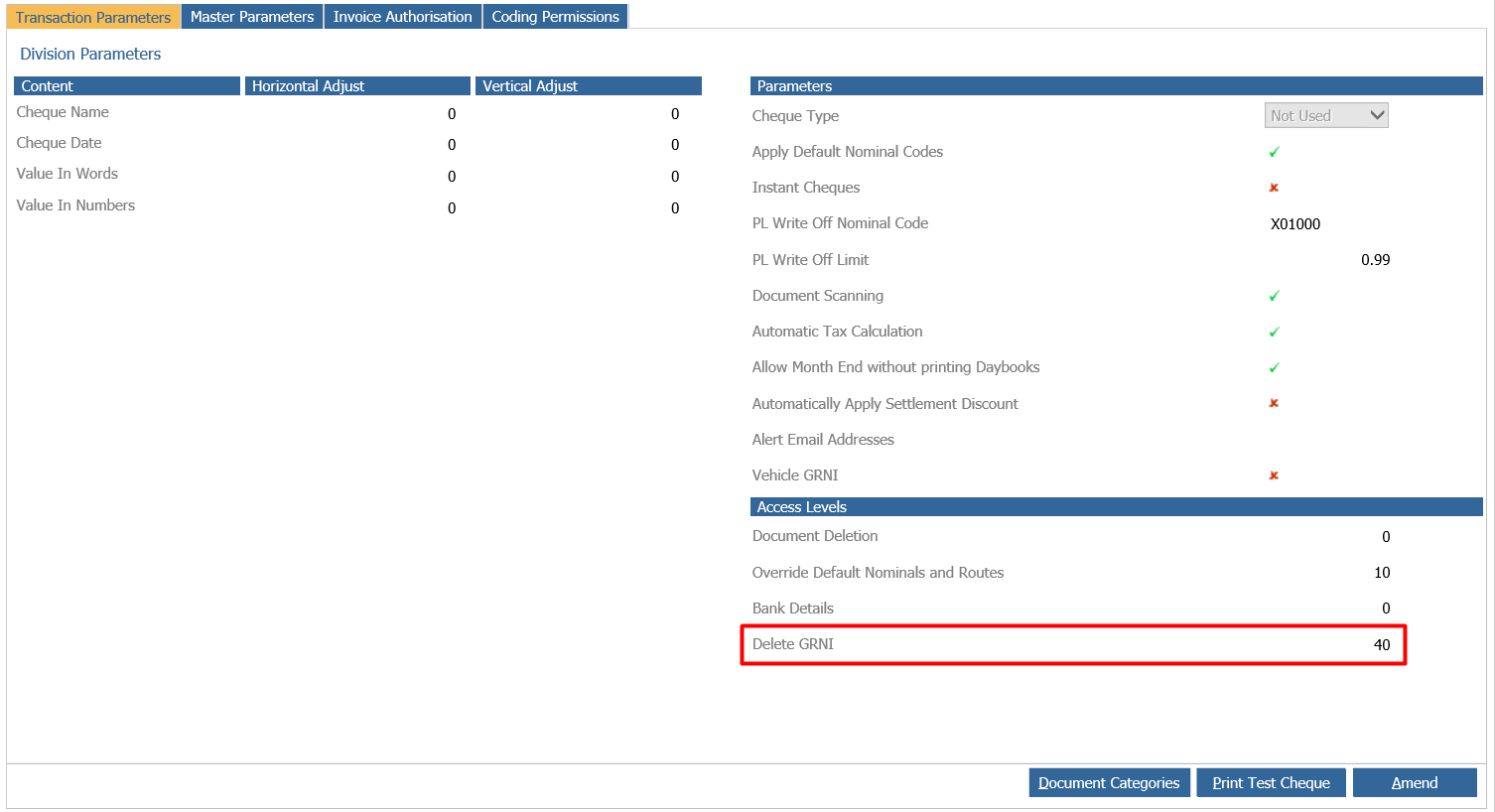
If you need to delete a GRNI from the system you can do this via the GRNI report if you have the correct access level, this is set in Accounts > Purchase Ledger > Ledger Parameters against the Delete GRNI parameter:
Given you have the correct access you can go to Accounts > Purchase Ledger > Reporting then click the GRNI tab:
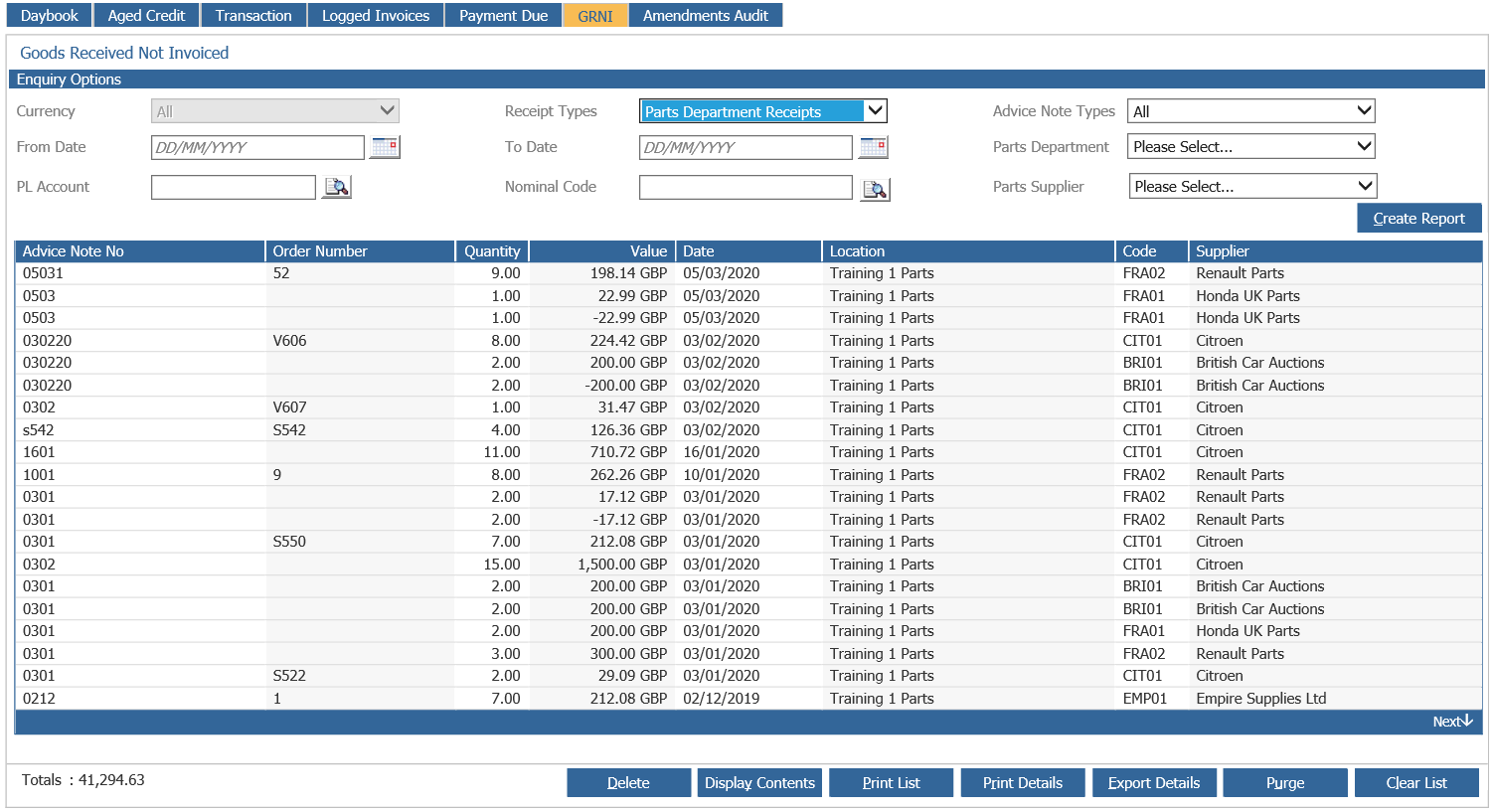
Once here you can single click the GRNI you wish to delete and then click Delete and you will get the below screen:
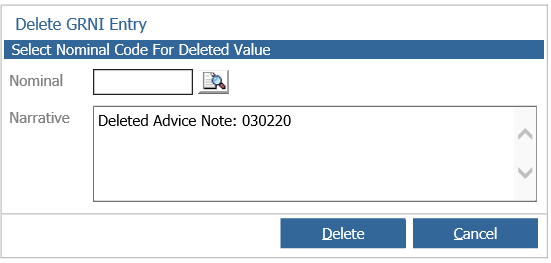
Here you can specify the nominal you wish to post the value to and enter a narrative to be shown against the posting, this will then delete the GRNI off the report