
Viewing Job/Operation Information
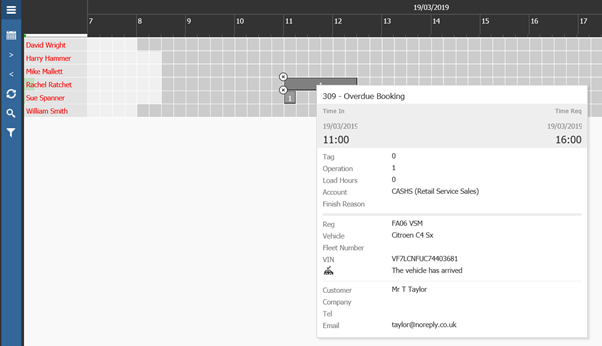
When hovering over an operation or job it will show a brief overview of the job details, when set as Complete this will also show the finish reason.
Amending Job/Operation Information
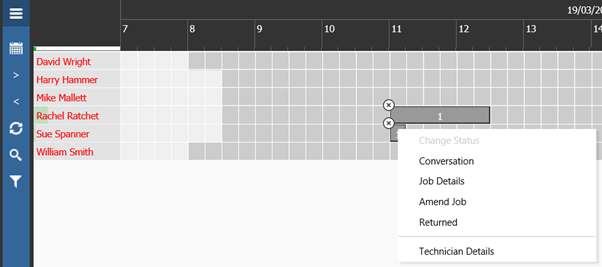
Single clicking a job/operation will give a user several options:
Conversational Notes
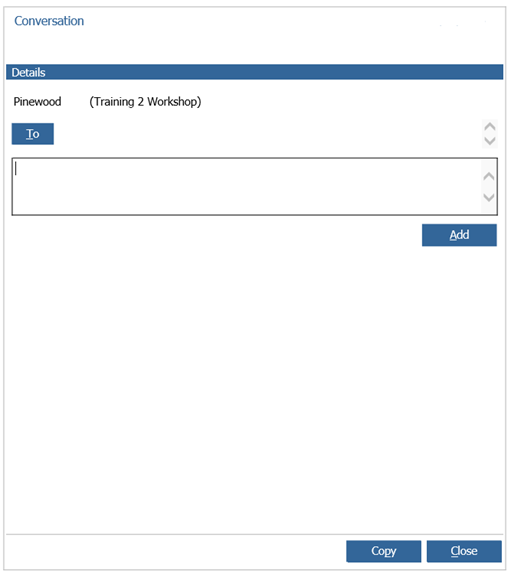
Against each operation or job, you can view or add conversational notes to do this select the operation and click on conversation. This will then show any existing notes and allow you to add any new ones.
Job Details
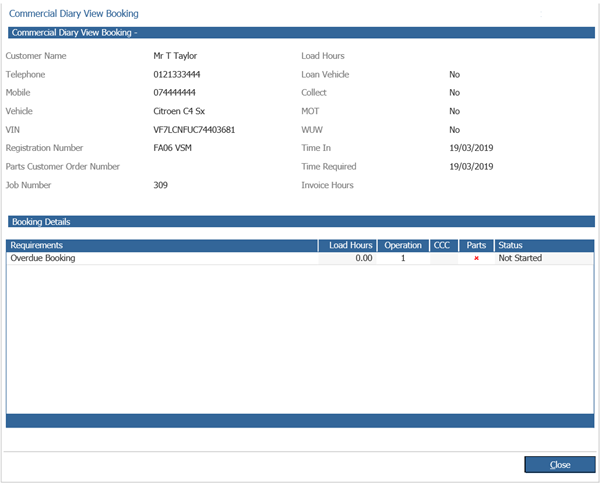
This displays further details of the booking/job:
Amend Job
You may find that when in the planner you need to add additional load hours or additional operations to a job, to do this simply select the job and click the amend job option. This will then take you into the amend job option to carry out any amendments to the job.
Returned
This marks the vehicle as returned to the customer, to mark this as Arrived again, simply click again and click Arrived.
Technician Details
The Technician Details options shows any clocking that the technician has done on the job/operation.