
To produce a Workshop Invoice you will need to go to Workshop > Invoicing > Produce Invoice, enter in the detail of your job to take you to the Invoice Details screen.
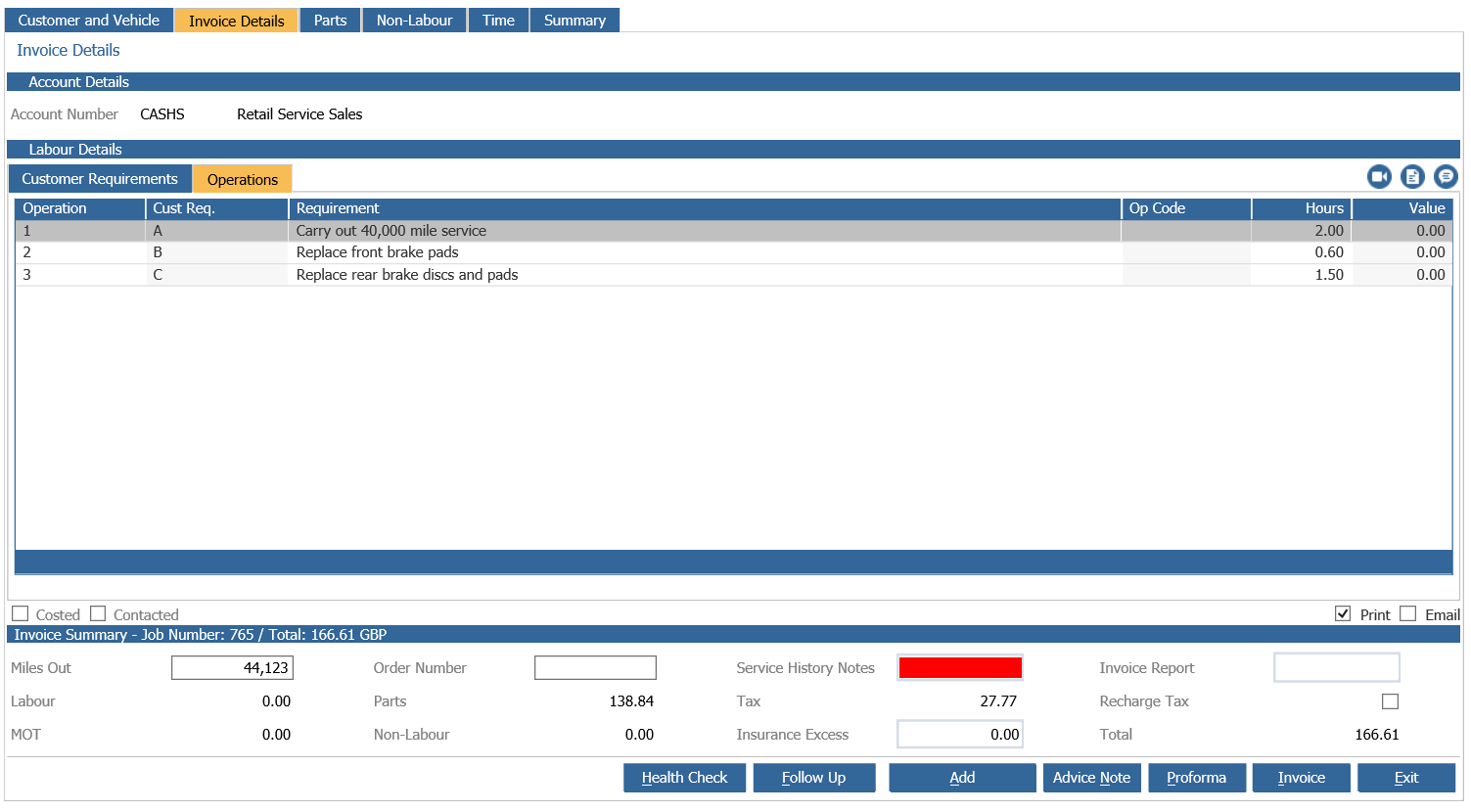
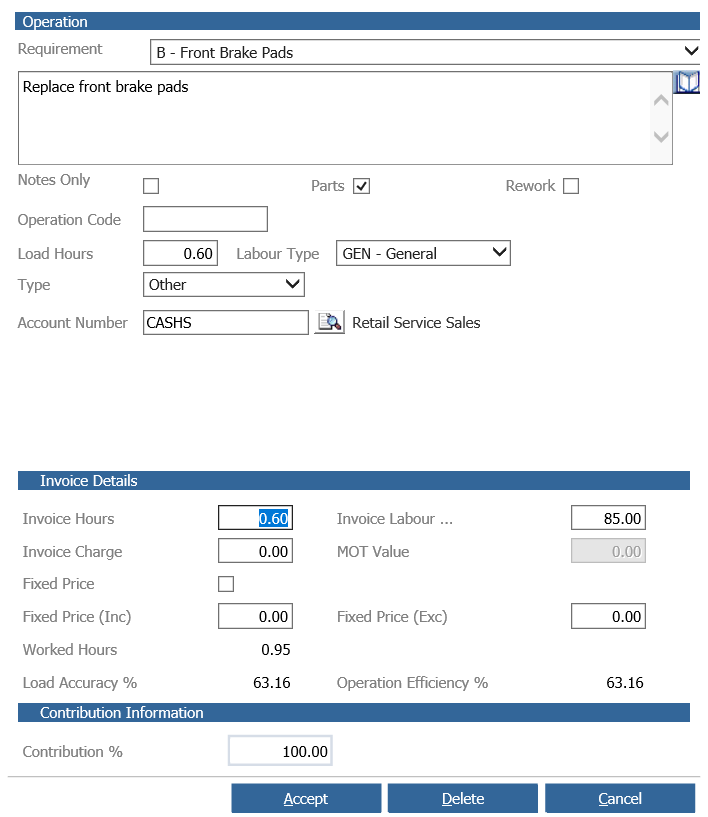
Double click to drill into your operation which will allow you to make any changes regarding the Invoice Hours, Charge and Labour.
After you have confirmed all the details are correct and you want to Produce your Invoice you need to enter in Service History Notes.
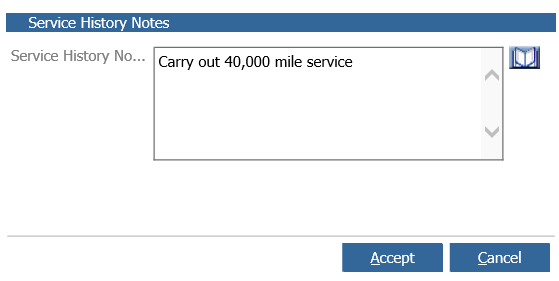
Accept these notes and click the Invoice button located in the bottom right.
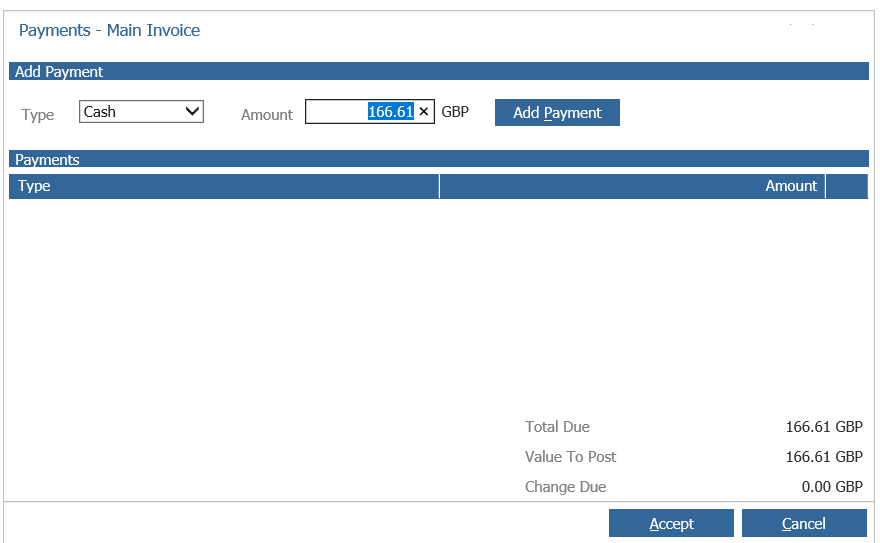
It will then prompt you to add your payment with 5 different payment types including Card, Cash, Cheque, Unknown and Cash on Delivery.
Once this has been selected click Add Payment and click Accept.
This will then print off your Invoice.
It will then pop up with the Follow Up tab allowing you to record any Follow Ups.
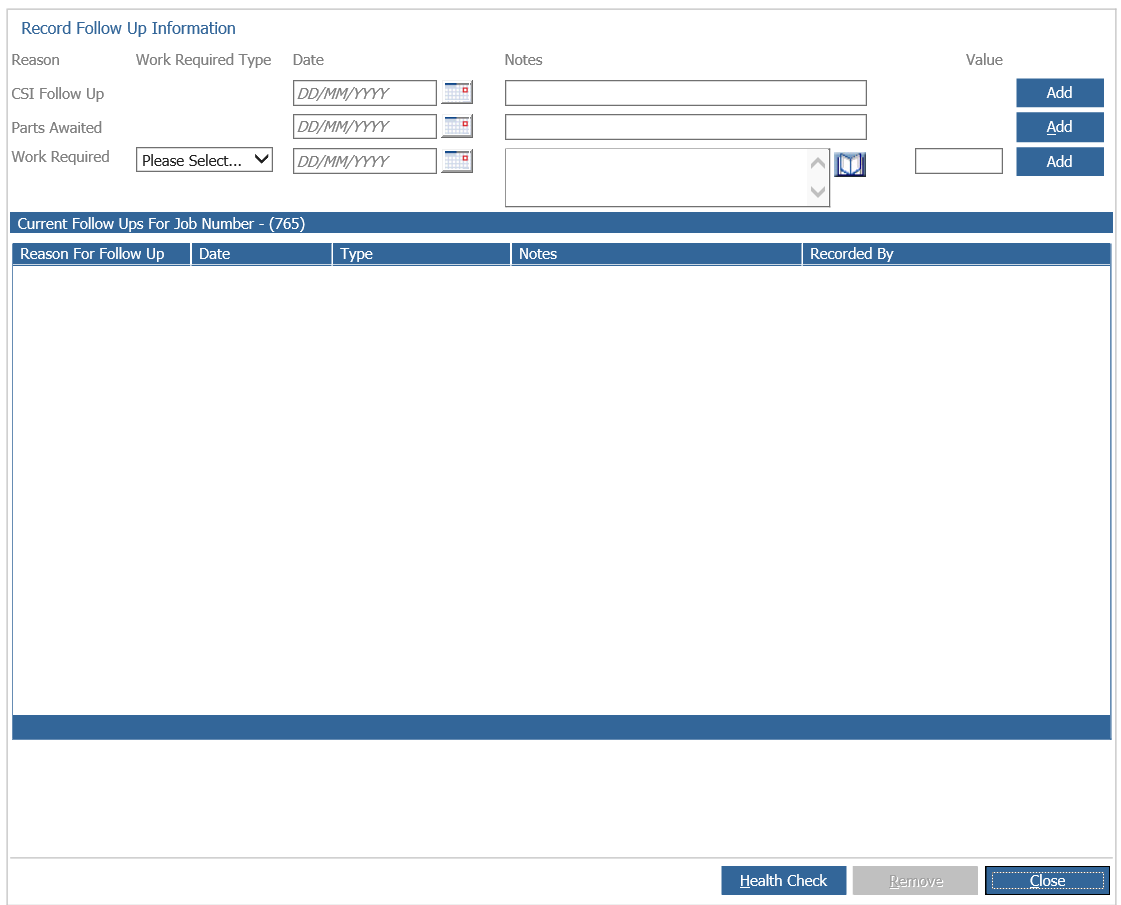
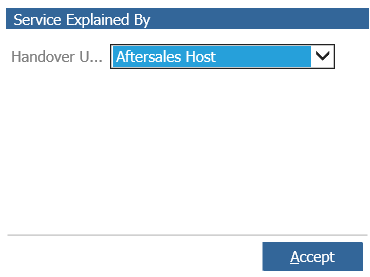
Close out of this and it will then pop up to assign your Handover User, select your User from the list and click Accept.
Your Reminder Summary will then pop up where you can select the date for your reminders.
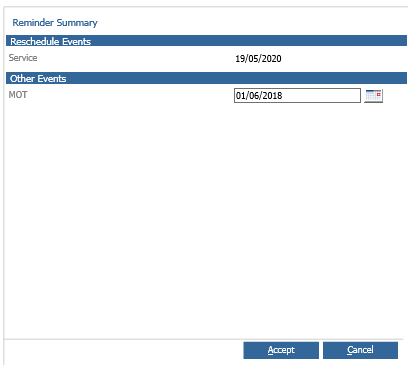
Click Accept and this then complete your Workshop Invoice.