
Fixed pricing allows the entering of a fixed value against an operation. The function will need
to be enabled and set up prior to use. (See the Parameters section of the guide for further
details)
Select Workshop > Invoicing > Produce Invoice from the side menu, enter the
appropriate detail and select ‘Search’
The ‘Invoice Details’ screen will be displayed.
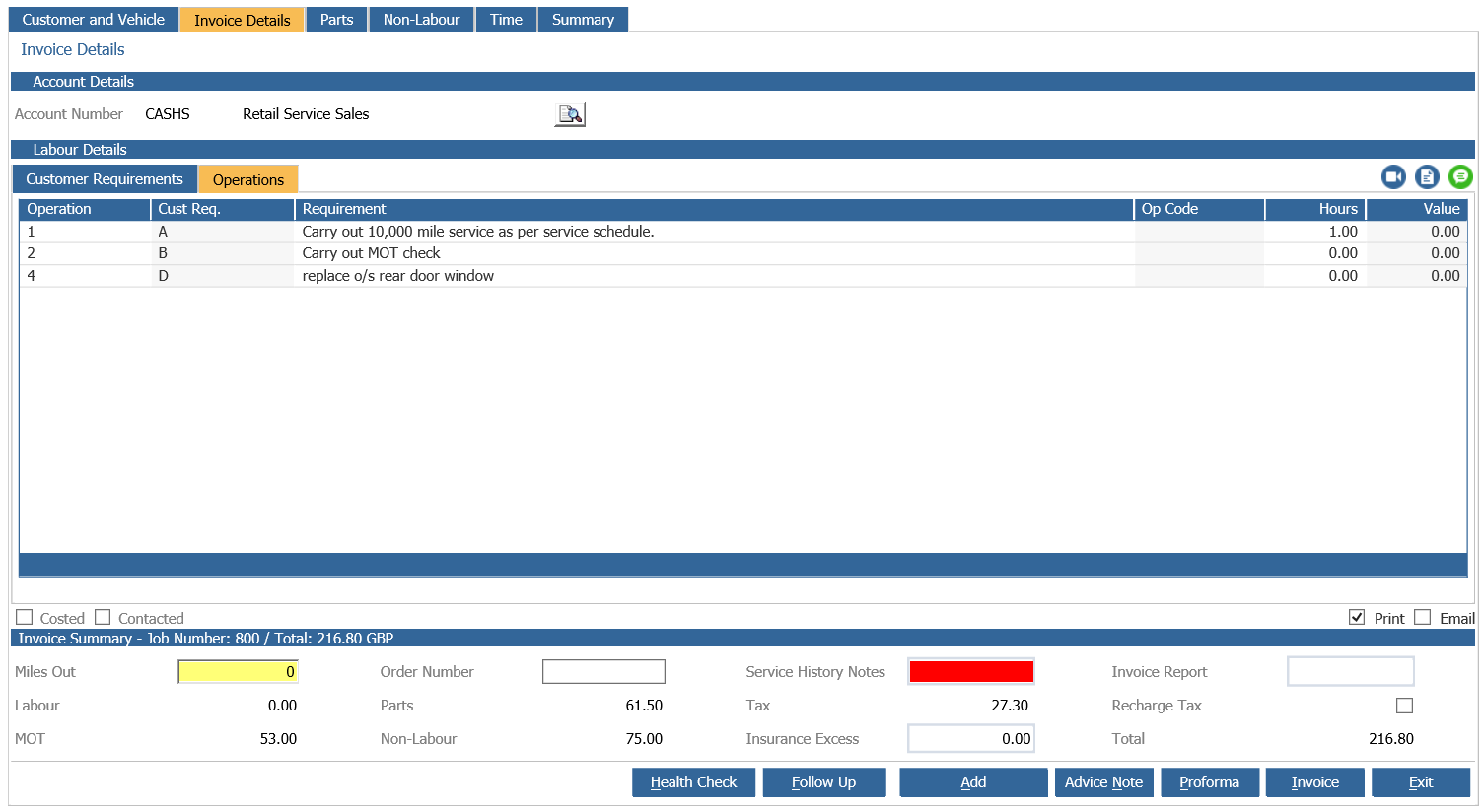
From the ‘Operations’ tab select the operation to be invoiced.
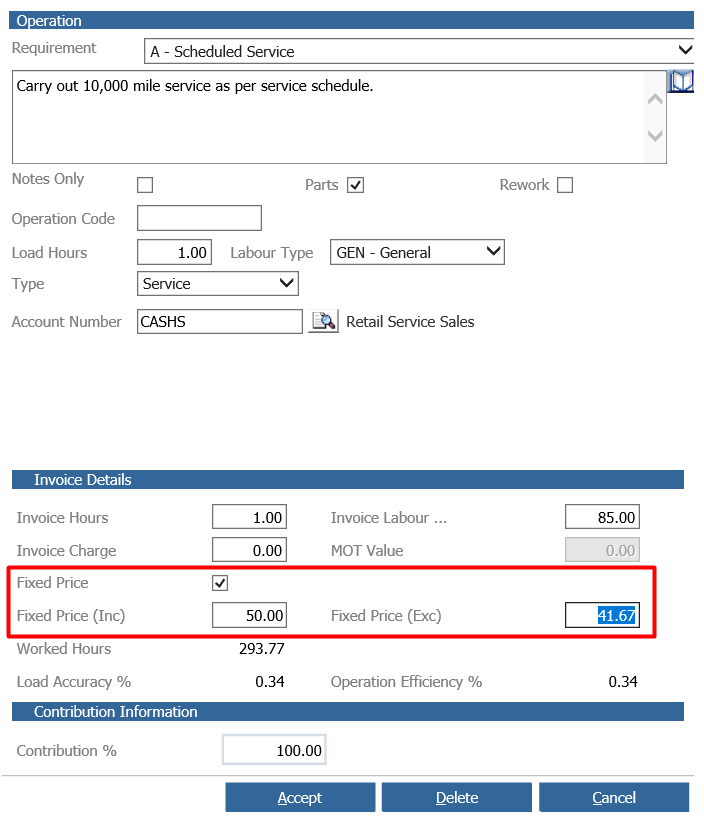
Select ‘Fixed Price’ to enable the ‘Fixed Price (Inc)’ and the ‘Fixed Price (Exc)’ fields.
Enter the fixed invoice value in the required field and select “Accept”.
Note: A contribution cannot be applied to a ‘Fixed Price’
Cost each operation as required and complete the ‘Mileage’ and Service History Notes’ fields.
Select the ‘Invoice’ button to validate the ‘Fixed Price’.
Note: If a value is to be written off to the Parts Department Pinewood DMS will ensure that the part is not sold at a loss and the additional value is posted to the Labour Write off nominal.
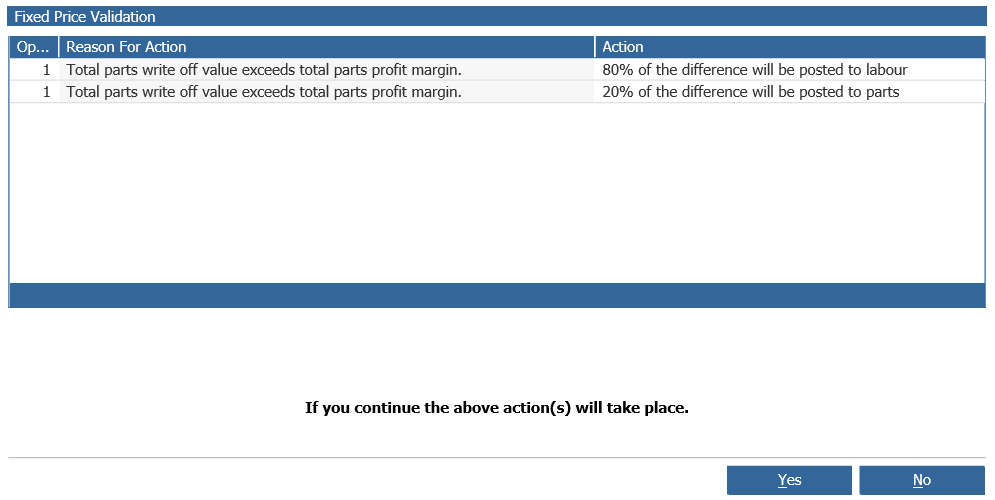
To continue with the Invoice select “Yes” to stop the invoice and make any changes required
or select “No”.
Further validation takes place prior to the invoice being produced.
Note: A fixed price is applied to each individual “Operation” from within the “Invoice” screen.