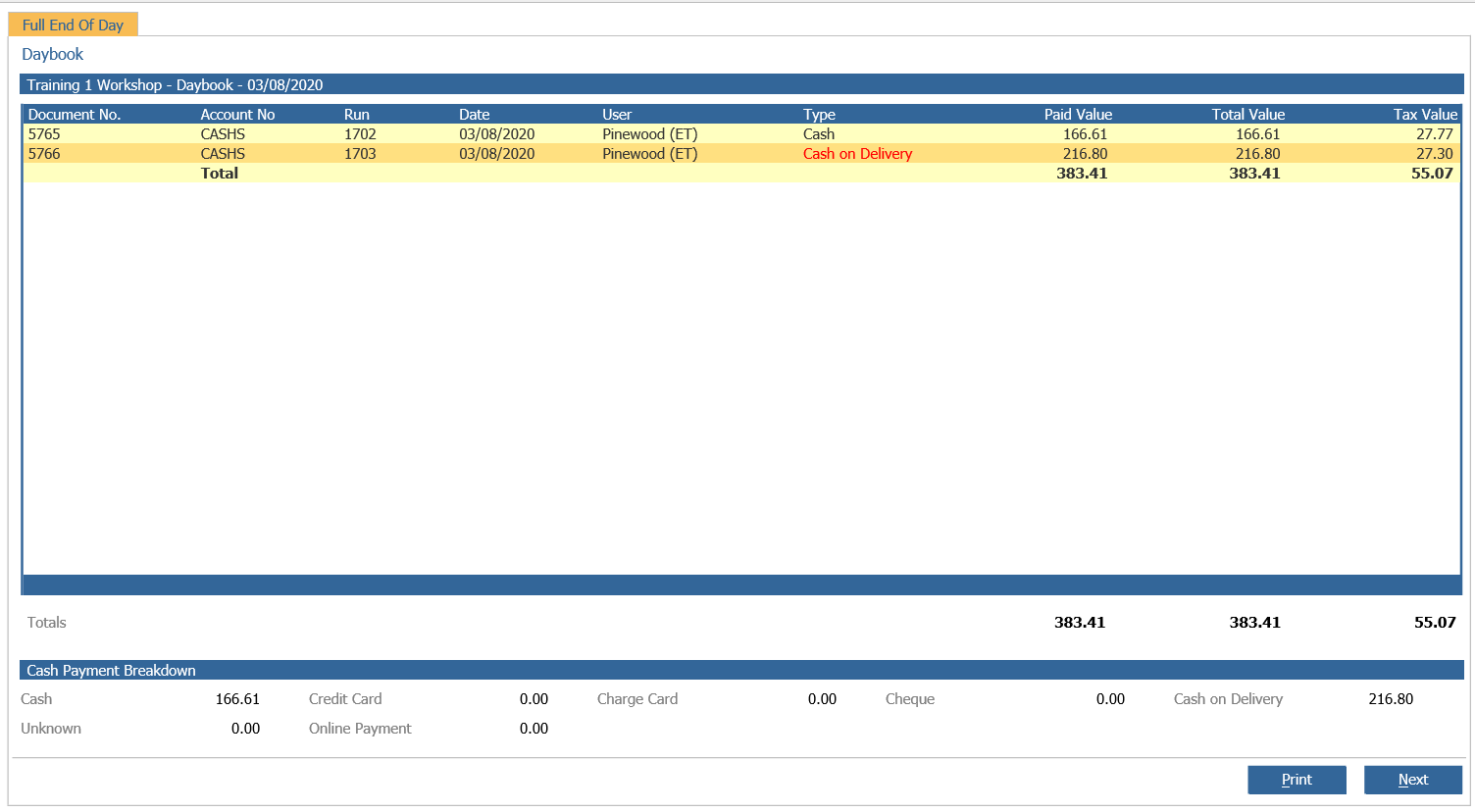
Prior to using the cash on delivery option the parameter has to be enabled in Workshop >
Parameters > Parameters General 2 tab and the cash on delivery parameters have to be
completed also.
Select Workshop > Invoicing > Produce Invoice from the side menu, enter the
appropriate detail and select ‘Search’.
The ‘Invoice Details’ screen will be displayed.
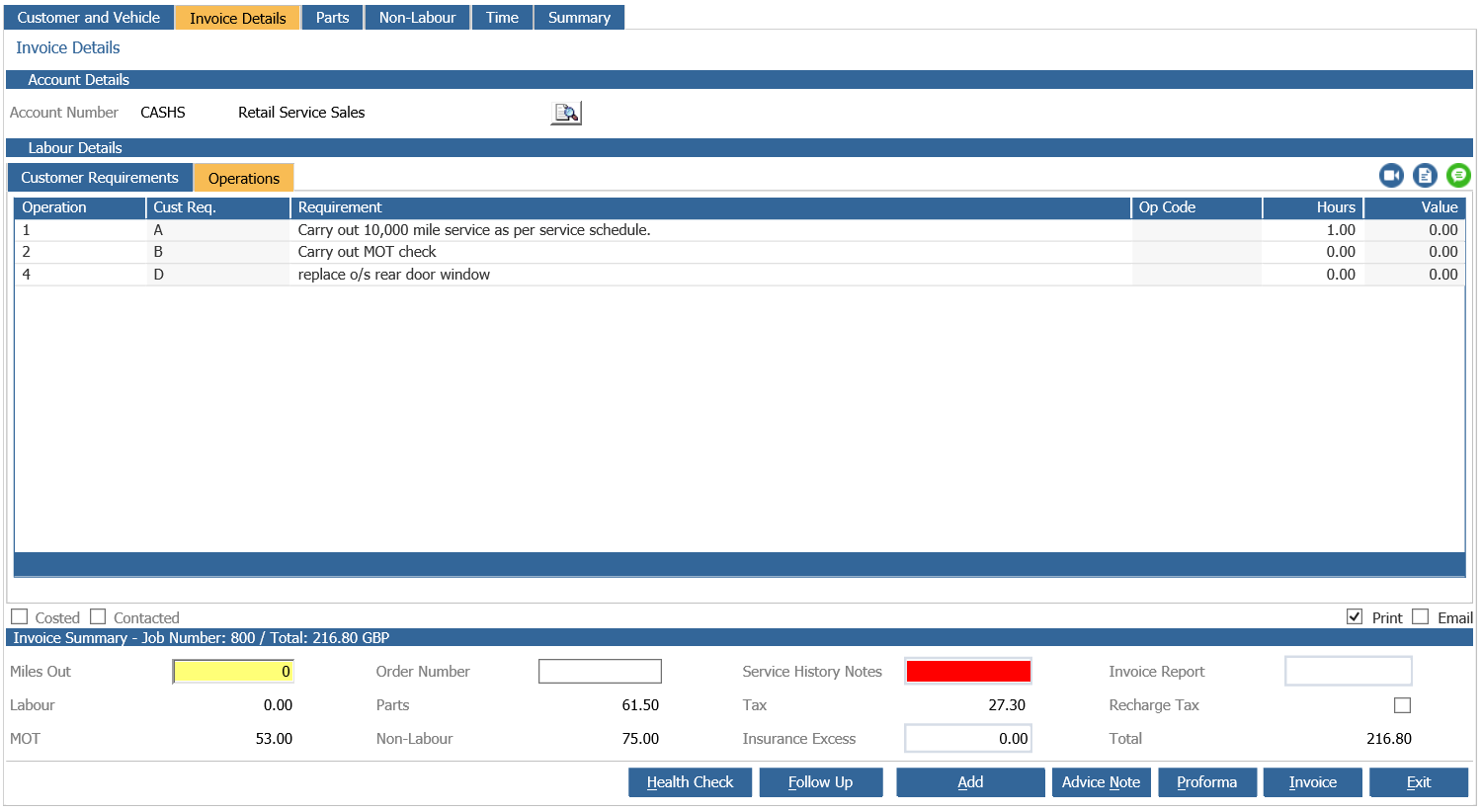
From the ‘Invoice Details’ screen double click an ‘Operation’ line to open the following
window.
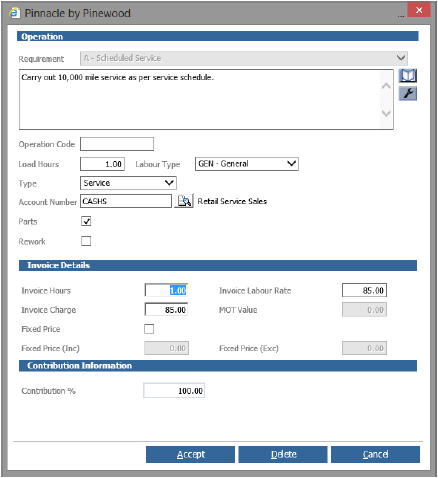
Complete the ‘Invoice Details’ section as required then select the ‘Accept’ button to return to
the ‘Invoice Details’ screen.
Enter the correct vehicle mileage and Service History notes then select ‘Invoice’ to complete
the process.
The ‘Payments – Main Invoice’ window will be displayed
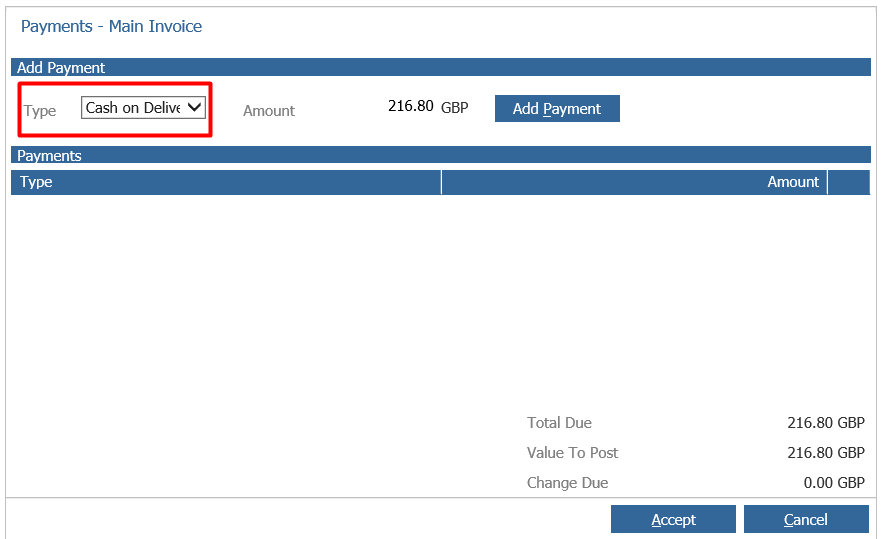
From the ‘Type’ drop down menu choose the ‘Cash on Delivery’ option. Select ‘Add Payment’
and then ‘Accept’.
The invoice displays a ‘Payment Method’ of Cash on Delivery.
Refer to Reporting > End of Day > Daybook to process cash on delivery payments.