
Question
How to add a Card Receipt in Cash Book?
Answer
To add a Card Receipt in the Cash Book go to:
Accounts > Cash Book > Receipts
Enter the banking date (must be in an open period).
Enter a cash book reference
Double-click a bank account and click ‘Next’
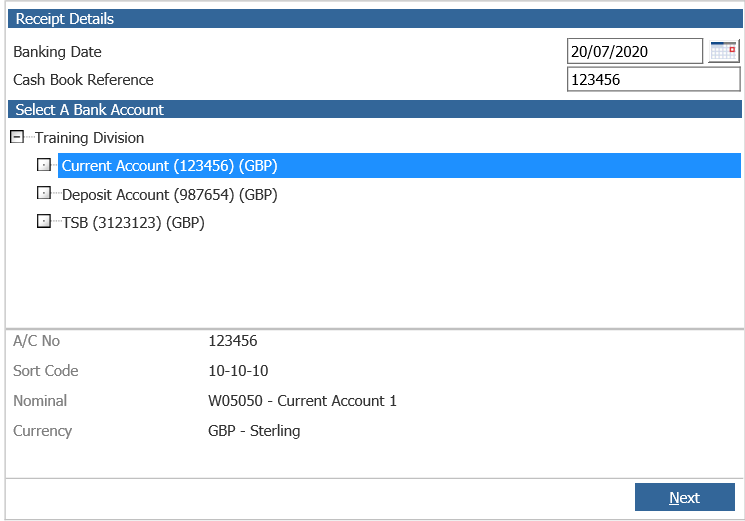
Enter the value to receipt and click ‘Next’
You now need to enter the receipt value into the card receipts field
Click ‘Card Receipts’
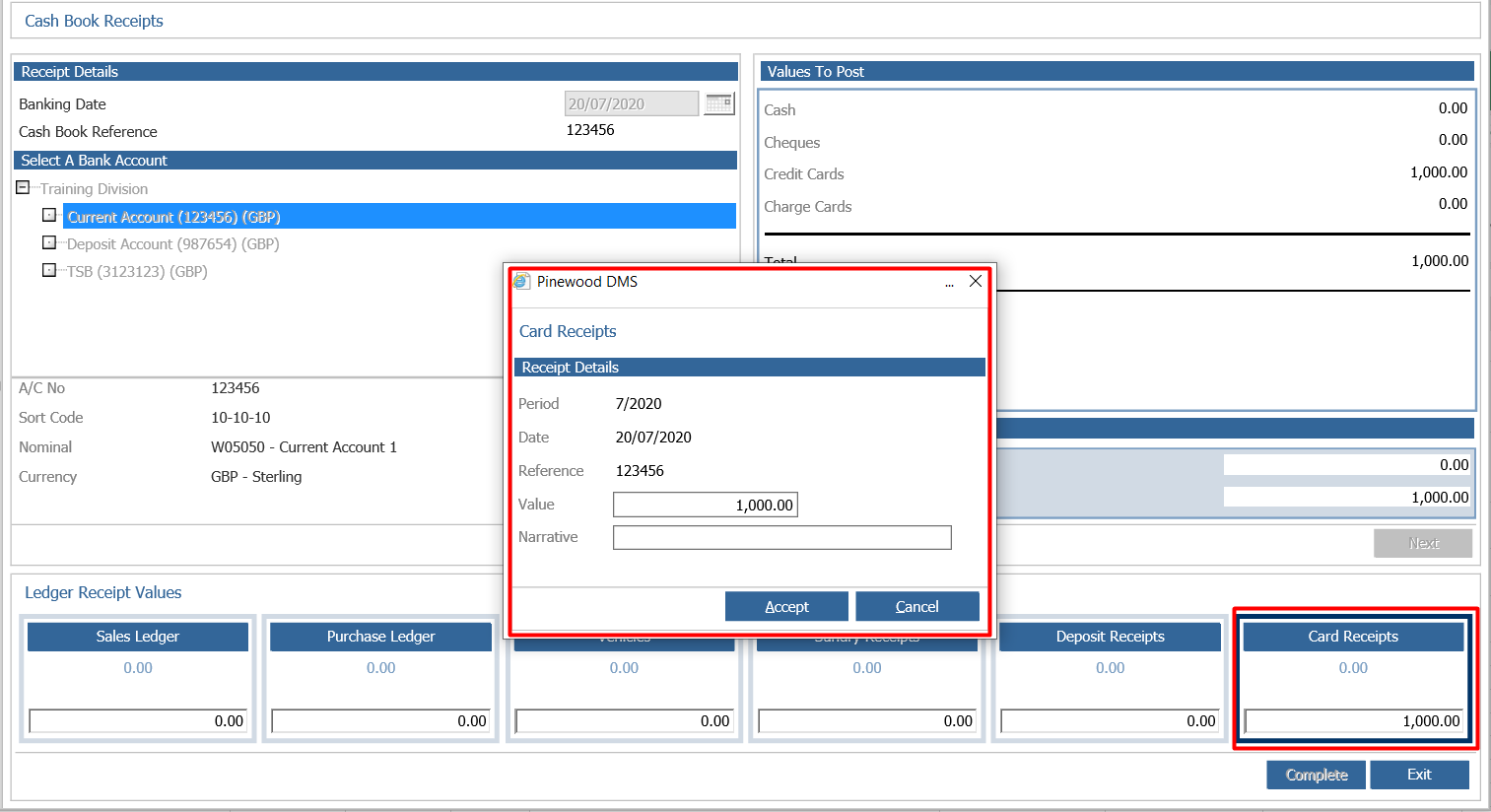 Enter the receipt value
Enter a narrative and click ‘Accept’
A daybook can then be printed; click ‘Yes’ or ‘No’
Click ‘Yes’ to complete the cash book