
Question
How to reverse a VAT suspense transaction?
Answer
To facilitate the reversal process, VAT reversals will no longer take place when a transaction is paid and will instead be instigated from a new report within the ‘Invoice Management’ screen
To set this up go to Accounts > Nominal Ledger > Ledger Parameters
Select ‘Tax Maintenance’ from the Global Accounts Table and select ‘VAT Suspense’
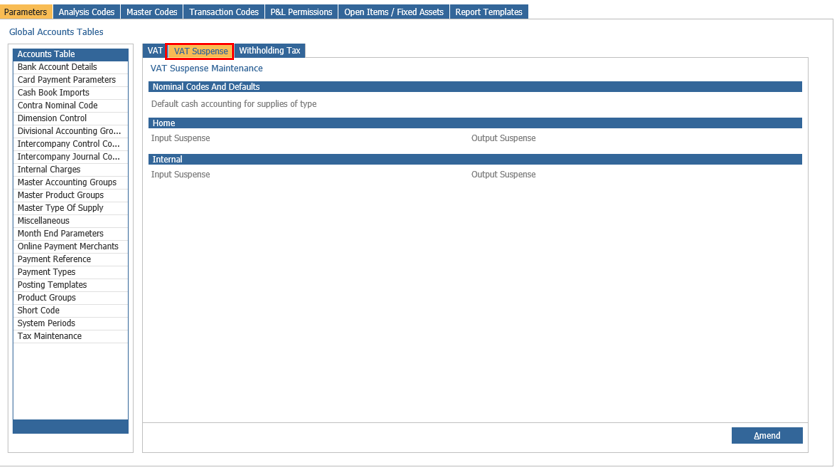
Click ‘Amend’ and select a default cash accounting for type of supplies from the drop-down selection, as seen below
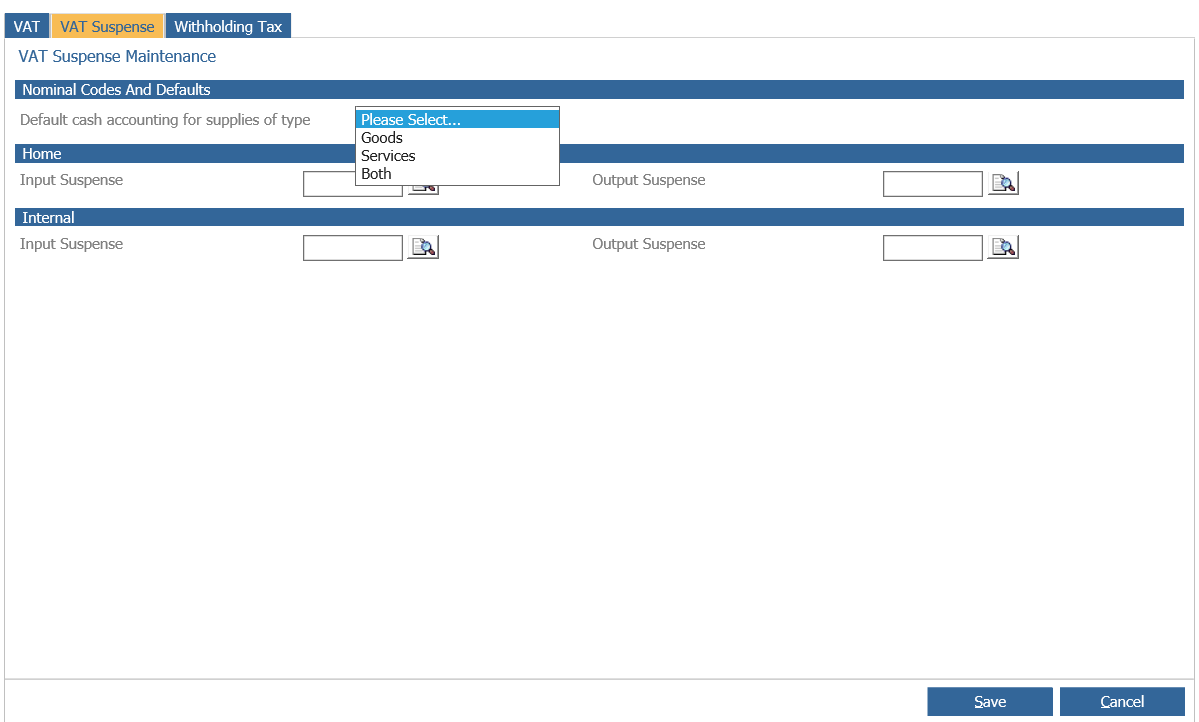
Search for and select your chosen nominals for VAT Suspense for both ‘Home’ and ‘Internal’ input and output > Click Save
To process a VAT Suspense reversal, go to Purchase Ledger > Processing > Invoice Management
Select the VAT Suspense tab
This tab will display a list of paid transactions whose VAT value is currently held in suspense
‘Completed’ transactions include: Completed, Cleared or Discounted
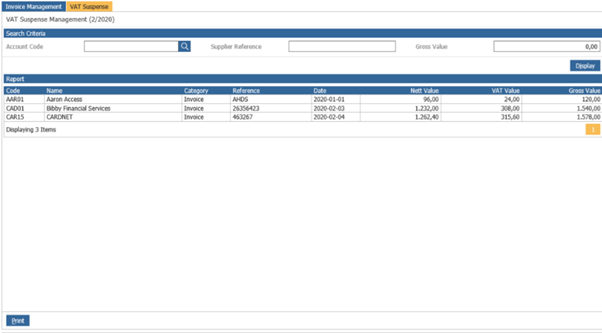
Double click on the transaction that you wish to reverse the VAT suspension
This will then prompt you to add a document supplier reference and transaction date
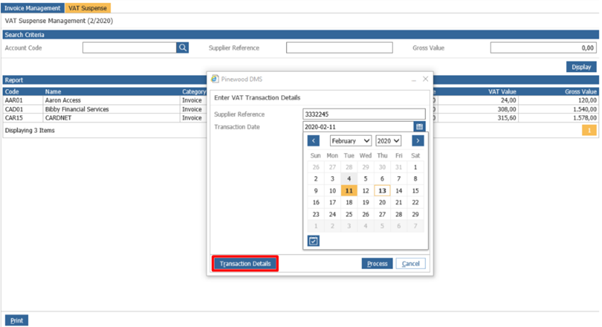
The option to upload a document against this new transaction appear at the end of the process
This will then create a zero-value transaction on the Purchase Ledger account using the supplier details as well as in the VAT suspense reversal postings that were previously created
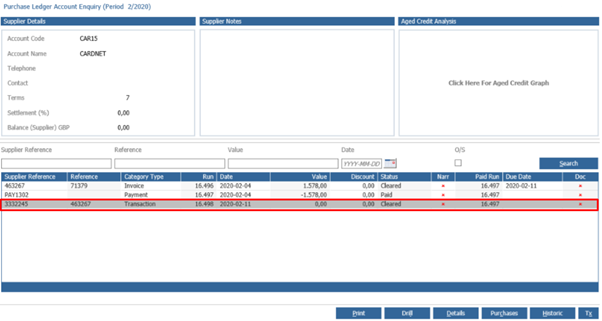
This transaction will be created in the period being worked on. To confirm this please check the top left corner of your screen
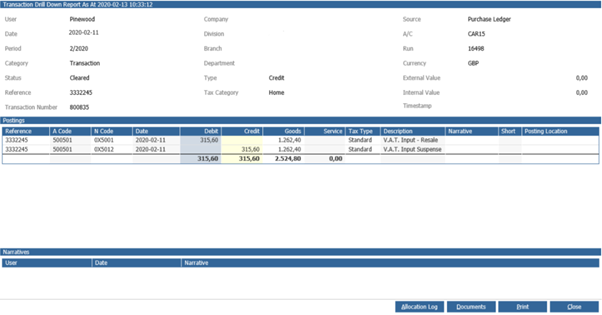
The Supplier Reference will be set to that which was inputted during the process
The transaction’s ‘Reference’ field will be populated with the original invoice’s supplier reference
The transaction value is set to zero to avoid complications around reconciliation as no postings are made to the creditor control nominal code.
The ‘Paid Run’ for this new transaction will be set to the paid run number of the original transaction whose VAT suspension this transaction has reversed and moved to Input VAT.
Once complete the report view will refresh to remove any processed transactions.
NOTE: These changes will only affect Purchase Ledger and have no effect on the Sales Ledger VAT suspense process.