
Question
Why does the error message 'Something Went Wrong' display during the VAT submission process?
Answer
When this error message displays during the VAT submission, via Accounts > Nominal Ledger > Reporting > VAT Analysis > Submissions > Submit. Most of the time, this will mean the VAT registration number being used is incorrectly authorised.
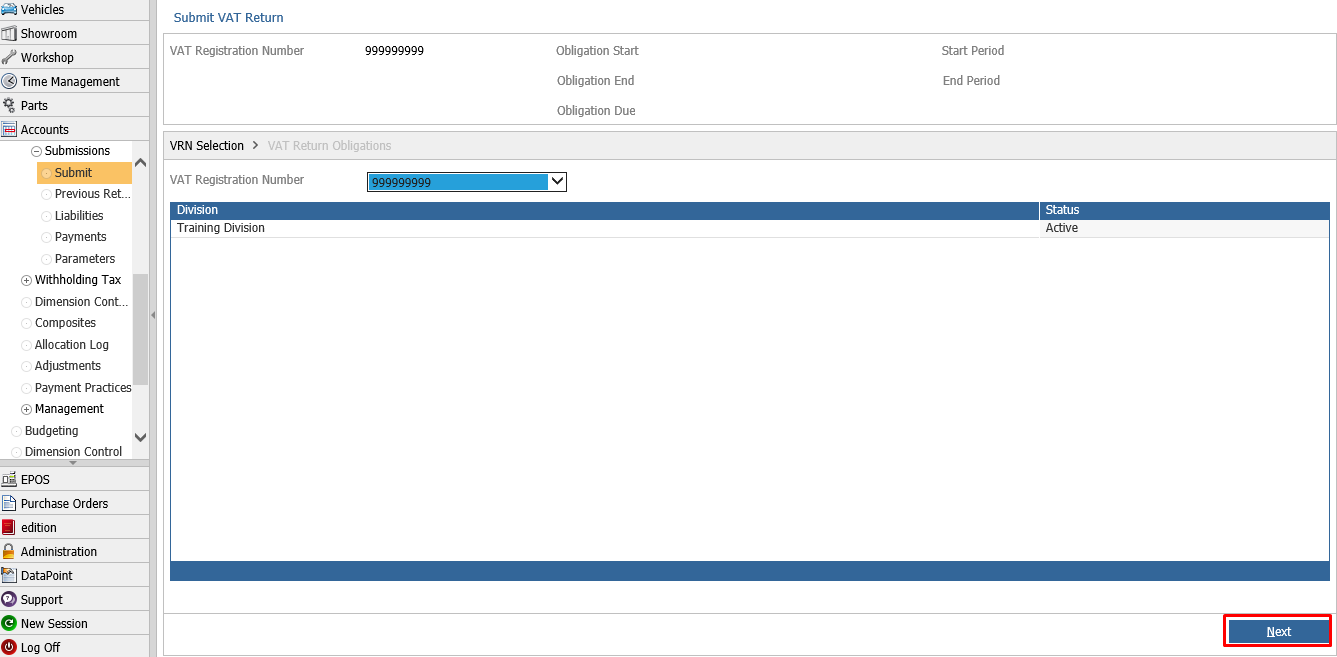
After choosing the desired 'active' registration number on the first page of submission, the VRN Selection page, click the Next button.
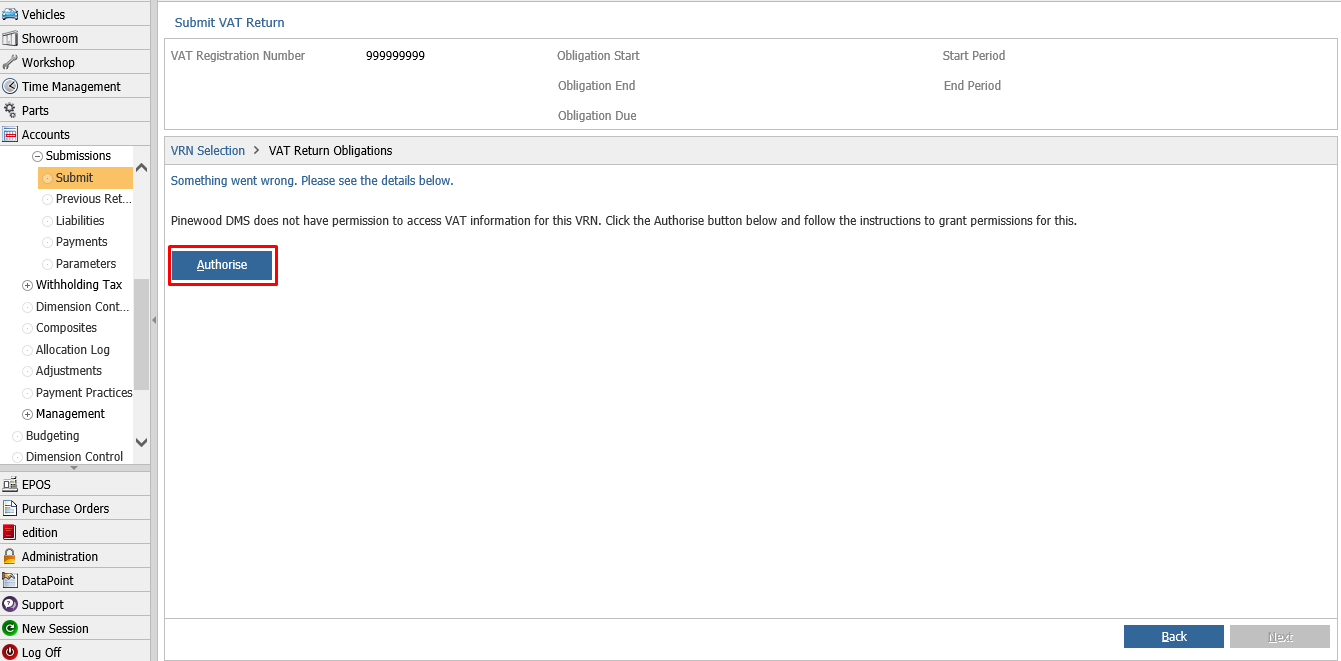
On the VAT Return Obligations page, the error may display as below. If we click on the Authorise button, the link will take us to the HMRC website to authorise this registration number.
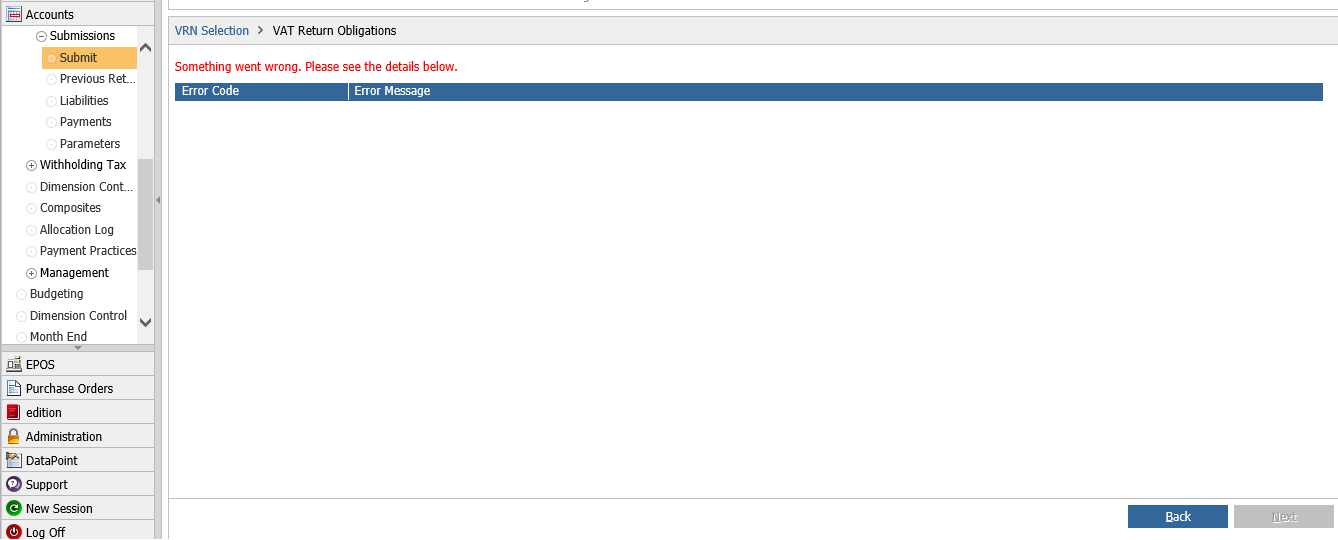
The error message can also display as below, in which case we can attempt to re-authorise the number via Accounts > Nominal Ledger > Reporting > VAT Analysis > Submissions > Parameters
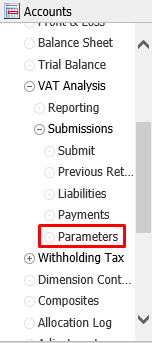
Once in Parameters, click the permissions tab. From the VRN dropdown box, choose the desired number, and click the authorise button.

If the error does still not resolve after re-authorisation, please contact Pinewood DMS support.