Question
If, when attempting to produce a Parts Credit Note, you have selected your chosen part(s) that you wish to credit and have selected 'Accept', the message - 'The parts records have been selected for credit for this invoice while you were in this routine. Please review parts records' appears.
How do I resolve this?
Answer
You will need to go through the 'No Document' routine.
Going back to the first stage of producing the credit, where you enter the Invoice No, Invoice Date and the Reasons For Credit, along with 'Accept' and 'Cancel' you will have the option 'No Document'.
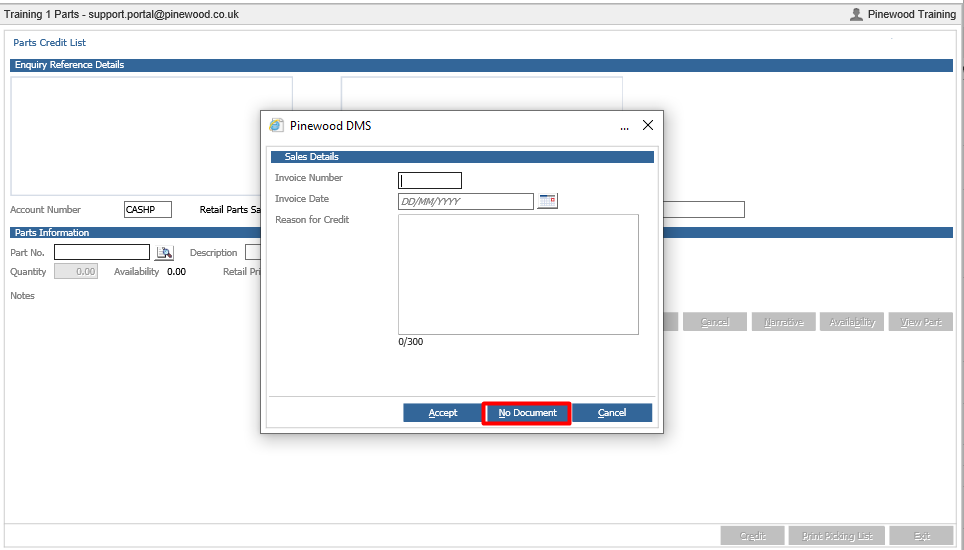
If enabled, this gives you the ability to manually create the credit note. Allowing you to enter the Original Reference, the Account, the Part No, etc. Once all the details have been filled in, simply select Credit.
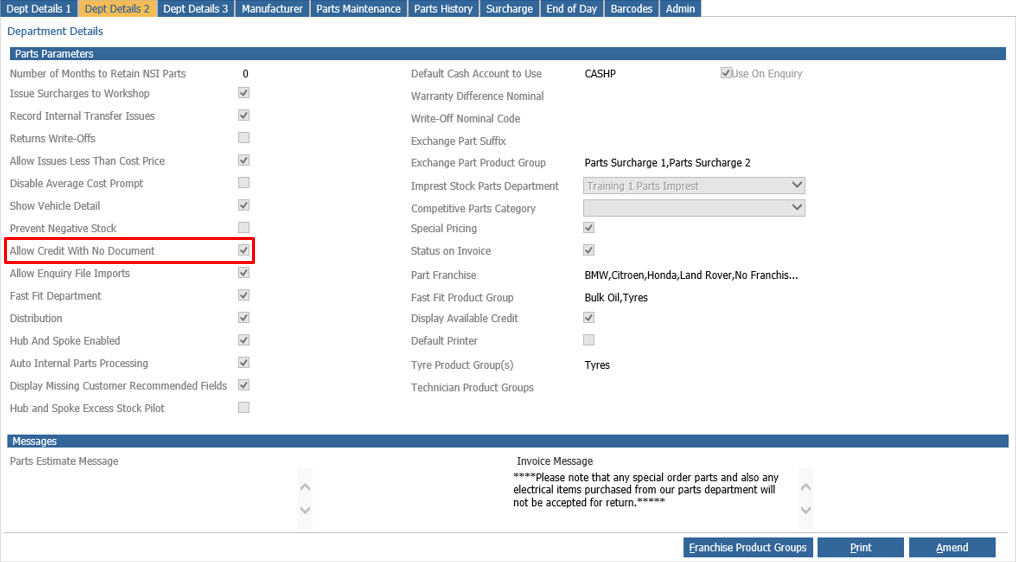
**Please Note: If you do not have the ability to select 'No Document' then it will need to be enabled within Parts > Parameters > Department Details > Dept Details 2, where you need to select the parameter 'Allow Credit With No Document'.**