
Every menu item within the system has it's own access level which is represented by a numeric value from 0-99.
Each user is then given an access level to different sections which then dictates what they do and do not have access to. The users access must be equal to or greater than the specified access level to access that item.
You can check and change the system access levels by going to Administration - User Admin then going onto the System tab.
Each level has it's own access level also. For example if you wanted to access the letters option in CRM you would need to make sure your user had enough access to get into CRM > Enquiry in order to access this.
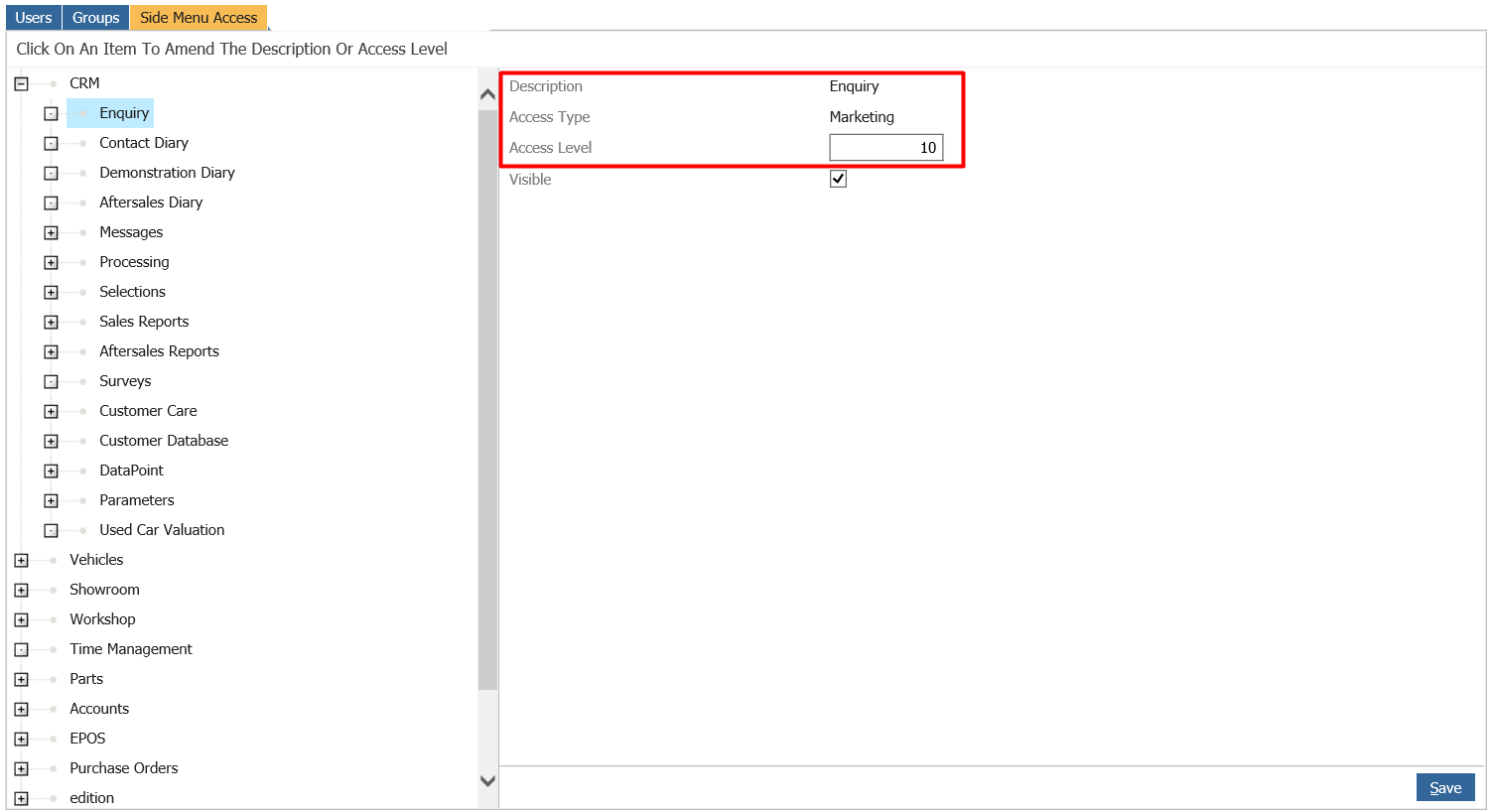
You can see from above that each item has an access type of Marketing and an access level of 10. In order for a user to access this they would need 10 or above for their CRM level.
If you go to the users tab and search for the user you want to have access to this you can then amend what level they have for CRM.
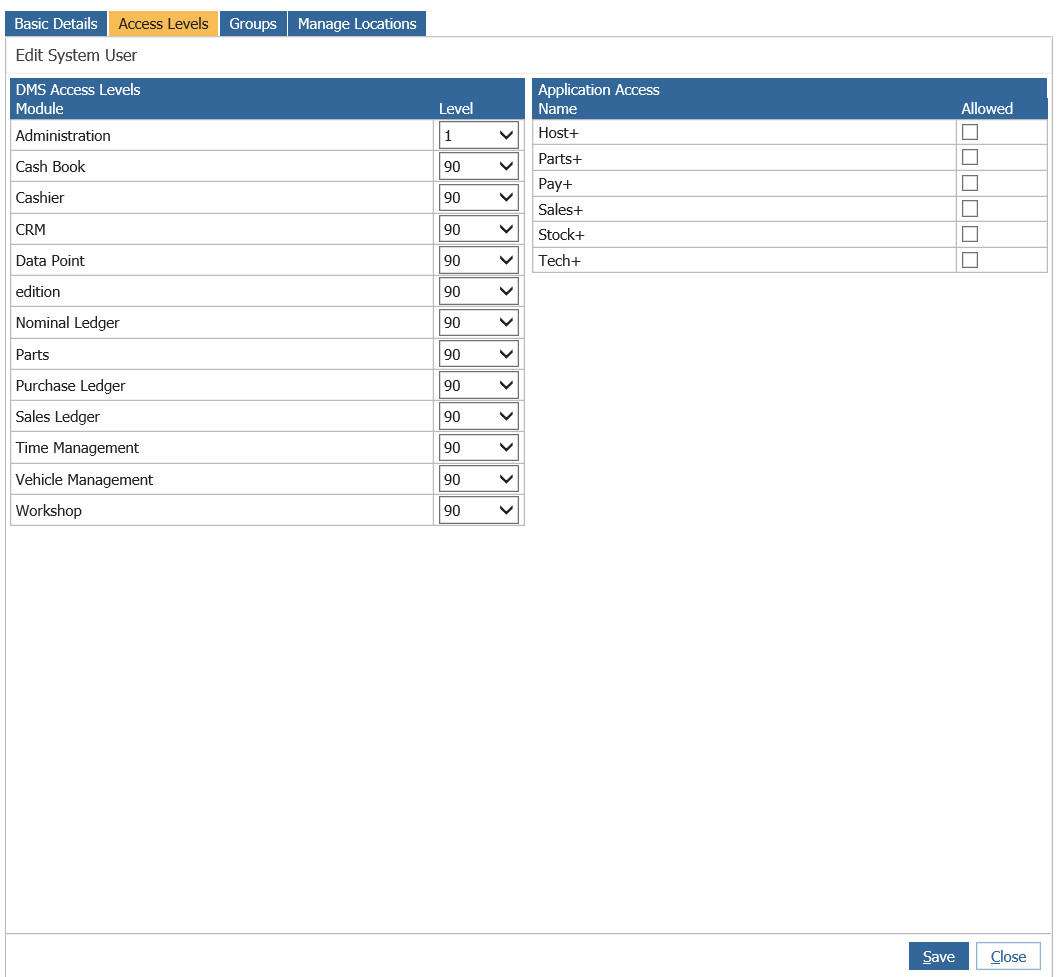
There are different access types and each access type corresponds to a different access level.
Marketing = CRM
Vehicle Management = Vehicle Management
Workshop = Workshop
Time Management = Time Management
Parts = Parts
General = Administration
Cash Book = Cash Book
Sales Ledger = Sales Ledger
Purchase Ledger = Purchase Ledger
Nominal Ledger = Nominal Ledger
Cashier = Cashier
Edition = Edition
Make sure you look at the access type needed as they may not always be what you expect them to be.