
Question
Why is a Customer Account not Pulling Through To The Parts Invoicing Screen?
Answer
You will need to check that the account is linked to the customer CRM. To do this go to Parts > Sales > Customer Enquiry. Search for your customer and within the 'Customer' tab check the correct account is set here.
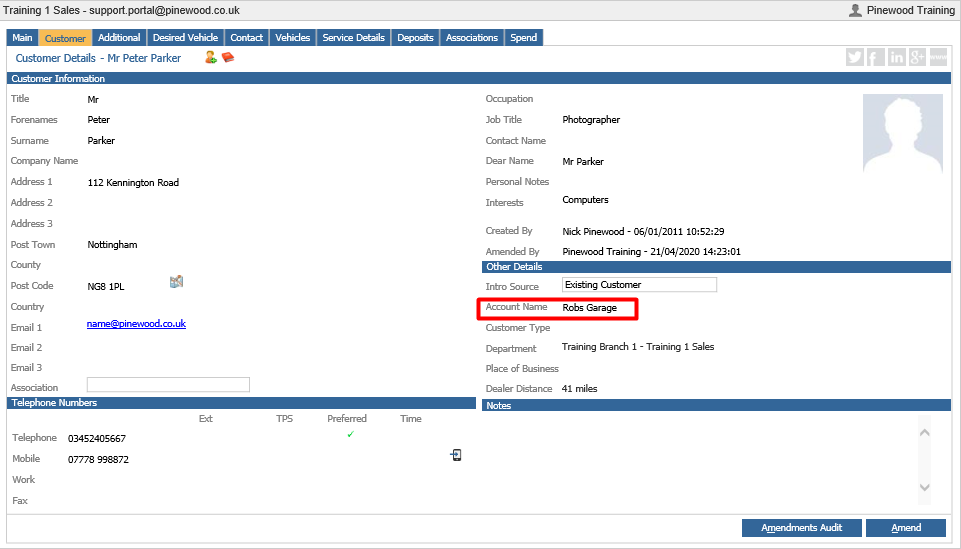
If this is correct you will need to check that the transaction account is associated to the master account.
To check this go to Accounts > Sales Ledger > Transaction Accounts.
Search for the account name and within the 'Transaction Account' tab check that the 'Master Acc Number' and the 'Account Code' match. 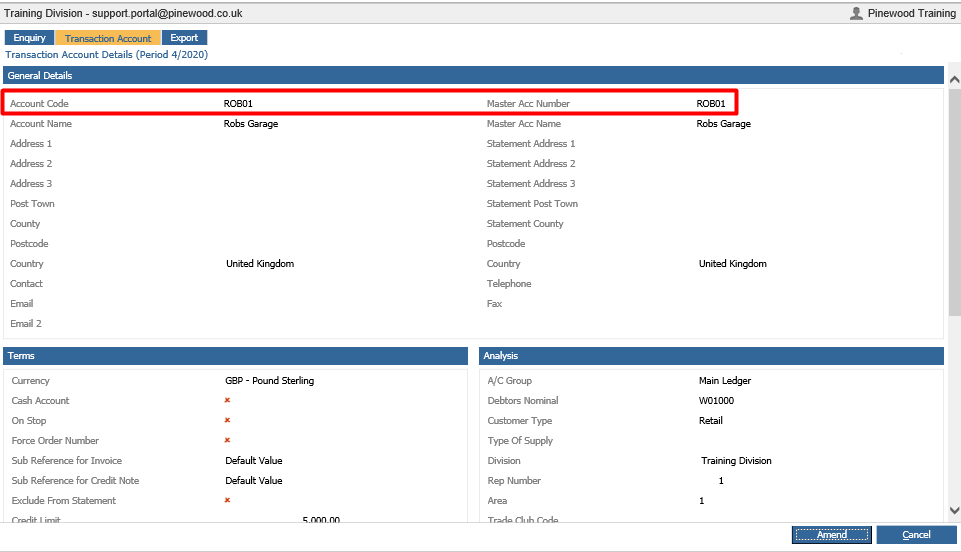
If these do not match this will be why the account is not pulling through to the invoicing screen, as the customer is linked to the master account not the transaction account.
This can be changed by clicking 'amend' and changing to the correct account.