
Question
Why have some parts not been updated, after a part price update?
Answer
Below are some of the most common reasons why and how to check these.
Firstly, we need to check the part card by going into Parts > Maintenance > Create/Amend and search the part number.
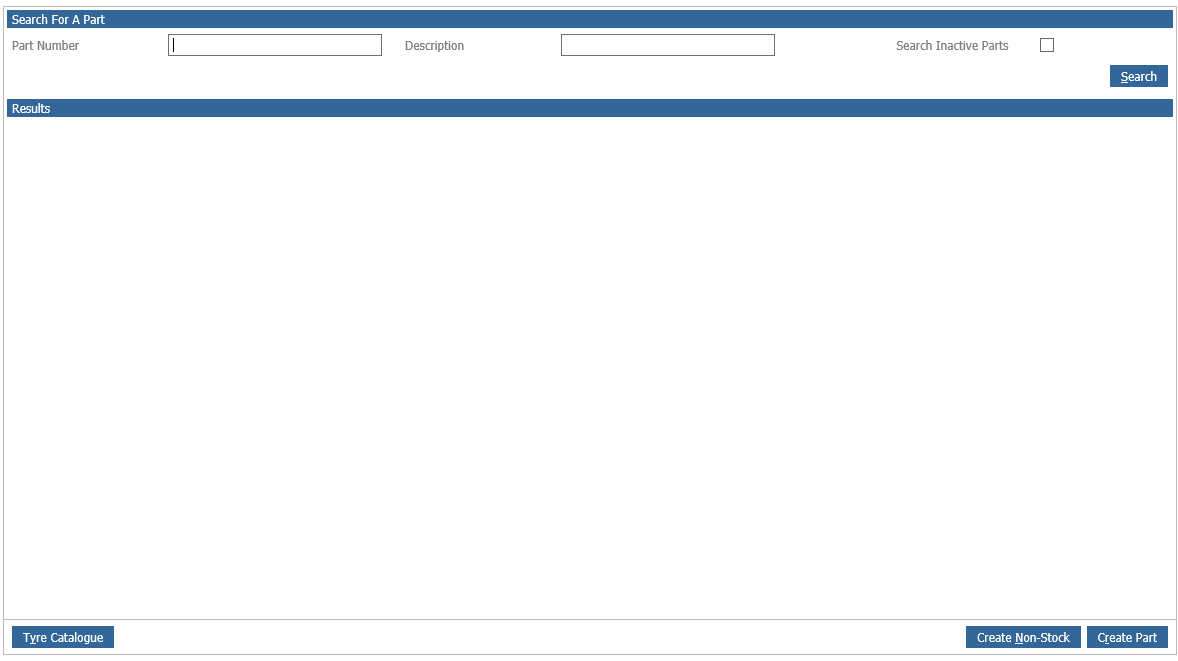
This will then bring up the part card:
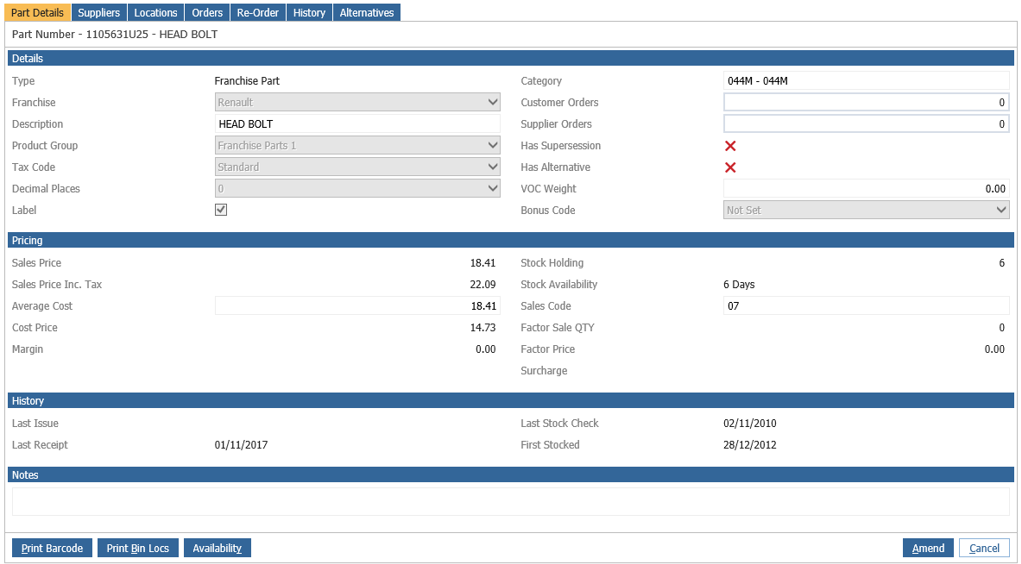
There are a few things on the part card we need to check:
- Is the correct Franchise selected?
- Is PPU ticked?
- Is the price type selected to Retail -?
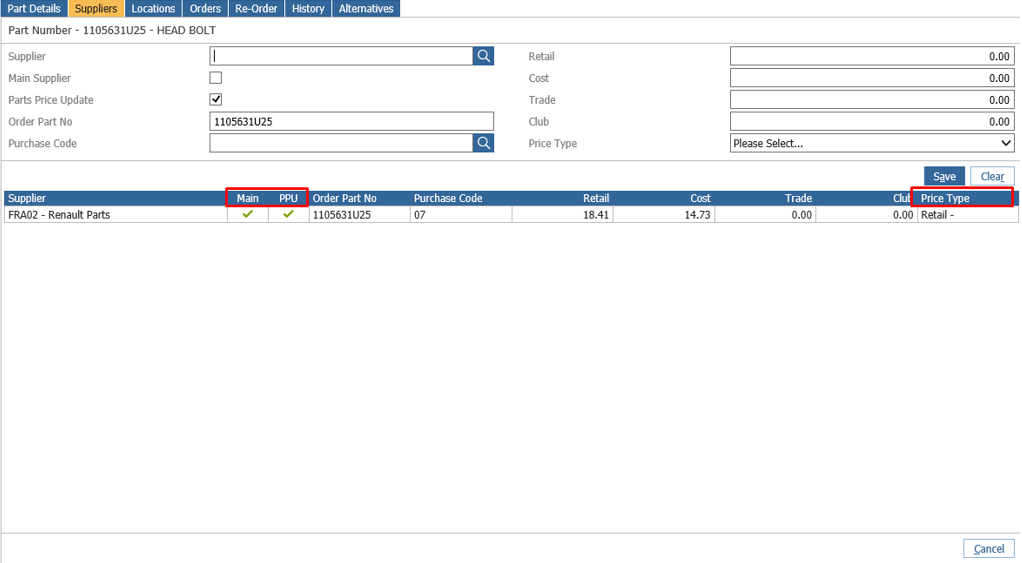
This doesn't apply for every franchise e.g Vauxhall, Citroen, Peugeot etc. The price type can be set to any price type in the drop down box.
- Is the correct Supplier selected?
This needs to be the same supplier for the franchise in the supplier maintenance screen:
Now we need to check that the correct supplier is set as the main supplier with-in Parts > Maintenance > Supplier Maintenance.
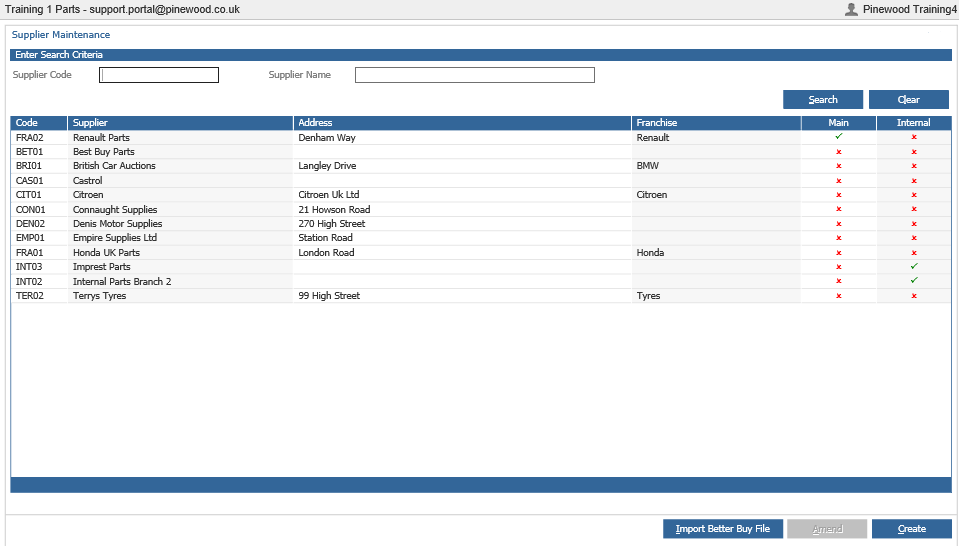
Then you need to make sure the the main supplier on the PART matches the supplier for that franchise (not he main supplier for the department) in the maintenance screen, as shown above. The reason for this is because a part can have three suppliers on it, but the Parts Price Update, will only look at the one that is flagged as the main supplier for that franchise.
If all of the above is set correctly parts will update with accordance to the PPU, however, if it is a non-stock part it will NOT update via the Parts Price Update.
If this is all correct and you still believe the pricing on your part is incorrect then please contact support who will be able to look into the update for you.