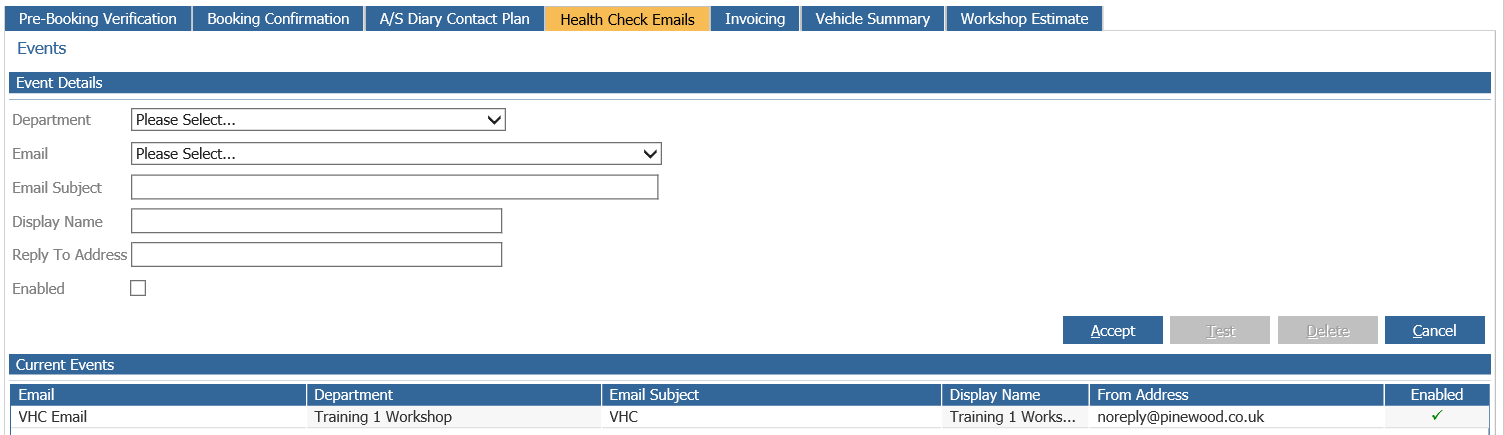
VHC Email Template
Select CRM > Parameters > Communications > Emails from the side menu.
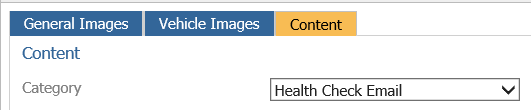
Within the content tab select Health Check Email from the drop down menu.
The email template is created in the using HTML code. Select the add button, enter a
template name and input the HTML code as required making sure that the
$VIDEO_LINKS$ element is embedded in the code, this can be found in the
lower section of the HTML screen. Embedding this element will create a clickable link within
the template.

For further information on HTML please see article HTML Code Quick Reference.
When the template has been completed select the preview tab to view the email.
VHC Email Parameters
Select CRM > Parameters > Communications > Workshop from the side menu
Select the Health Check Emails tab”
Setup the created health check email against the relevant workshop department.
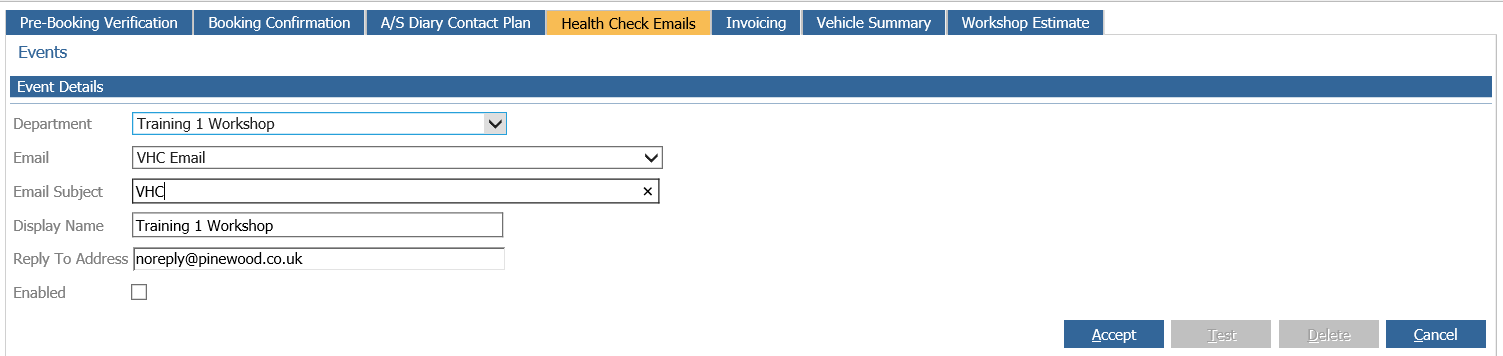
• Email: Select from the list of HTML emails.
• Email Subject: Details entered here form the subjet of the email that is sent from the system.
• Department: Select the workshop that the email is to be linked to..
• Replay to address: Enter an applicable email address as this address will receive any failure email
information.
• Enabled: Select this field to enable the HTML email process.