
Question
How do I amend the months that are displayed on the Valuation Report?
Answer
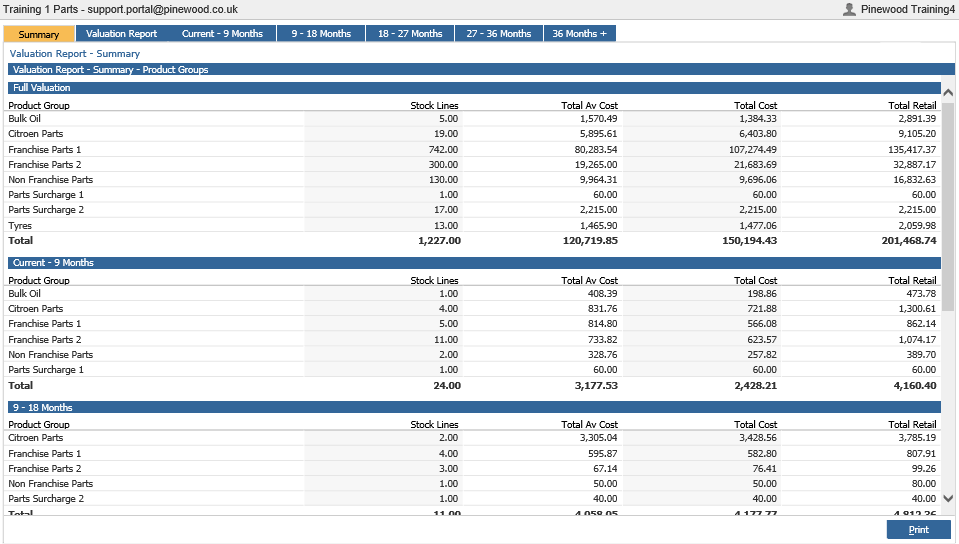
Go to Parts > Reporting > Valuation > Valuation
If you see the last five tabs, these show you the breakdown of the total valuation of the parts held within the parts department depending on that age band.
By default this is set to 12 but can be amended to any number between 1 and 99.
In order to change these months
Go to: Parts > Parameters > Department Details > Dept Details 1
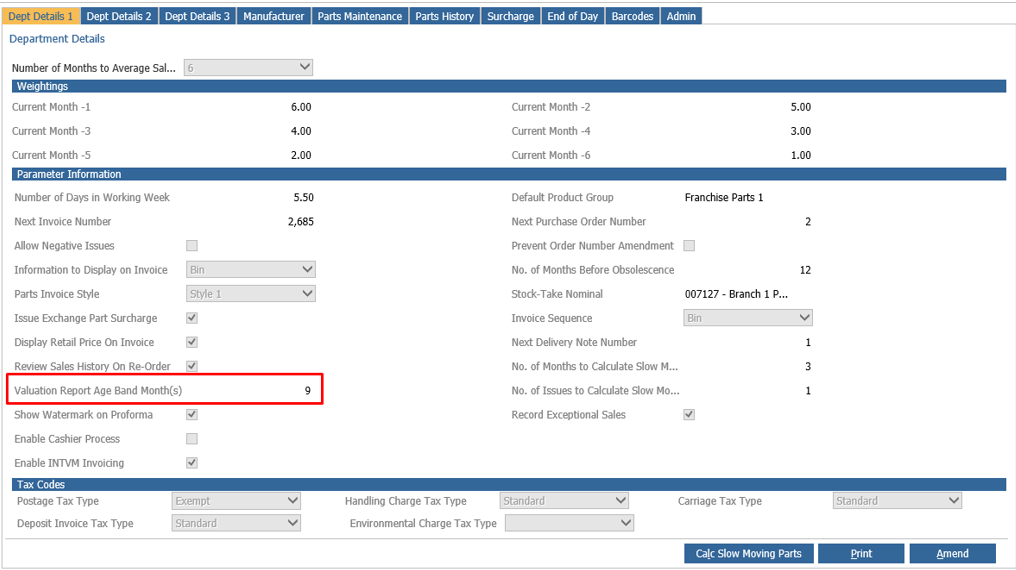
Within the parameter information, there is an option for 'Valuation report Age Band Month(s). If you click 'Amend' on the bottom right you can over type this value & Save the changes.