
Question
How Can I Print Bin Locations?
Answer
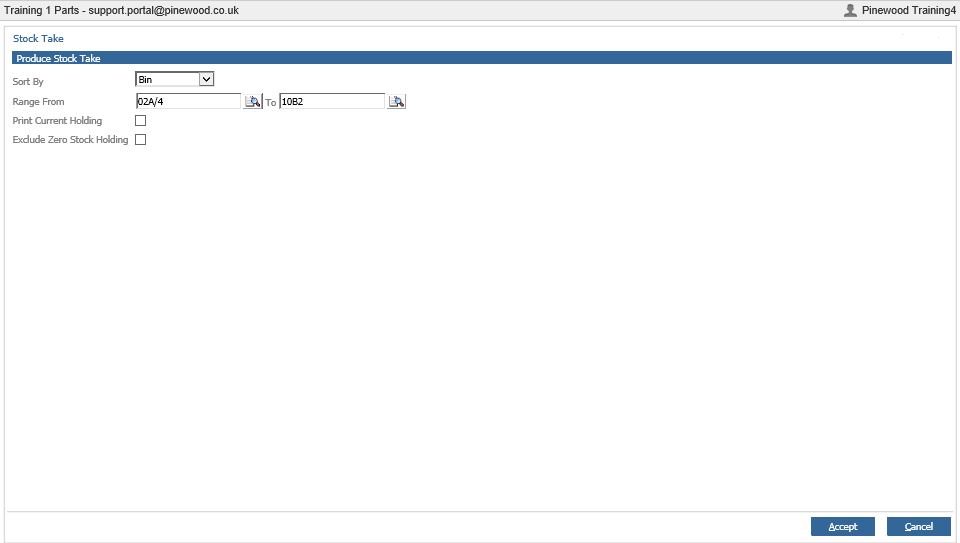
If you wish to print bin locations, for example to check stock is in the correct location, this can be done by going to:
Parts > Maintenance > Stock Take > Stock Take.
Select the BIN Location range required and select Accept.
You will then be presented with a list as below.
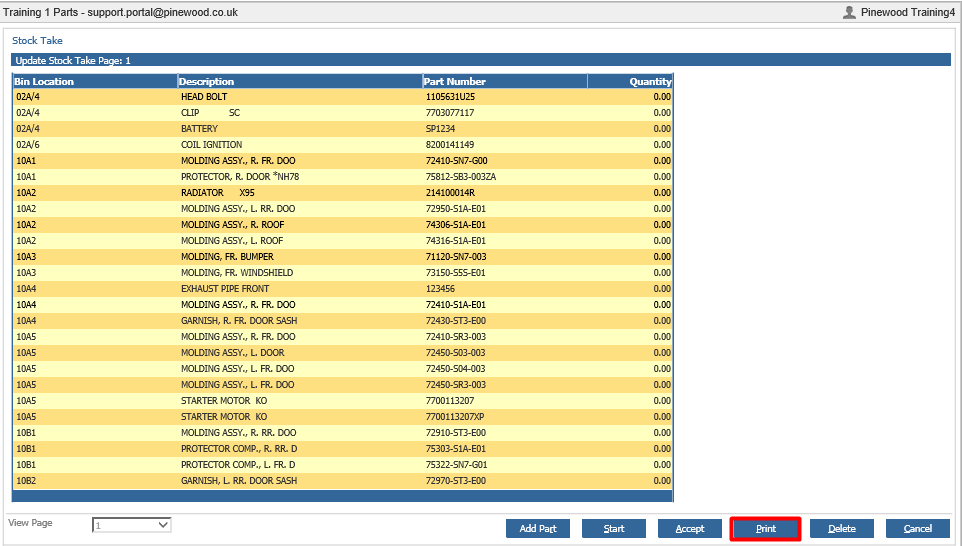
This will show a report of all stock, organised by location. You can then print from this location by clicking the print button.
Please Note - Once a Stock Take is Active, it will make parts inactive. Complete or Delete the stock take for parts to become active again.