
Question
How to produce a parts invoices at less than average cost?
Answer
You have the choice to have a warning message displayed when a user attempts to issue a part where the value is less than average cost.
Go to Parts > Parameters > Department Details ? Department Details 2, here you can see the option 'Disable Average Cost Prompt';
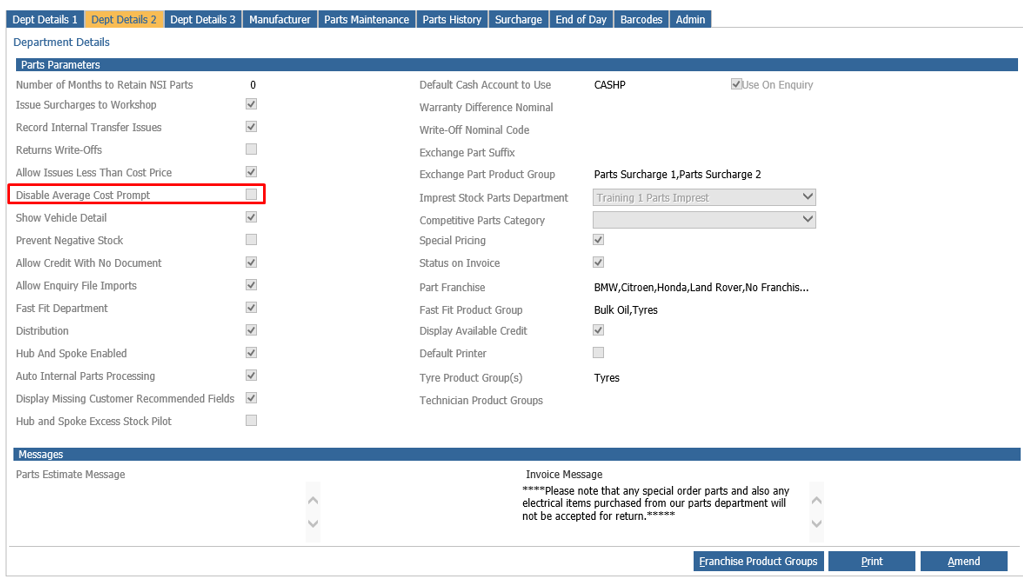
With this left unticked, when you issue a part at less than average cost you will be presented with a message that reads as below;
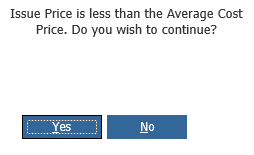
If you hit yes then you can continue with the invoice. Should you select no at this point you will need to remove the part of adjust the issue price before continuing with the sale.
You can also use the 'View Part' button on the invoicing screen to open the part card and review the cost;