
Question
If you are trying to issue a part to a Workshop Job or do a Front Counter Parts Invoice for a customer, where you know you have availability of this part in stock but the system is showing that you don't have any available - how would you resolve this?
Answer
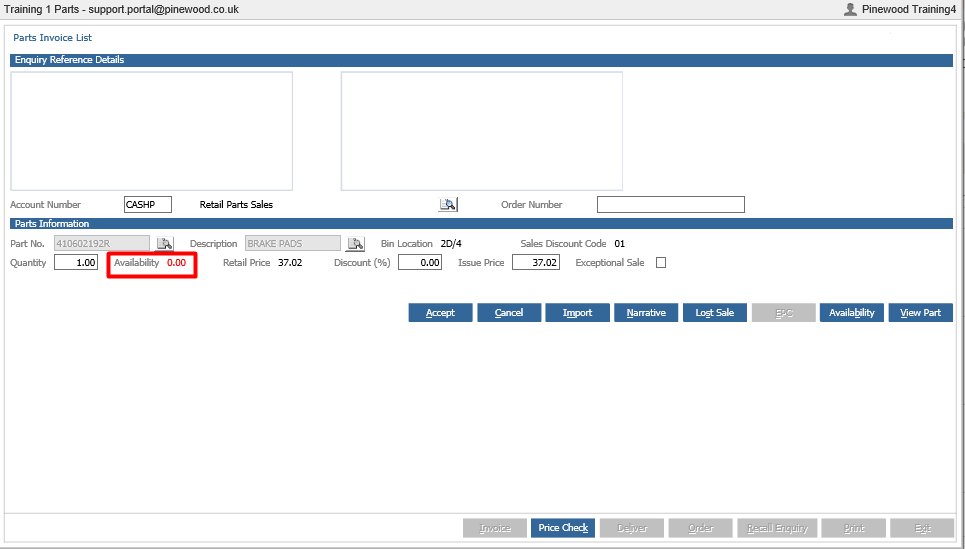
Within a Parts Enquiry, search for the Part Number in question and see the Availability is shown in red and 0.00
Click the 'View Part' button to view the Part Card.
Once you are in the Part Card, you will notice that the customer orders box (highlighted below) is showing a customer order, if you double click into this field it will allow you to see the Enquiry Reference and Customer that has this Part on a customer order/reserved.
Therefore, when you are trying to issue this part, it is in stock but is not available for issuing.

To remedy this you will either need to order the part in again so that you have another that you can issue or you will need to delete the current customer order so that the part that you have in stock is available to be issued to a different customer.
You can do this by going to Parts > Customer Orders > Customer Orders > Outstanding
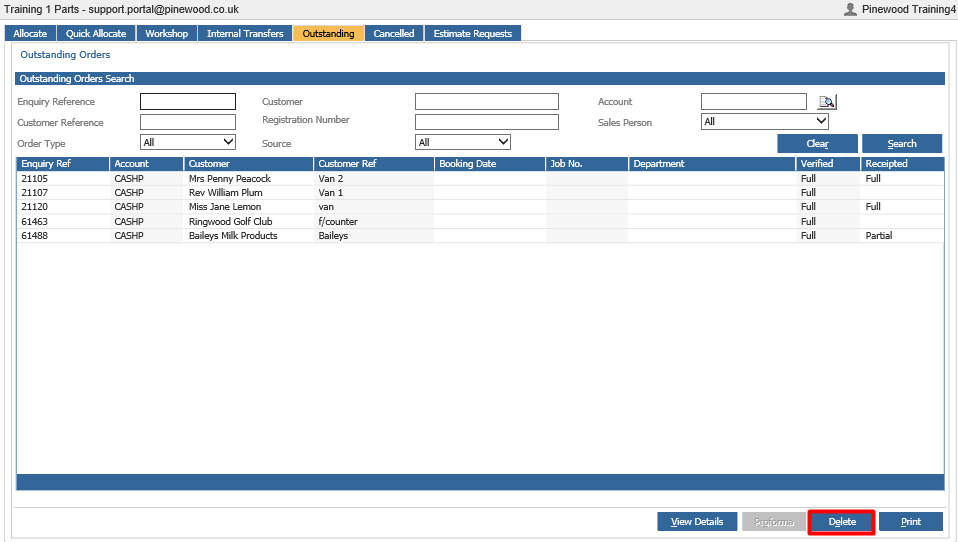
If you have taken a deposit for this part then you need to consider that the customer may have already paid either part of the amount for this part or the full price. So you may not want to do this as it can cause further complications.