
Question
How to re-map profiles?
Answer
When a profile is created in the system you are unable to delete it. This is because if there are any vehicles with that profile attached to it the vehicle would be profile-less if it was deleted.
There is however an option to Re-Map Range, this feature allows you to essentially merge two profiles together so all that were on the profile you wish to remove will all move onto the profile you selected to re-map to. Please note that this feature will do this merge for all vehicle branches even if you do not have access to them.
You can do this by going to Vehicles - Parameters - Vehicle Data. Click into profiles and click the Re-Map Range button.
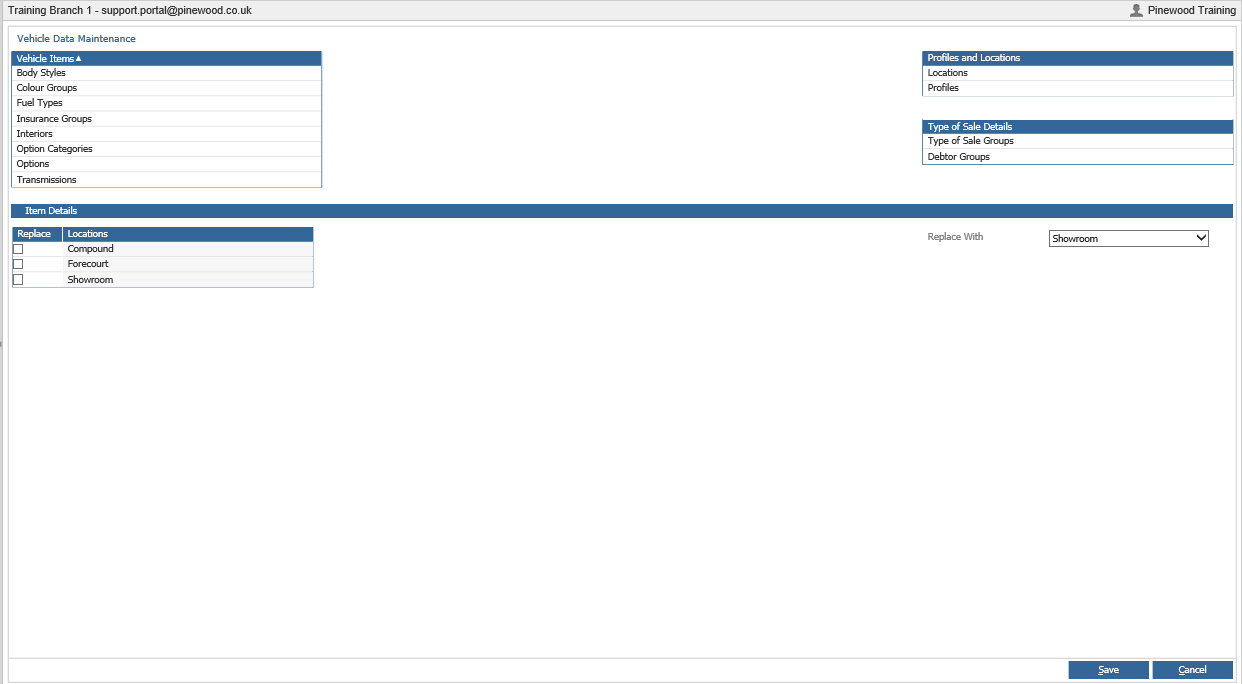
You can then tick which ones you wish to be replaces and choose from the drop down what you want to replace them with.
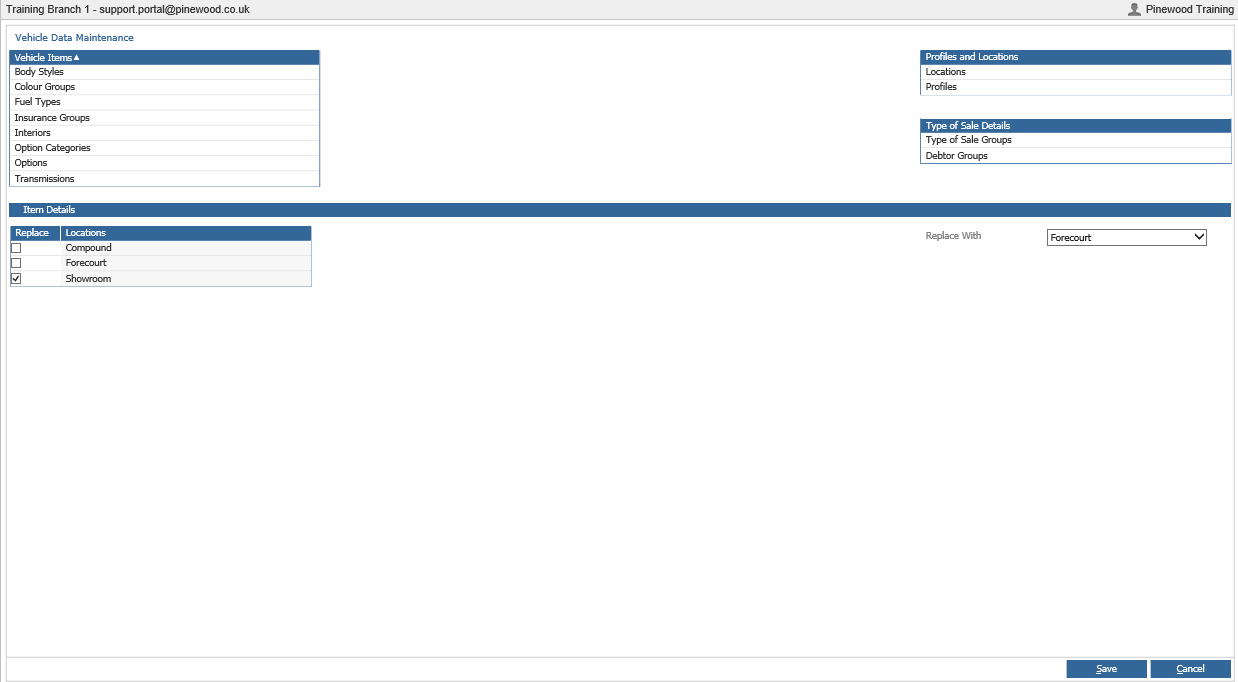
Then press save. The profile you chose to replace will then be removed from the list.