Question
The incorrect address is pulling through on the Demonstrator vehicle invoice. How can I change this?
Answer
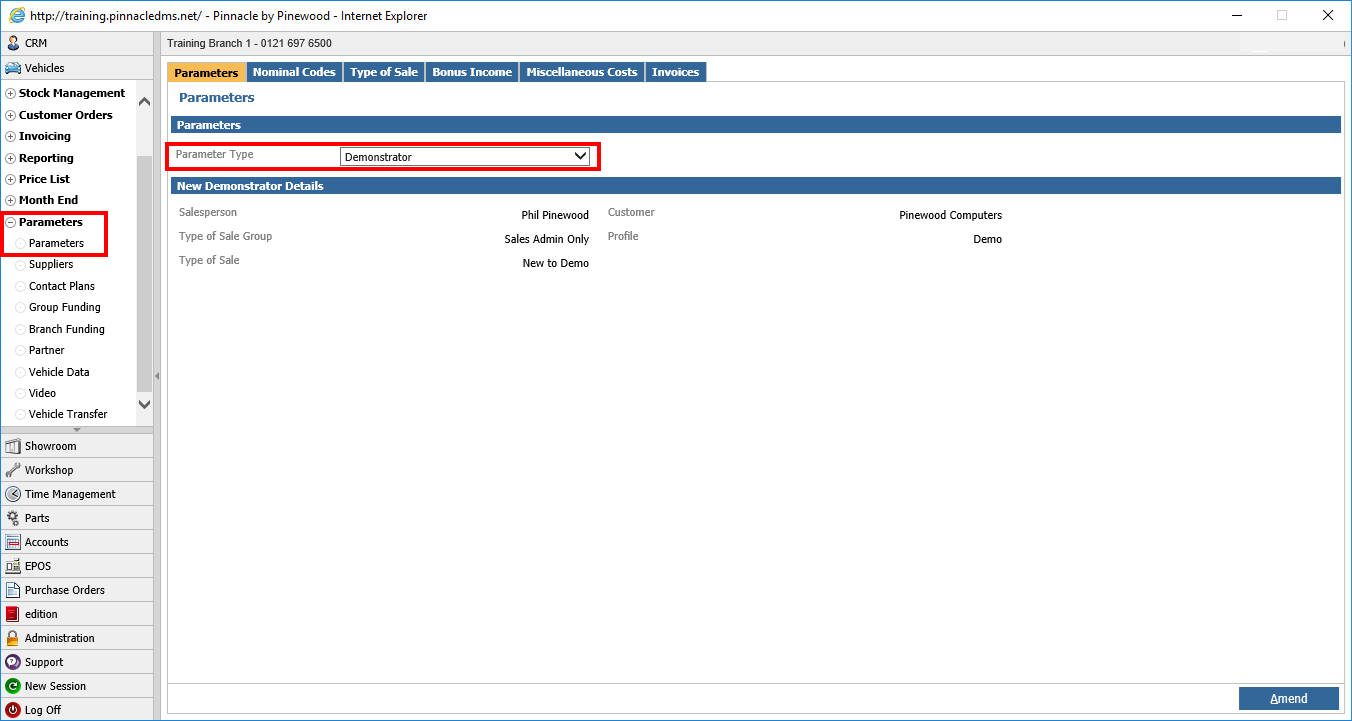
If the incorrect address is pulling through on a demonstrator invoice, this will be due to the address set in the parameters being in-correct, in or to amend this you will need to go to:
Vehicles - Parameters - Parameters - Parameters
And set the Parameter Type to "Demonstrator"
Here you will see the demonstrator details set in these parameters, the address details that are used on the invoice pull through based on the customer which is set in the parameters.
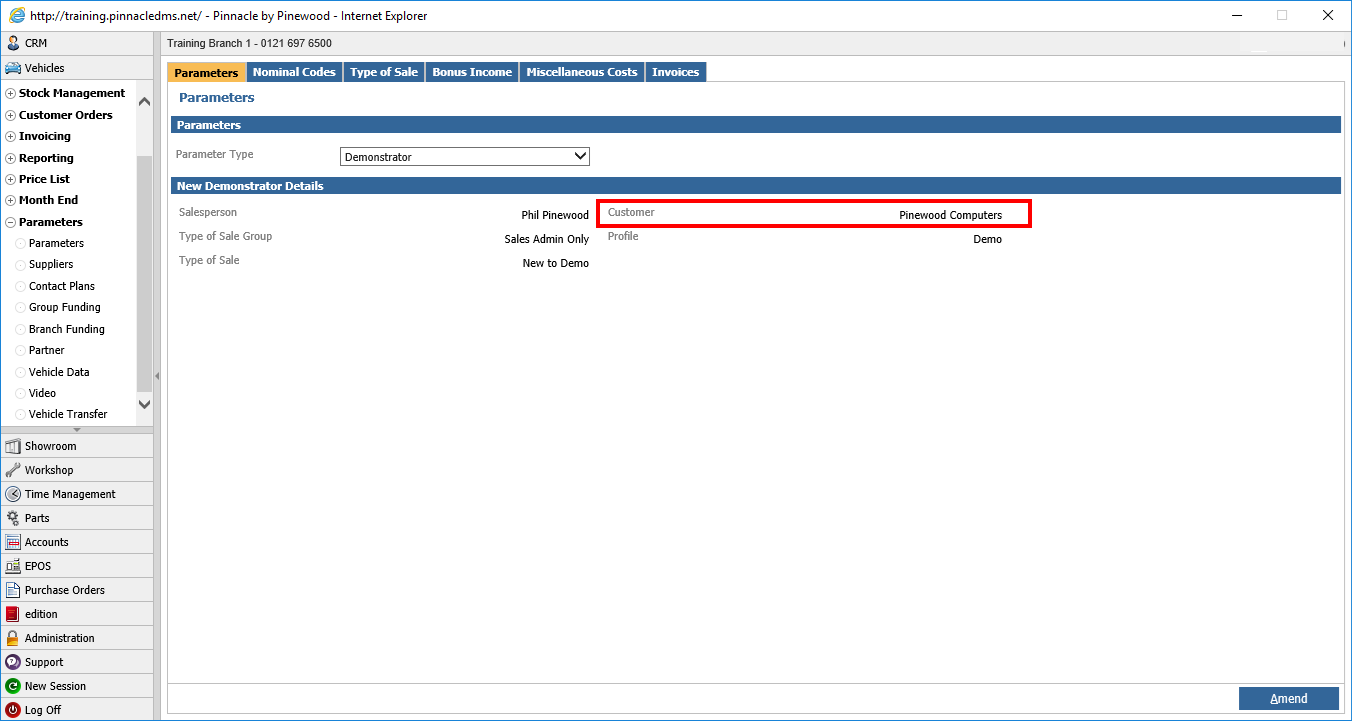
You will need to amend these by going to that customer record in CRM and adjusting them, this can be done by going to:
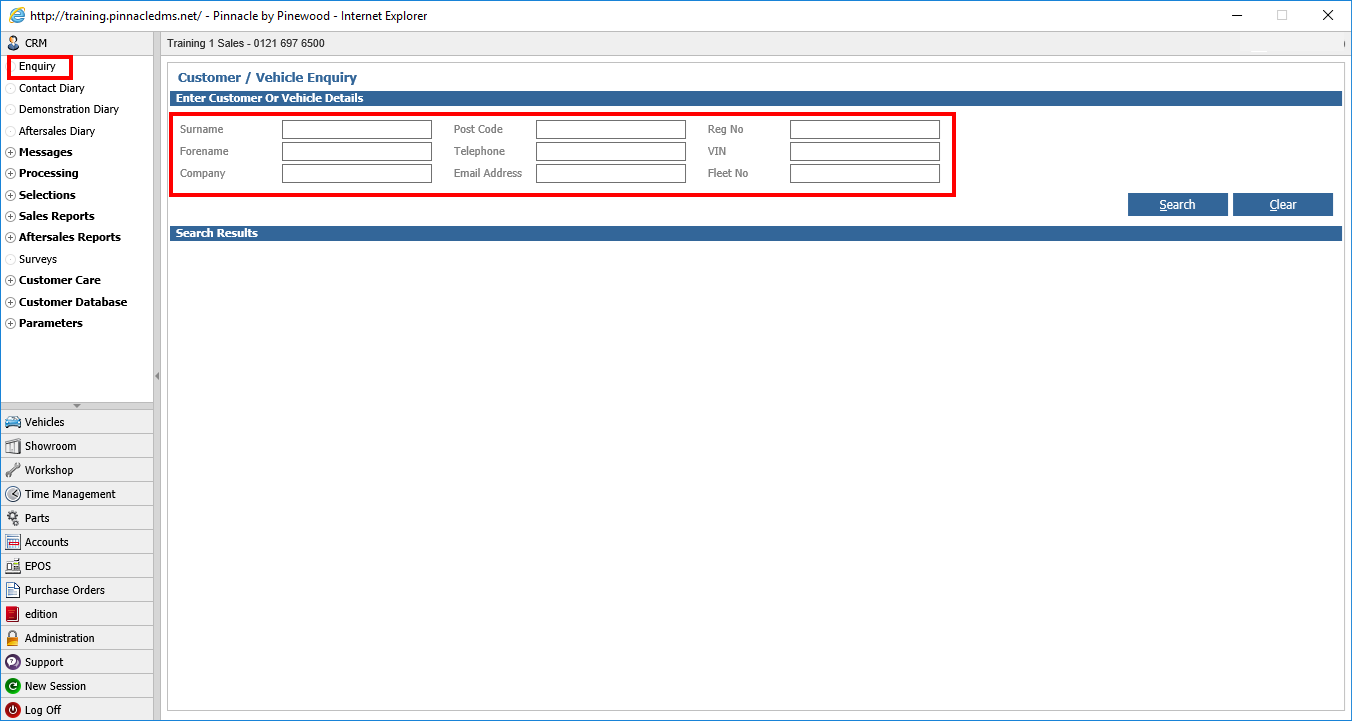
CRM > Enquiry
And searching for the customer / company set in the parameters
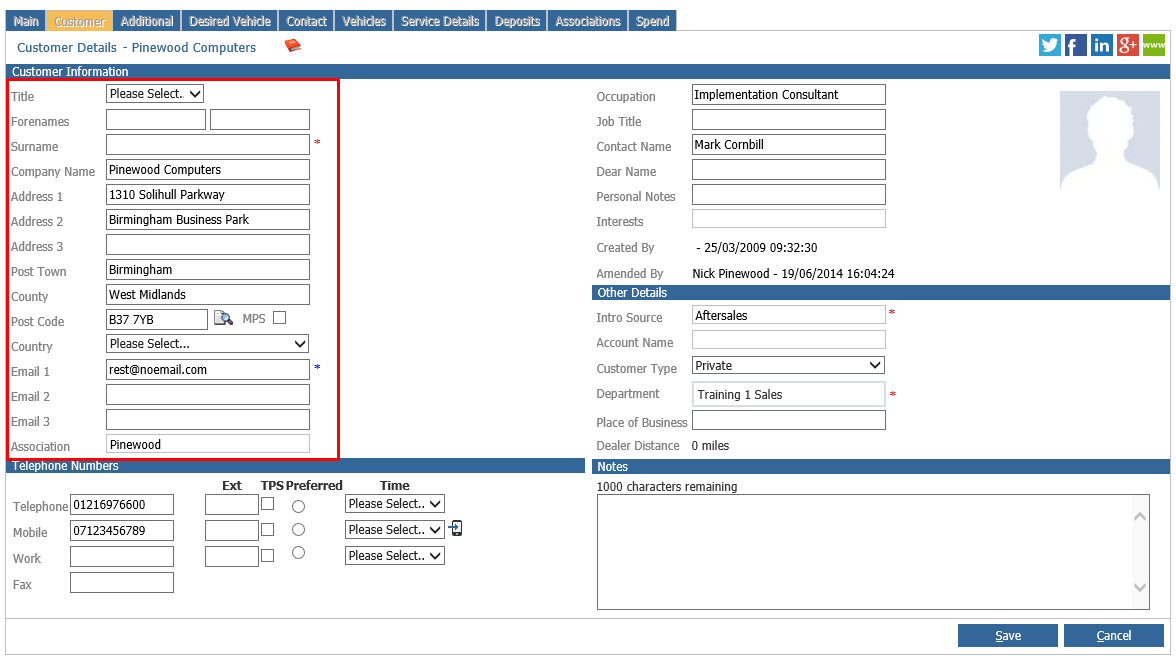
Once in the customer record, you will need to click onto the customer tab and click amend.
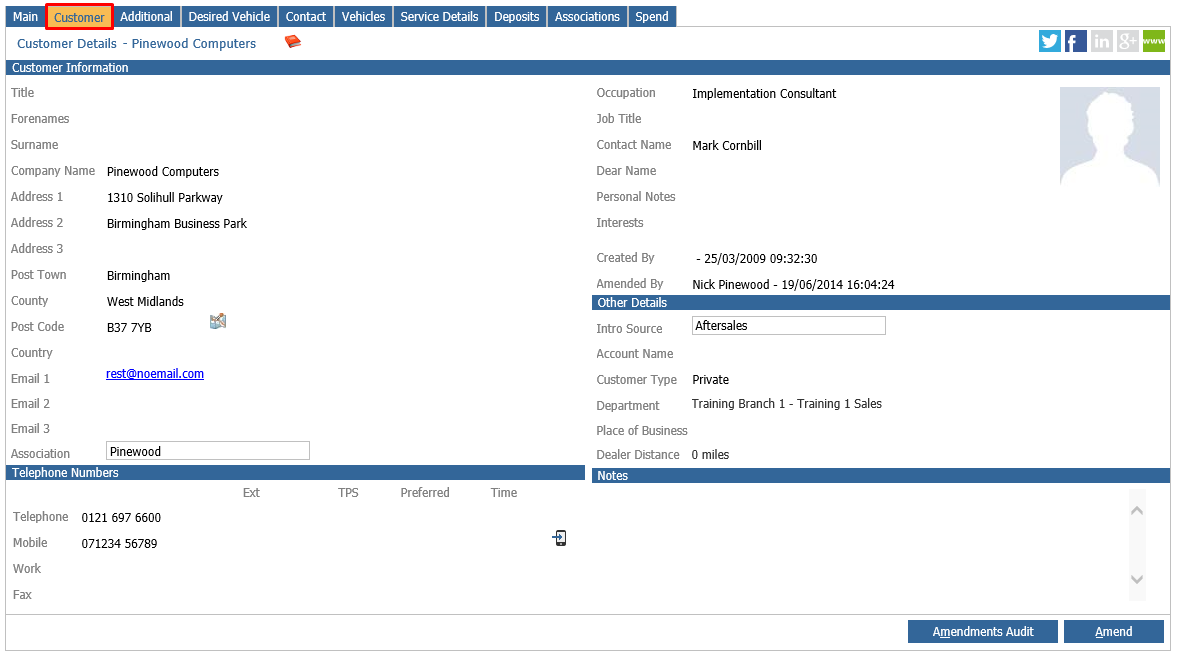
You can then amend the details and it will change what details show on the demonstrator invoice.