
Problem
I cannot find a vehicle when trying to Invoice.
Answer
If a user is trying to invoice a vehicle to a customer, but when they search within the Invoicing screen and you key in the vehicle reference but the customer order is not displayed.
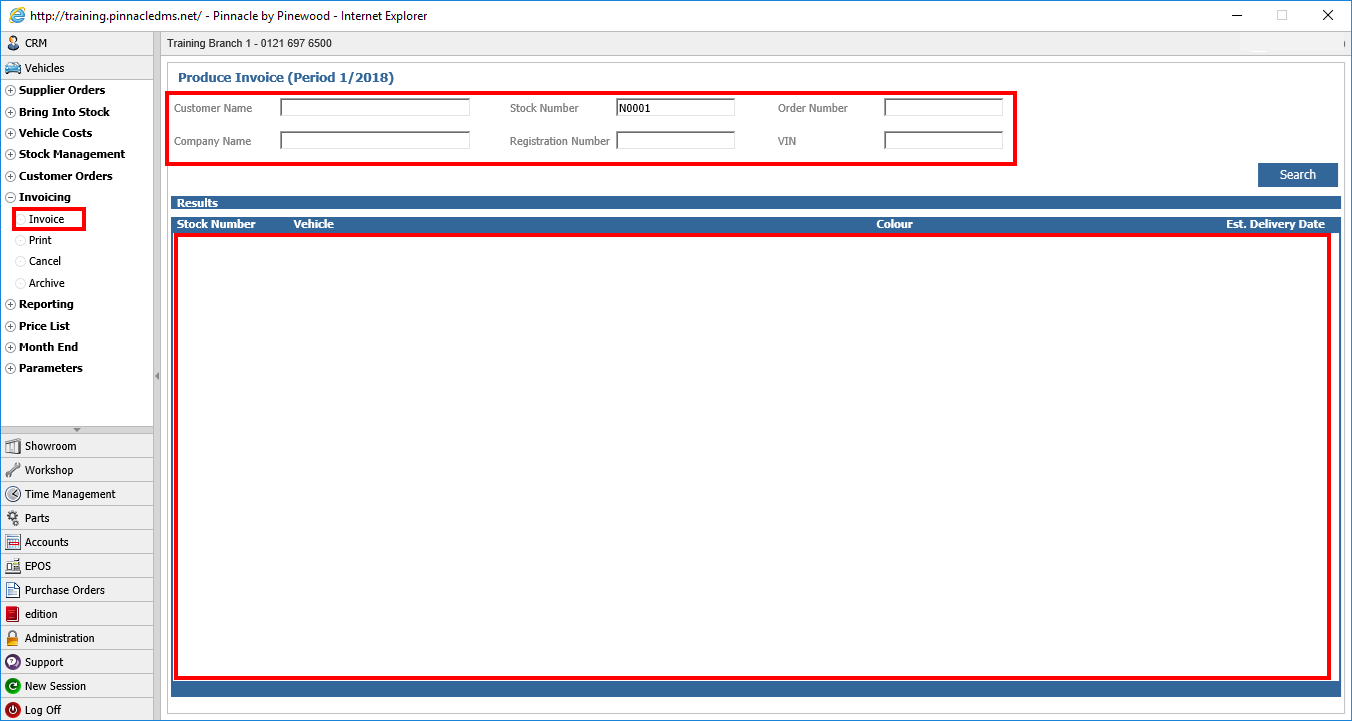
You can check that the vehicle you are trying to invoice is in stock, and has a customer order against
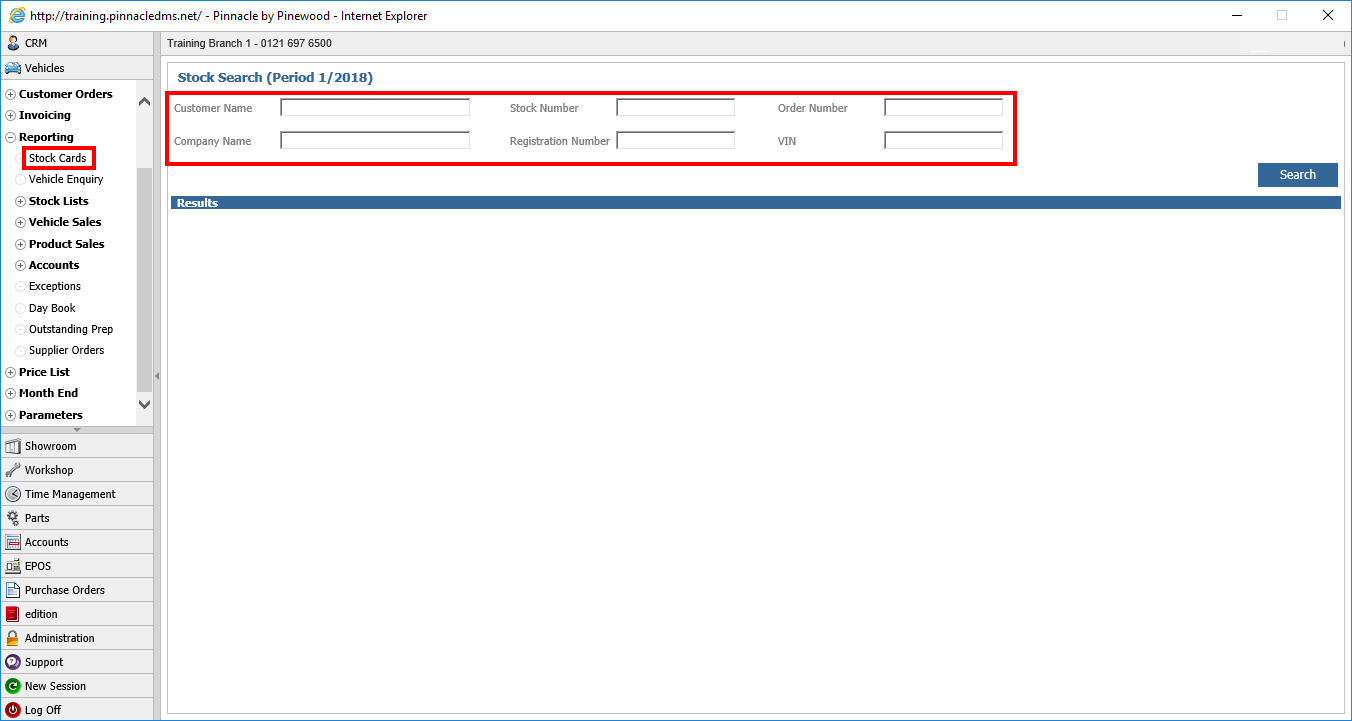
This can be checked by going to:
Vehicles > Reporting > Stock Cards
Keying in the vehicle stock number and search for it.
Once on the stock card, you need to check the Vehicle has the status of "In Stock (Customer Order)"
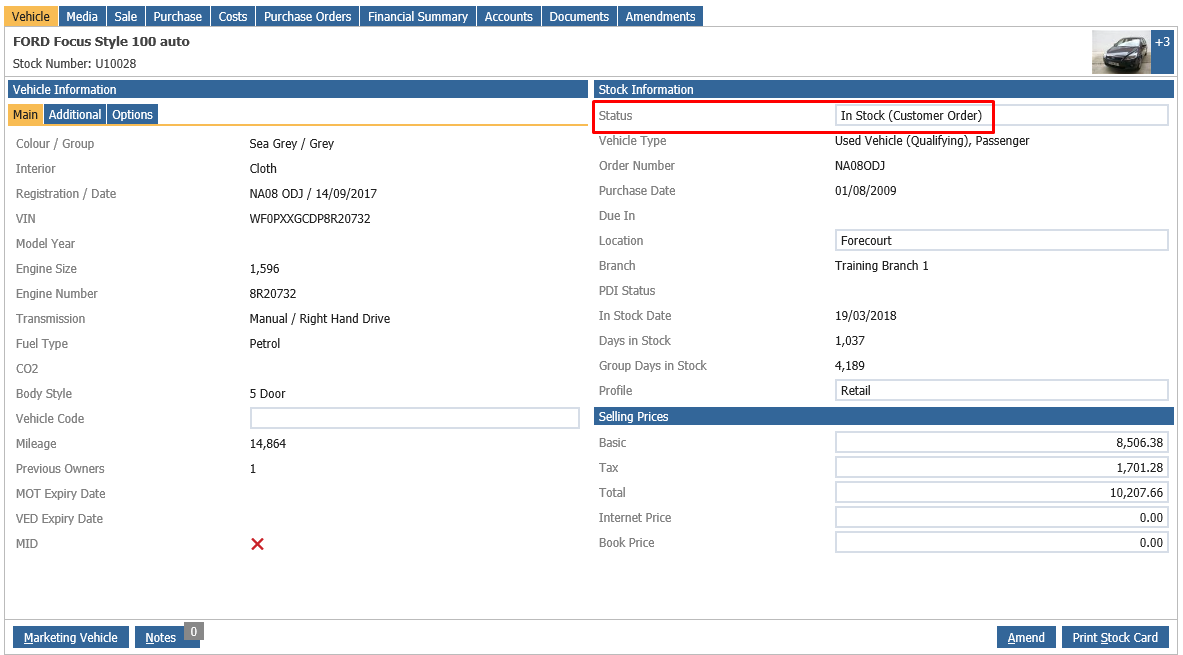
If a vehicle has a status other than this, this will be why you are unable to invoice the vehicle.