
Question
I am unable to add a vehicle as a part exchange?
Answer
If you are trying to add a vehicle as a part exchange that already has a CRM record, but once you accept the details, no car shows being listed, this may be due to there being notes on the CRM record of the car.
There are two ways to deal with this issue;
1) Go to CRM-Enquiry
Search for the vehicle that you wish to add as part exchange.
Once on the Vehicles tab go to Additional on the right hand side
Bottom of the Page shows the notes.
Select Amend and remove the notes from here or reduce the character count.
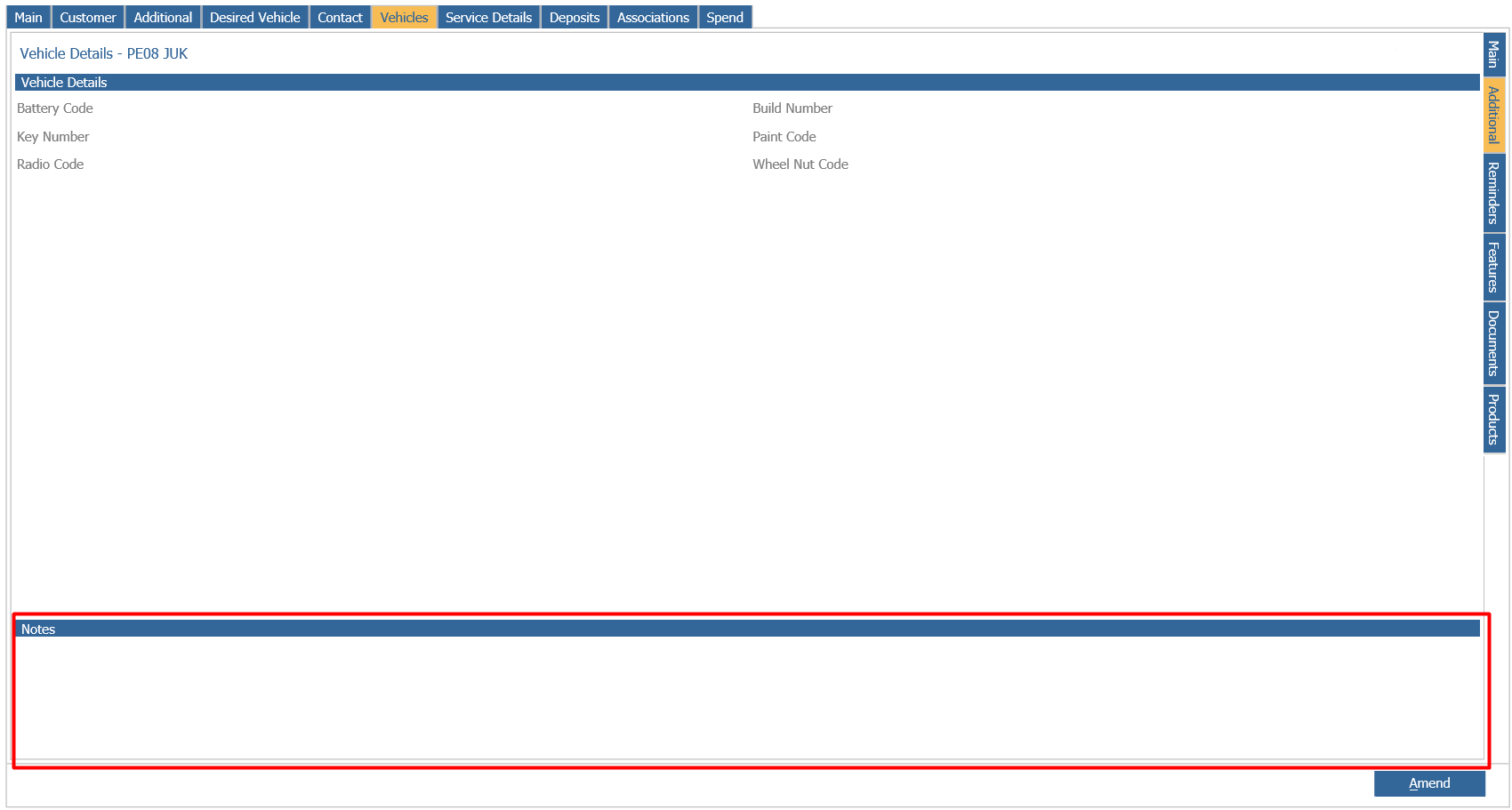
(CRM allows you to have up to 1000 characters, where as the stock cards only allow you to have 200)
Click Save then continue with the part exchange.
2) Retry the part exchange, but before you press Next to add the vehicle, check the notes box shown below.
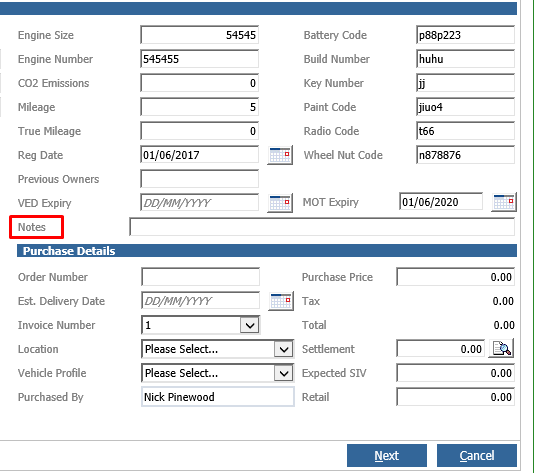
If there are notes here, you can either delete them completely or reduce the character count to 200
That should then allow you to add once you press Next