
Question
How to change a suppliers VAT/Tax setting?
Answer
This article will show you how to set up the tax settings for individual suppliers.
Within Vehicles > Parameters > Suppliers
You will then be given an option of new or used suppliers and a list of the suppliers in that category.
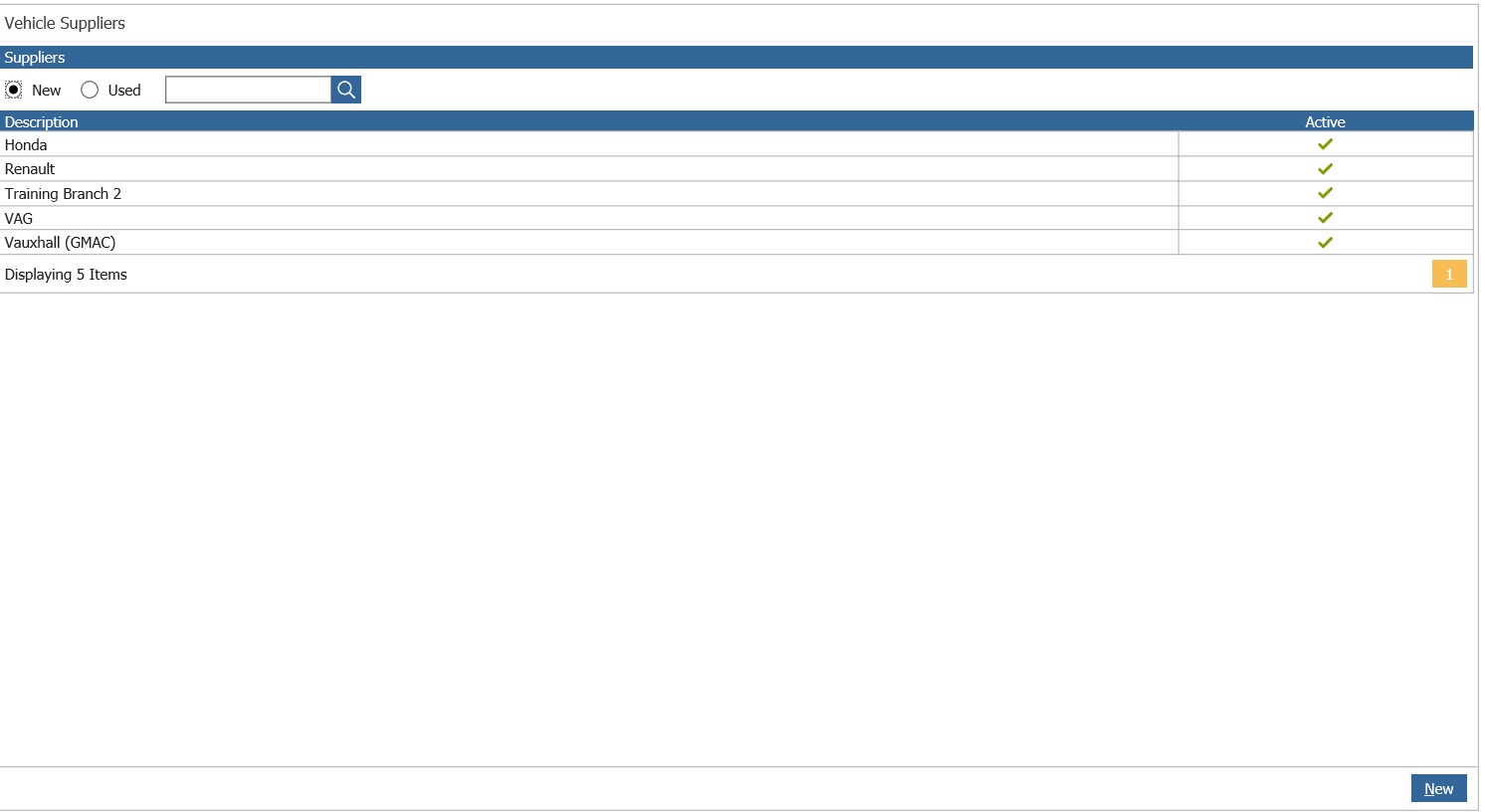
if you then click on the franchise that you want to set the tax details for, it will bring up all the details for that franchise.
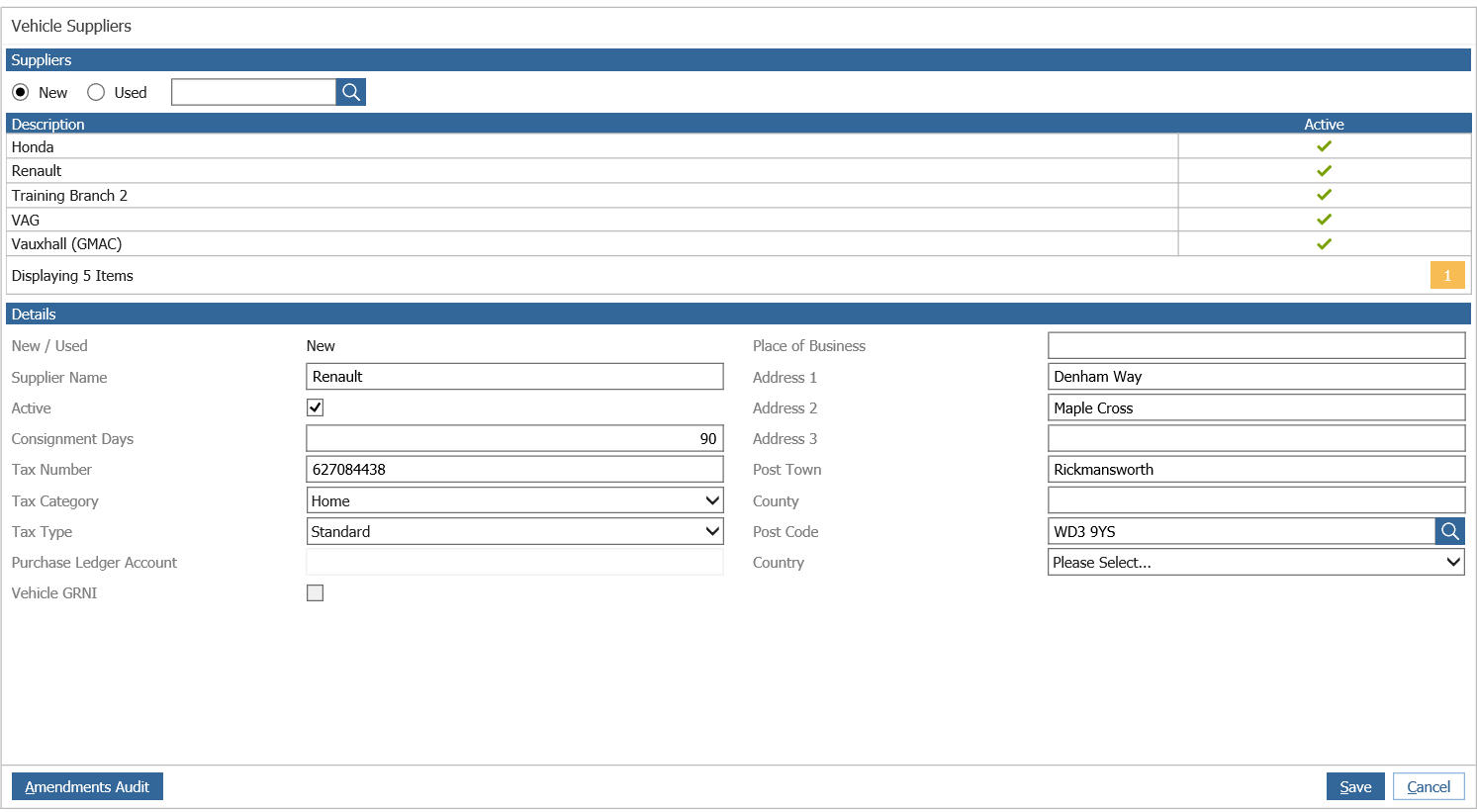
You can then amend the Tax Category and Tax Type, changing these to suit your needs.
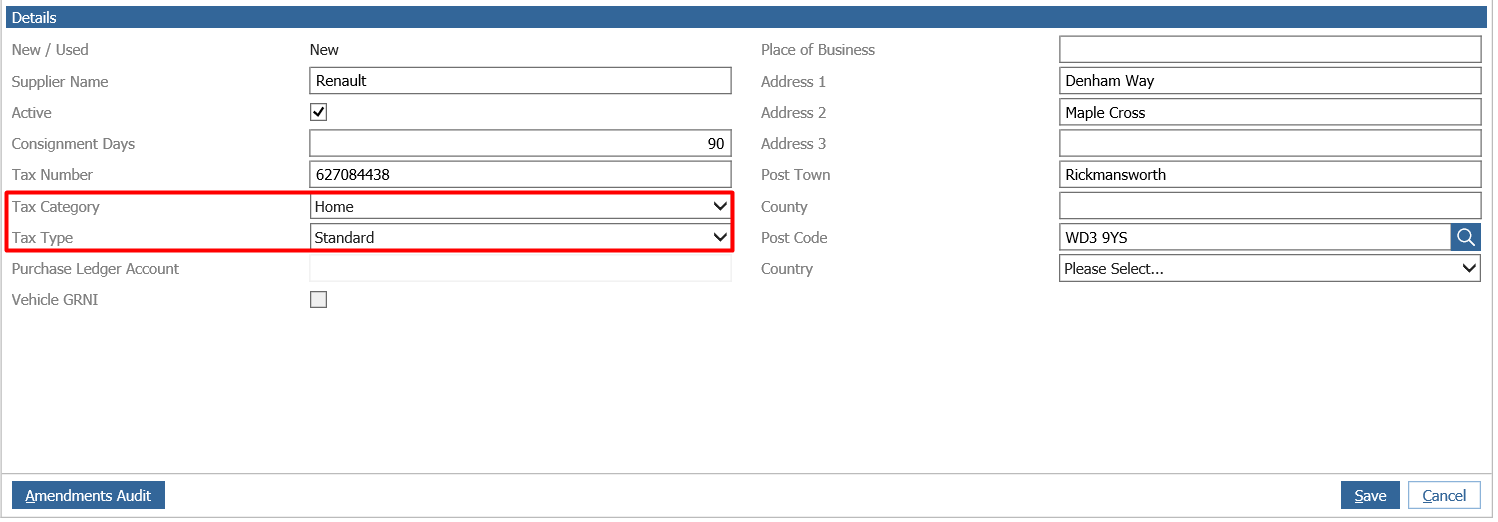
You can then press Save in the bottom right, this then saves and applies the details to all the vehicles that are brought into stock from this supplier.