
Question
How do I Lost Sale a Customer Order?
Answer
They can be processed as a Lost Sale.
Lost Sales for customer can be processed from within the customer order screens, these can be found in:
Parts > Customer Orders > Customer Orders
From here you can click into the various customer order tabs to look at the available orders that are logged on the system so you can then lost sale, the orders that have been cancelled, or lost.

From within the order tabs, if you then look for the relevant order types this should then display the order that are currently sat under that tab.
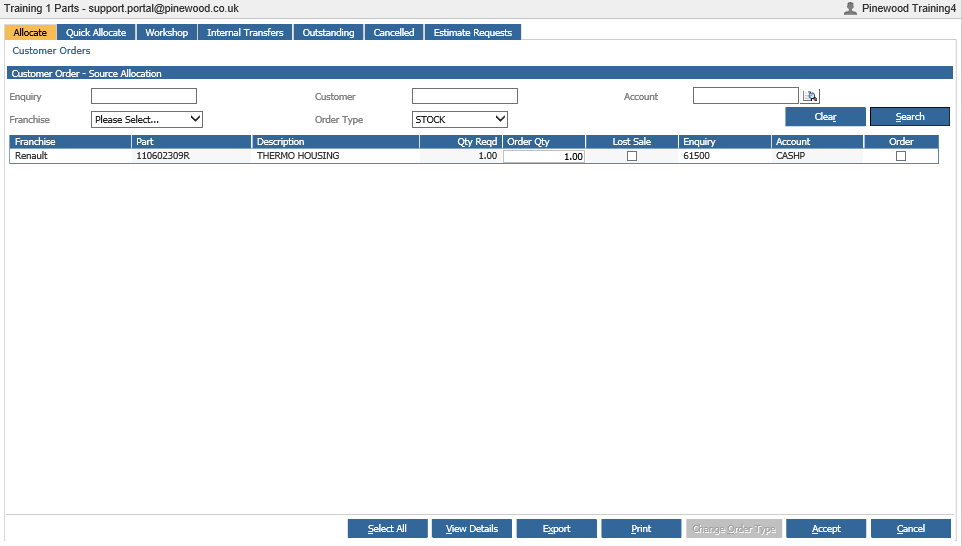
From here, you can click the "Lost Sale" tick box on the
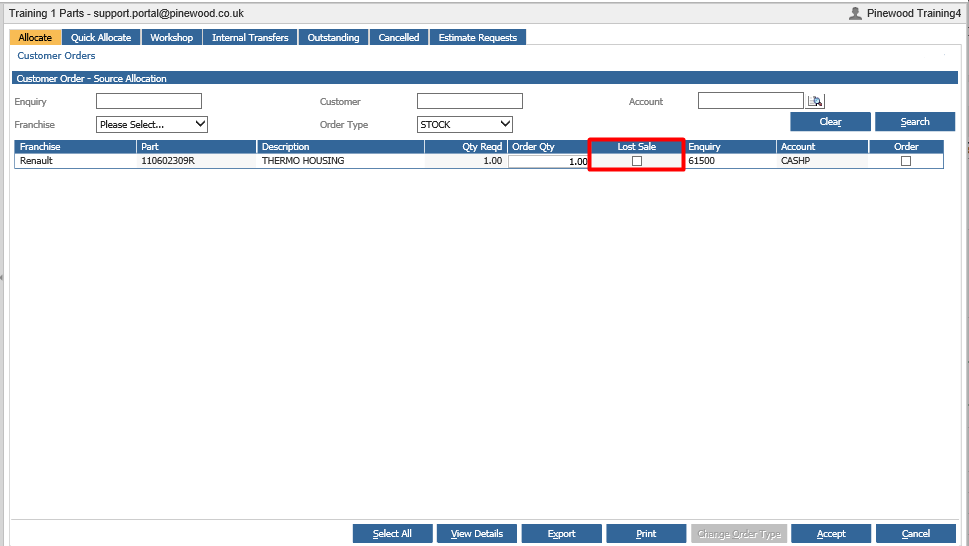
Ticking this box, will cause the following pop-up to appear:
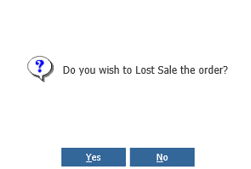
Clicking "No", will cancel the lost sale process and close the pop-up.
Clicking "Yes", will lost sale the line and clear it from the customer order screen.
If there is a deposit on the customer order, then the below pop-up will be displayed:
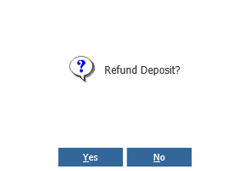
This will allow you to refund the deposit and follow the refund deposit process (See Deposit Refund guide for more on this), or click no and lost sale the line with the deposit to be refunded later.
**Please Note: If you have distribution turned on then you can also lost sale from Customer Order Exceptions, Receipt Exceptions and Pick Exceptions**