
For events that are recurring, you are able to set default follow up times for General Follow up Events and Equipment Follow up Events.
CRM > Parameters > Dealer Parameters presents the Enterprise parameters screen. Via the General drop down you can choose between Equipment Event Description and General Follow up Event Description.
Recurring event – If this is ticked as a recurring event then we allow you to select an Interval in Weeks as a default follow up that will be used in the Aftersales Diary reminder. These will be available for new Aftersales Diary Events as shown / selected against the vehicle dates.
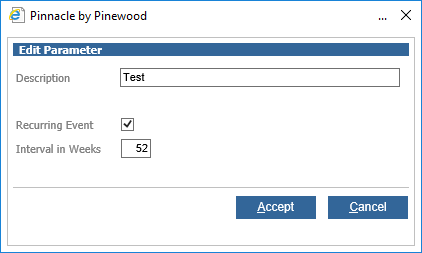
These can be used within a vehicle record. Within the Dates tab select New followed by a contact type of either Equipment or General Follow up. You are presented with the options created with these defaults and are able to view that the Recurring Event and Interval in Weeks are automatically populated.