
The Work Elsewhere Report is designed to allow users to keep track of local competitors that
are drawing business away from their service department. In this way, offers or price positioning
can be revisited in an attempt to recapture customers that have strayed elsewhere.
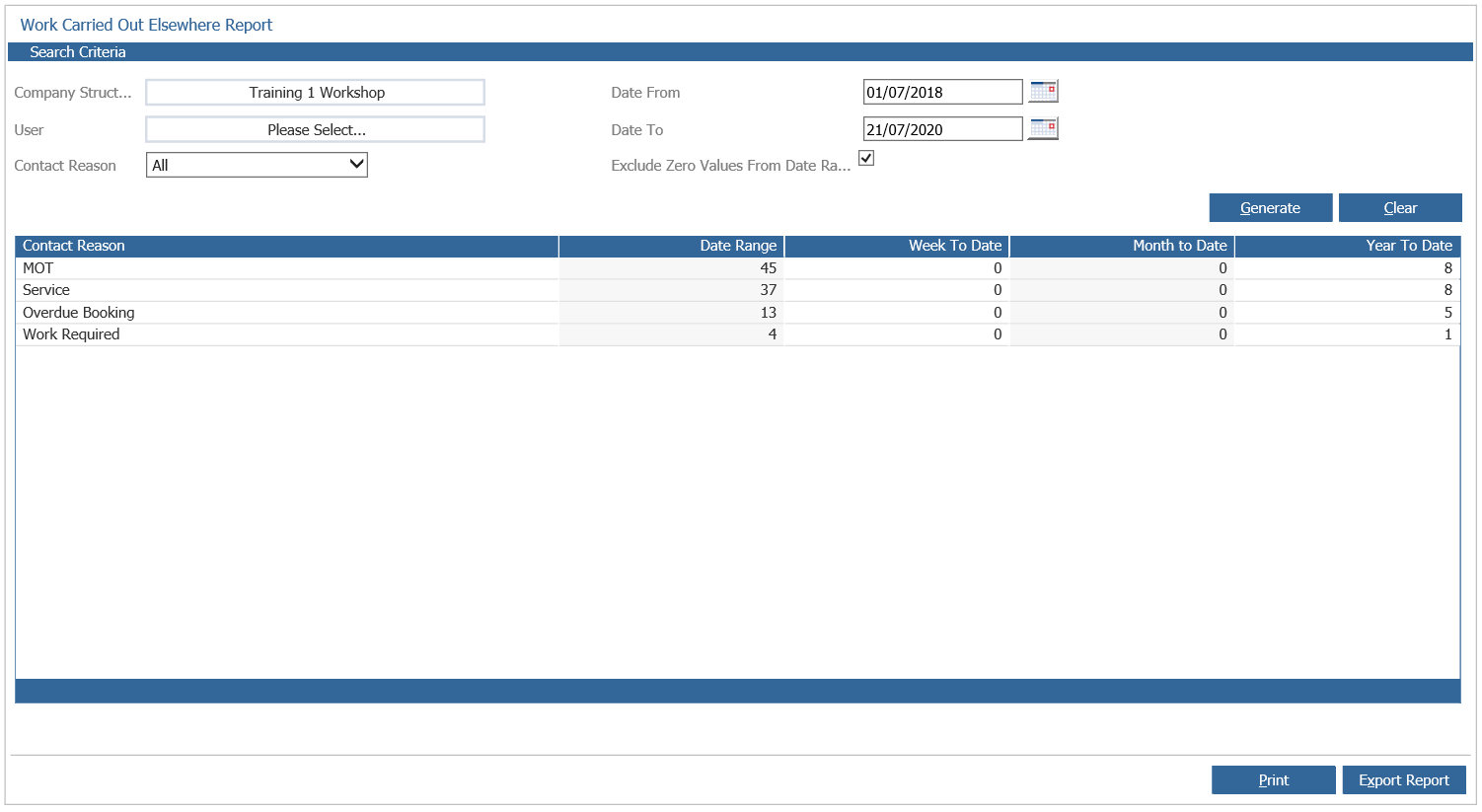
As with other CRM Aftersales Reports, the Work Elsewhere Report can be consolidated at
different levels of the company structure, as well as being displayed by date range, user or
contact reason.
When these criteria have been completed in line with the user requirements, select the
“Generate” option to display the report content in the lower half of the screen.
The work done elsewhere is displayed as a value against each contact reason in the different
columns for Date Range, Week to Date, Month to Date and Year to Date. In this way, trends in
work being done elsewhere can be spotted and possibly analysed.
To view information on the competitors that customers have been visiting for work, select the
Contact Reason that you wish to view your competitors for – e.g. Service.
Upon selection of the contact reason, the screen refreshes to display. Each competitor, along
with the number of Aftersales Contacts that have visited them for work during the Date Range
specified, This Week, Month to Date and Year to Date.
A further drill down can be made to show which customers have had work carried out at a
competitor by double clicking a value shown, thus giving the opportunity to contact the
customers to encourage them back to the business in the future.
The Work Elsewhere report can be printed by selecting the “Print” option from the bottom of the
screen – alternatively the “Export” option can be used to download the content of the report into
Excel as a .csv file.