
The Qualification Questions allow for specific qualification questions (which are Yes/No questions) to be presented when offering products during the quotation process within CRM. These are set up within; Vehicles > Parameters > Documents - Qualifications Questions tab.
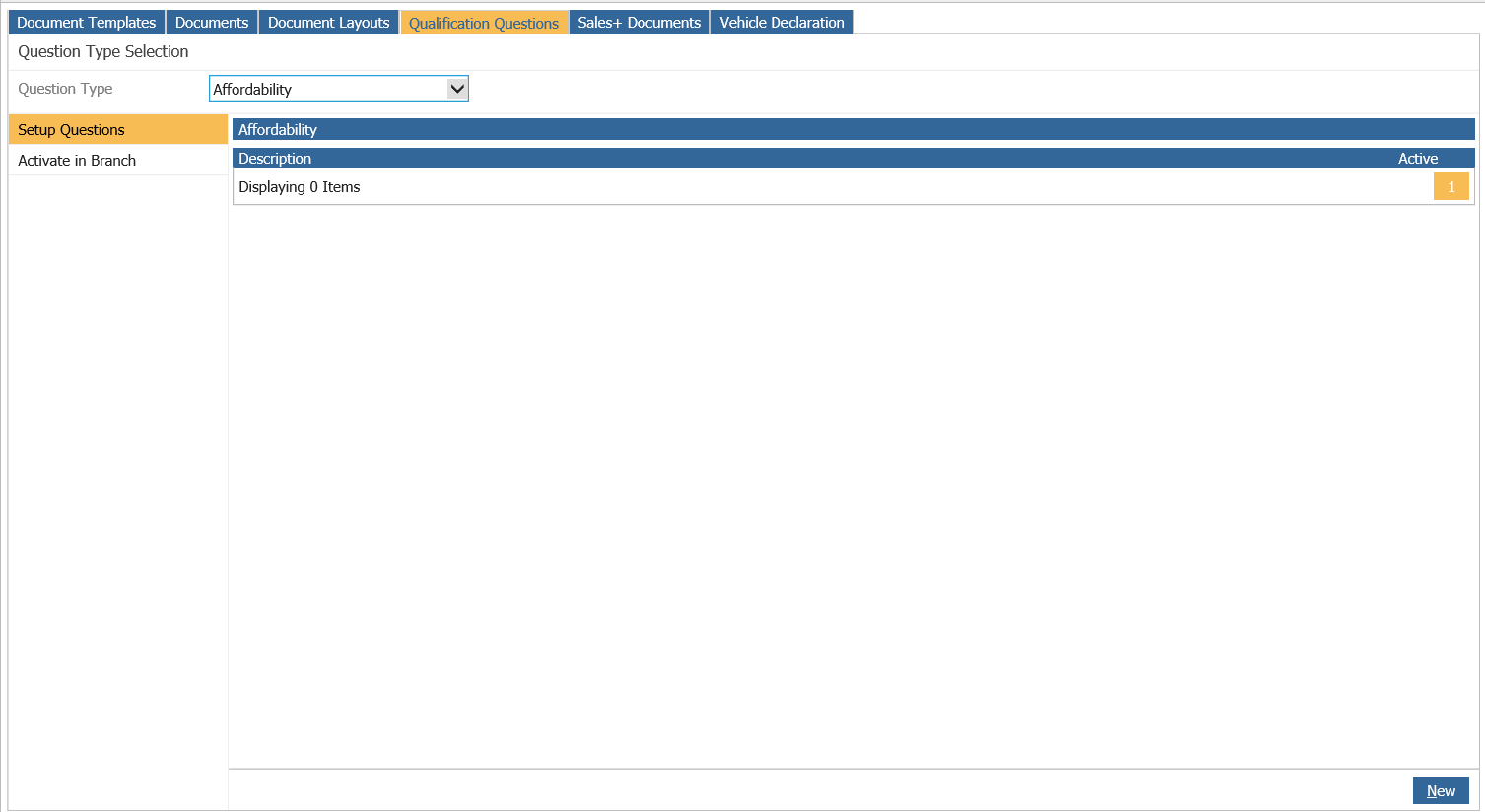
The questions are created on the Qualification Questions tab. These questions are set at
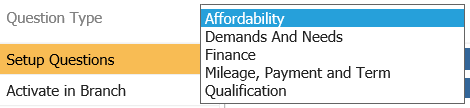
enterprise level so only need to be set up once. To add a question, select a Question Type from the drop down and click ‘New’.
Enter the question, ensure it is Active and click ‘Save’.
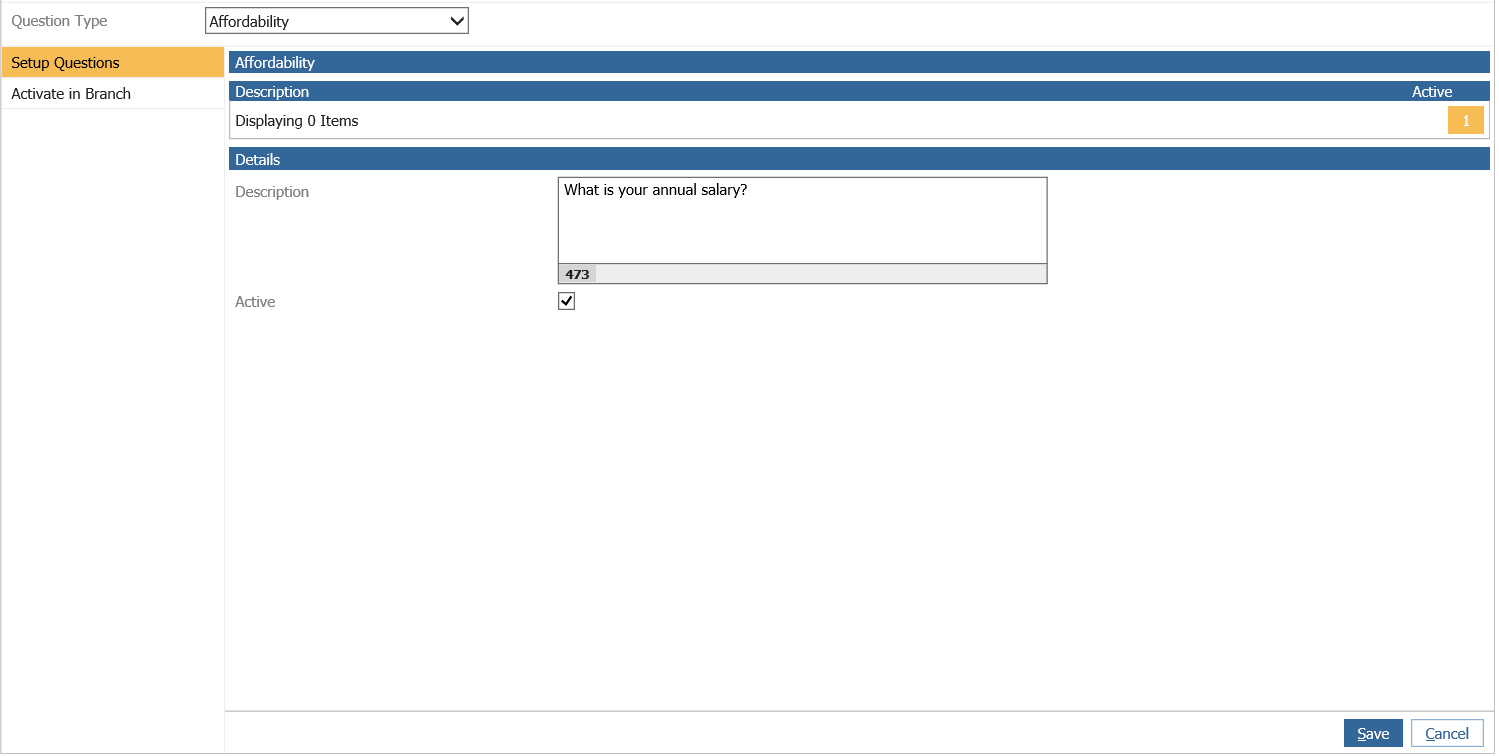
Please Note: Once saved, a question cannot be amended, it can only be deactivated. The Active flag allows for the activation or de-activation of a question.
Once the questions have been created, they will need to be Activated in the Branch by selecting the Activate In Branch option from the side menu.
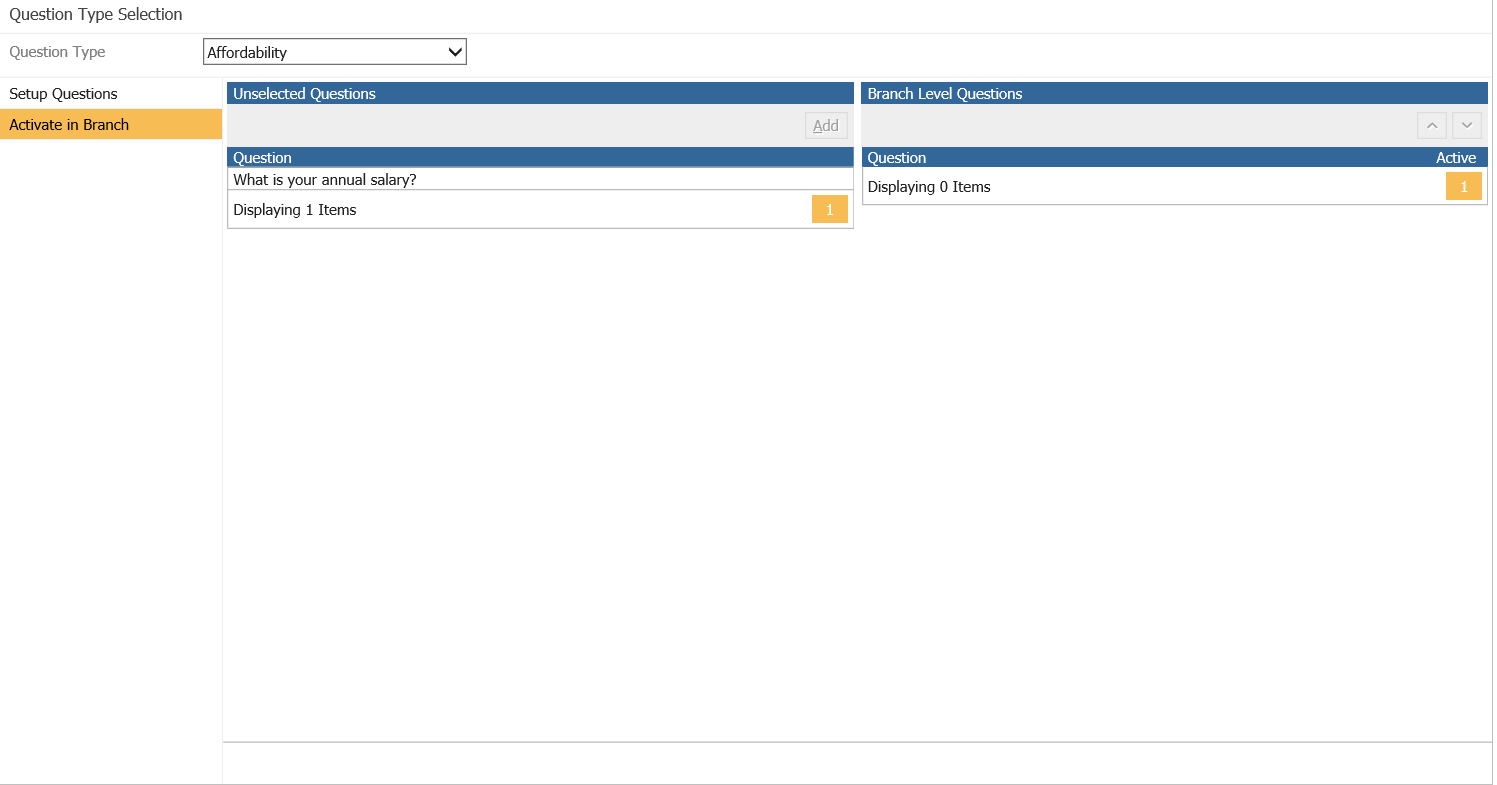
Select the Question to activate and then click Add:

This will then show as Active in the Branch:
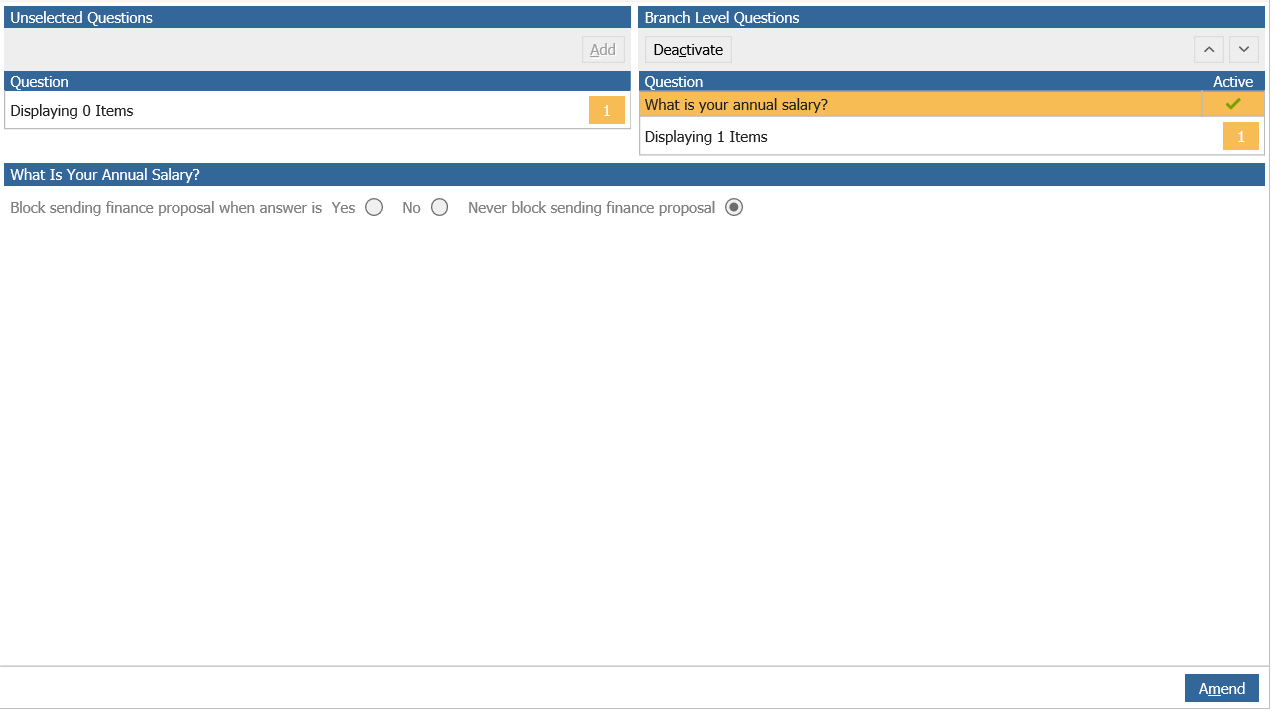
At this point the Exclusion can be set by selecting from the above options.
Once these have been set the Qualification Question will be available to use in the Quotation process.