
This report gives a detailed breakdown of the VAT relating to the purchase and sales of vehicle
stocks, displaying Input and Output VAT as well as Special Scheme VAT charged on the profit
margin of sold non VAT qualifying vehicles.
To generate the report, complete the relevant reporting criteria – including whether new or used
vehicles are to be viewed, a specific stock number if desired, and a system period. Once
specified, select the ‘Create Report’ option.
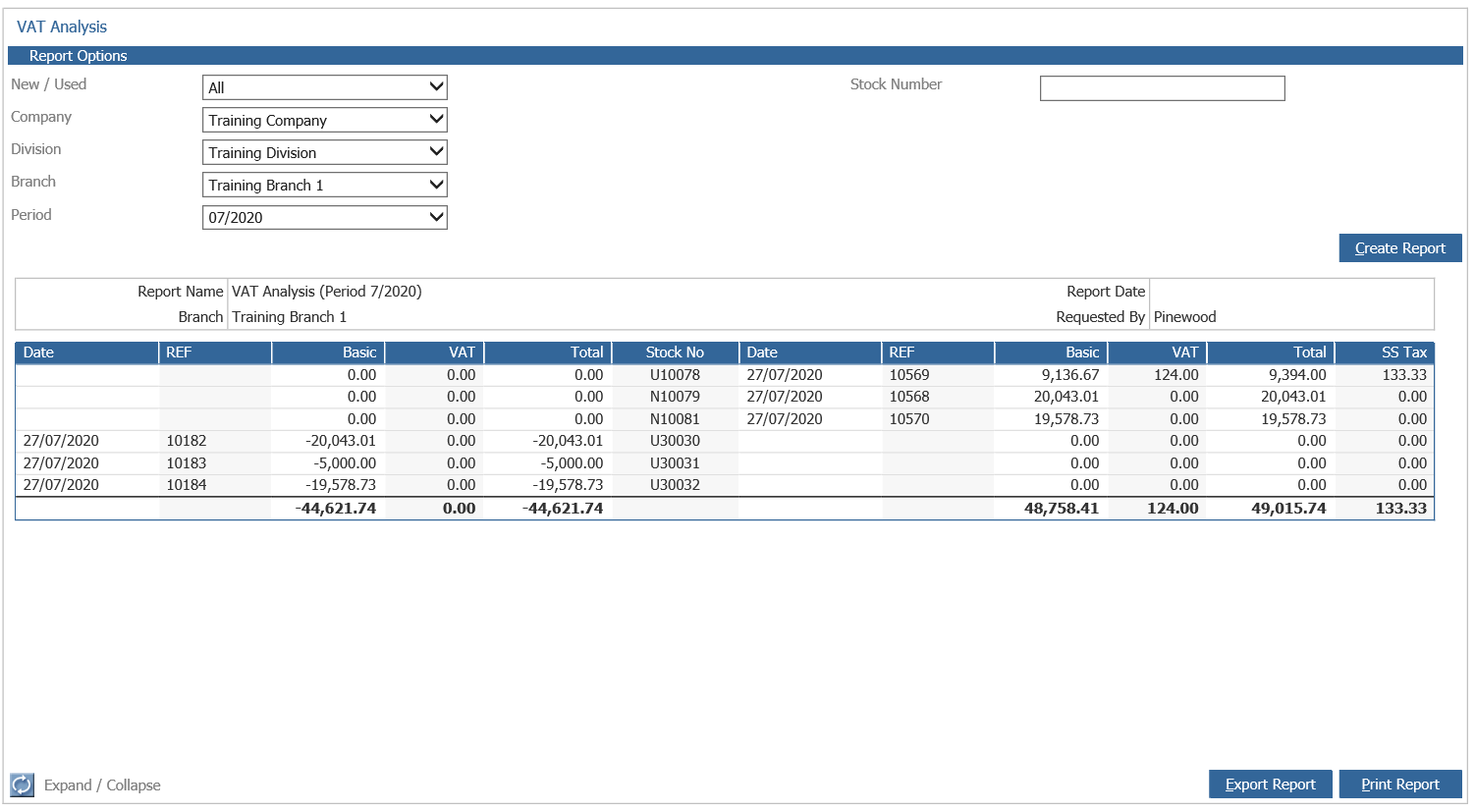
The screen is split into three sections. The area on the left hand side of the screen displays
Input VAT, whilst the right hand side displays Output VAT on sales; the middle column is
completed with the stock number of the vehicle. As with most reports, double click on any of the lines that appear to access the stock card of the relevant vehicle. Because this report is driven by an individual system period, there will be vehicles on which only one half of the input/output VAT equation is applicable.
This report can be exported into Excel by selecting the ‘Export Report’ button, or printed using
the ‘Print Report’ option. The excel download has been developed with input from HMRC.