
The Product Sales functionality within the system provides the ability for a detailed catalogue of products to be created and sold via existing processes within the system.
It is important that these products are set up correctly; particularly the Cost Price and Non Financeable options to allow the Payment Calculator to generate accurate figures.
From the system menu, go to Vehicles > Price List > Product Sales. This will display a list of existing Product Sales.
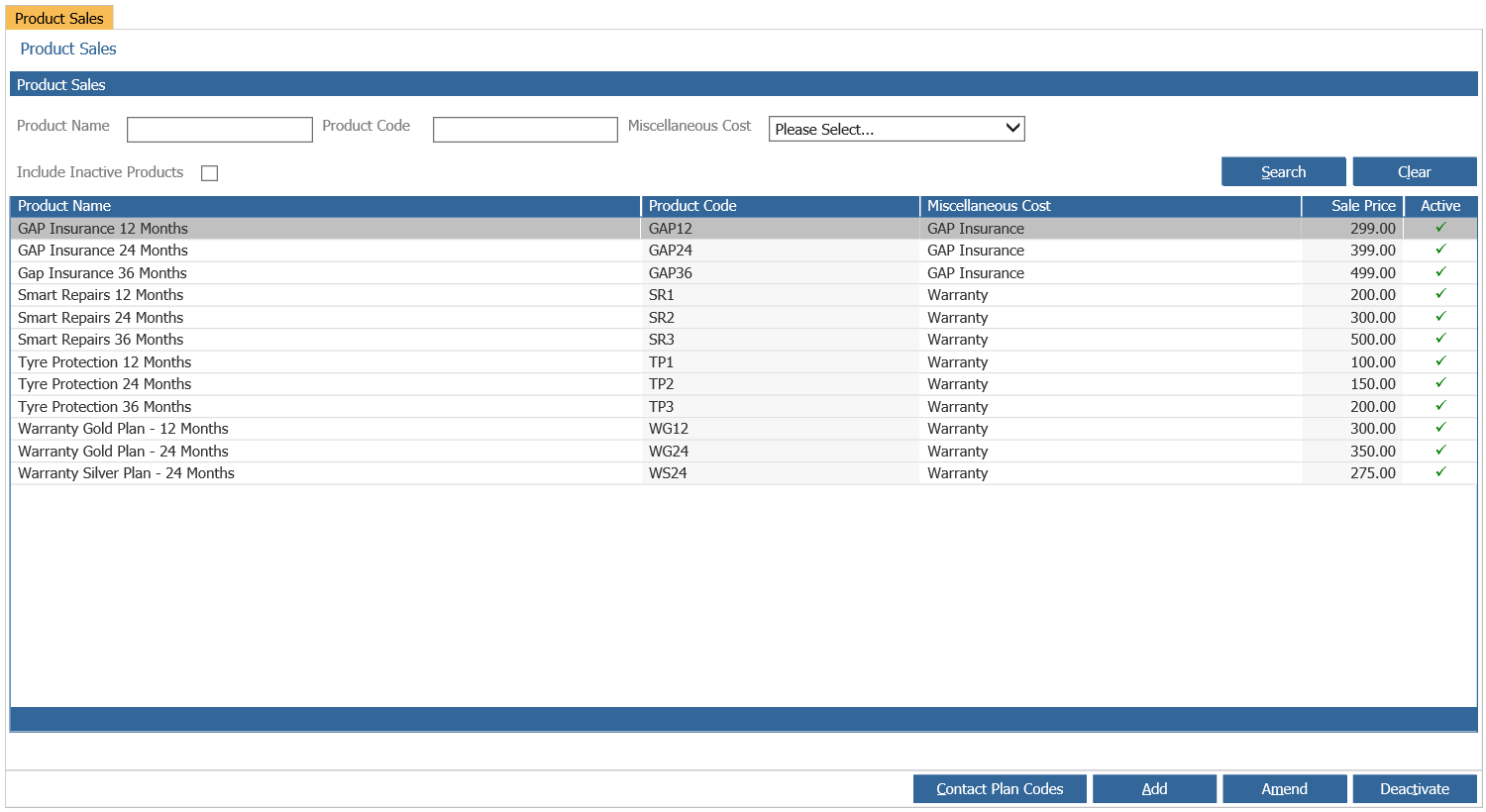
If you wish to Create a new Product Sale, hit 'Add' in the bottom right of the page. This will display the following information:
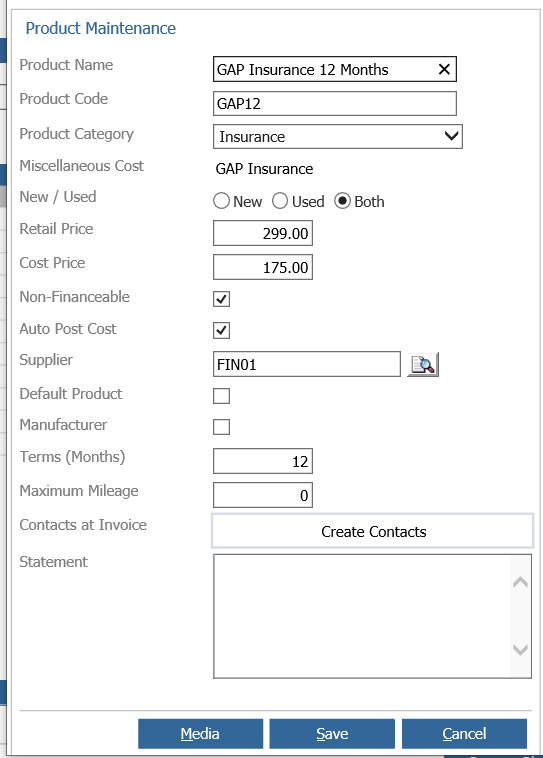
Product Name - Enter a name or description for the product. This field dictates how the option will appear on a customer order.
Product Code - The Product Code is unique to the individual Product Name created and must be unique within the Pinnacle Vehicles branch
Product Category - Static list of categories, provided as filter criteria in the Product Sales Report.
Miscellaneous Cost - The miscellaneous cost used for creating transactions when selling the product.
New/Used - Whether the product will be available on new cars only, used cars only, or available on both.
Retail Price - Default retail price which can be amended at vehicle quote and customer order.
Cost Price - Cost price, which can only be set through the Product Maintenance screen and cannot be amended at quote or customer order.
Non-Financeable - Where certain products are never financed by a finance company, there is the option to set these as ‘non-financeable’ so they will not be included in the balance to finance.
Auto Post - If enabled a cost will be posted to the vehicle at point of invoice using the cost price of the product.
Supplier - Allows selection of a Purchase Ledger account against which a GRNI item will be created at point of vehicle invoice for the cost price of the product.
Default Product - If enabled the product will be automatically added to any new customer order or quote created.
Manufacturer - Denotes whether the product is linked to a manufacturer and can be used as a filter on the Product Sales Report.
Terms (Months) - Number of months entered will be used to calculate the expiry date of a Product if a start date is entered when adding the product to a customer order or quote.
Maximum Mileage - The Maximum Mileage field is reported on in several Product Sales report Exports.
Contacts at Invoice - Hyperlink box that loads the Contacts at Invoice create/amend popup. The list of contacts added will be created as future contacts in the Salespersons diary at point of vehicle invoice.
One all the information has been added as required, hit 'Save' to add the new Product Sale. Alternatively, you can double click into a pre-existing Product Sale in order to change the information in here.