
Within the Vehicles module, the "Retail Price Update" will allow you to amend the retail price of multiple used vehicles that are in stock.
You will need a list of used vehicles that are in stock and what the new retail price will be.
Follow the path : Vehicles > Stock Management > Imports > Retail Price Update
This will bring you to a page that will allow a file upload, as shown below.
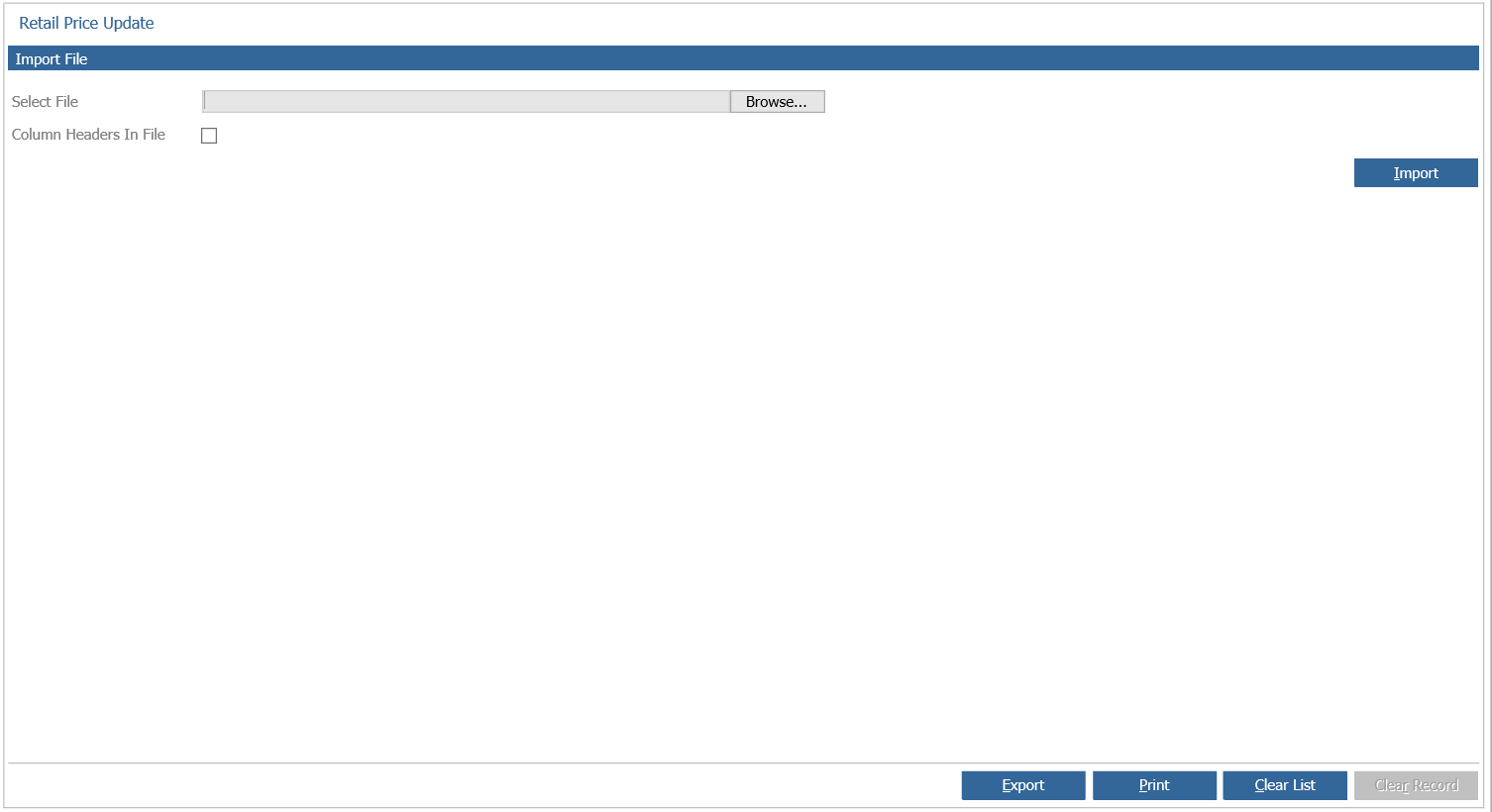
The upload will have to be an Excel document saved as a "CSV" format.
The document must have four columns to be uploaded correctly.
Branch Identifier,
Branch Name,
Stock Number,
New Retail Price.
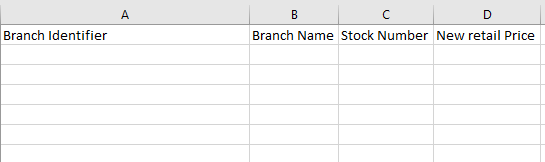
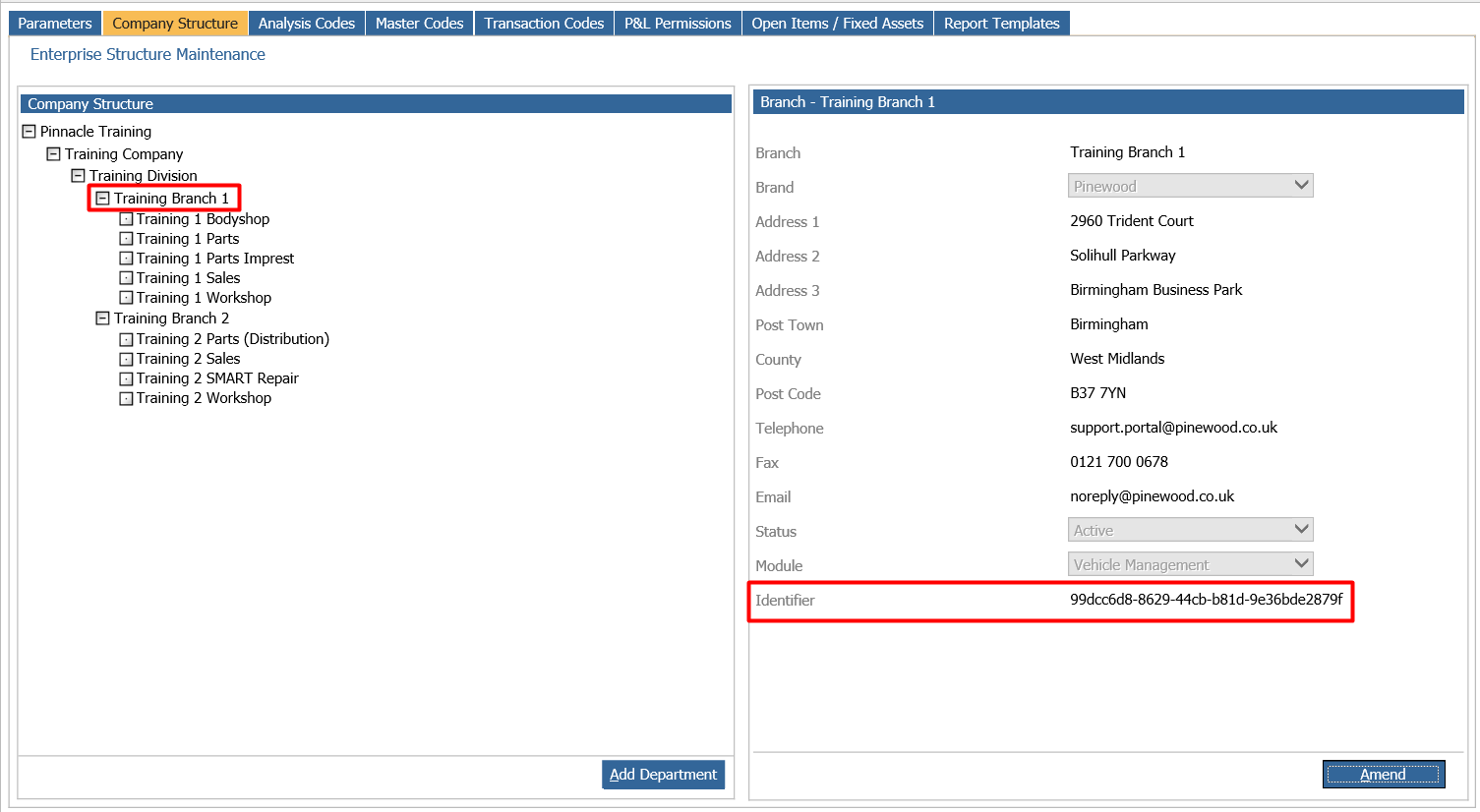
The "Branch Identifier" is located with in the nominal ledger company structure.
Follow the Path : Accounts > Nominal Ledger > Ledger Parameters
The second tab will display the company structure.
Drill down to the correct Branch and view the identifier, as shown below.
The "Branch Name" is only necessary when Importing vehicle price updates for multiple branches.
A successful File import will be displayed as shown below.
