
Question
Can I search for an Outstanding Prep with the Vehicle Registration Number?
Answer
You can now search for Outstanding Prep with the vehicle registration number in the vehicles section in Pinewood DMS. To do this, go into Vehicles > Reporting > Outstanding Prep, Here you can see an additional column to search for vehicles with their Registration number.
This can then be used in the Workshop to locate the outstanding work.
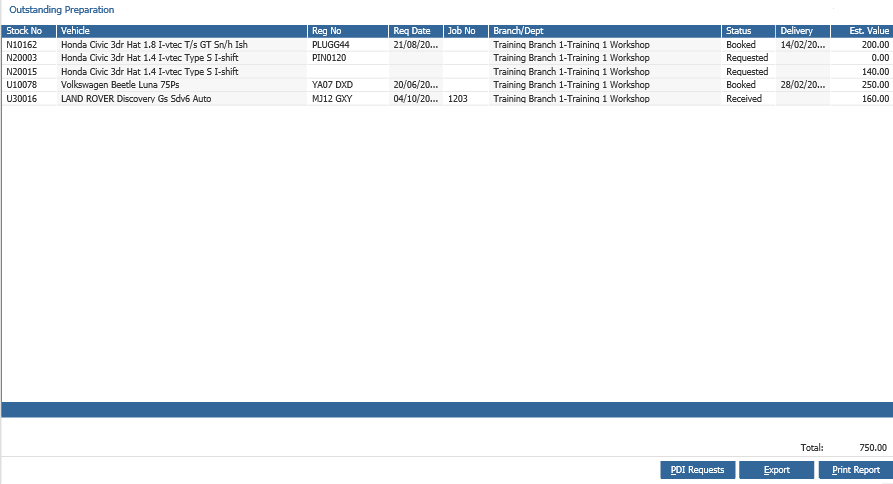
You can also search for a vehicle using their registration number on supplier order and customer order, if you click Export you can filter the vehicle by registration number in a .csv file.