Pinewood Technologies PLC Help Centre home page
Sign in
  1. Pinewood Technologies PLC
  2. Quick Answers
  3. Administration

Search

πŸ“ How do I unlock my Pinewood DMS Account?

Ellie
Ellie
  • Updated 26 July 2024 15:52

Question

How do I unlock my Pinewood DMS Account?

Answer

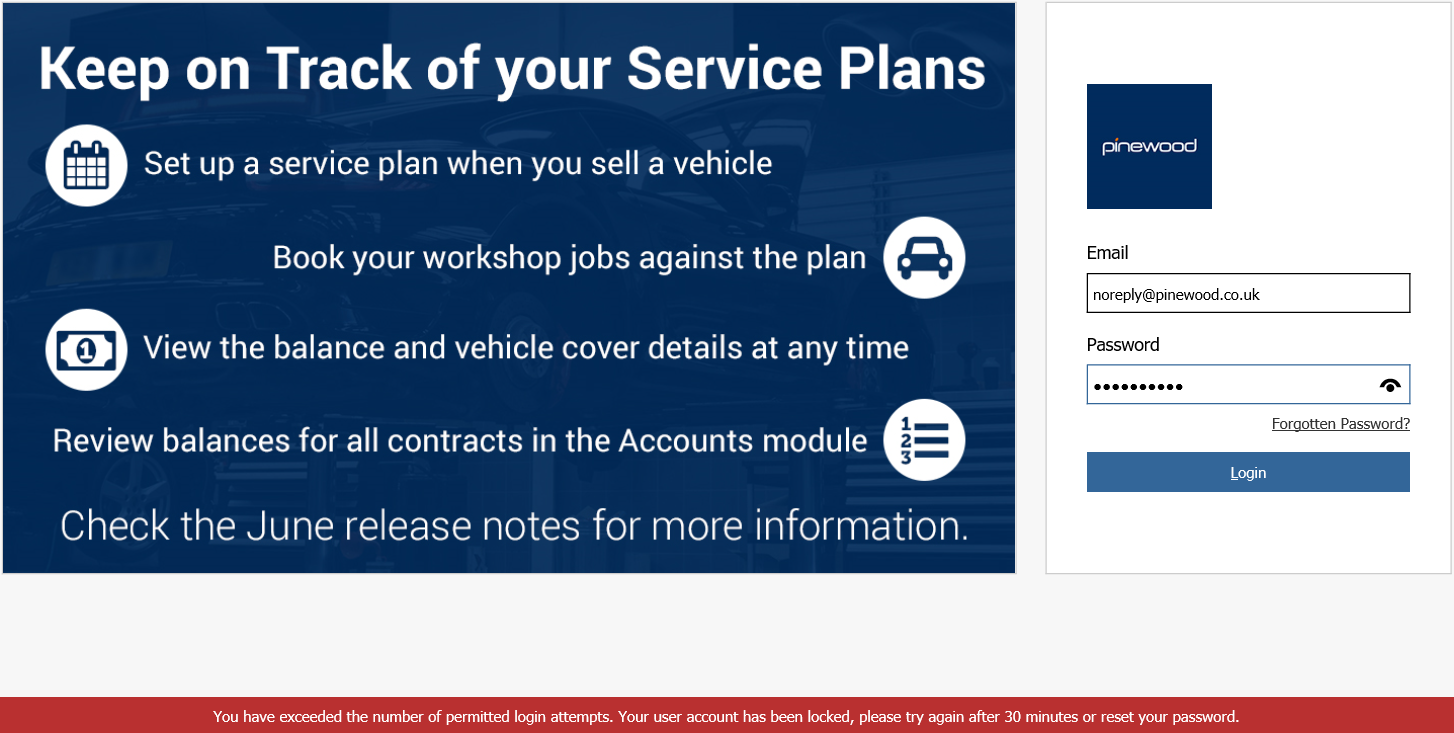
If your account becomes locked due to too many incorrect attempts to log in as below:
mceclip0.png

Please either wait 30 minutes to clear the lock or reset your password. If the problem persists please contact your system administrator, or contact support


Related articles

  • πŸŽ₯ How do I reset my password?
  • πŸ“ Using the Authenticator App
  • πŸŽ₯ How to view a Nominal Code's Balance?
  • πŸŽ₯ Welcome to the Support Portal
  • πŸ“ How to add a user to an existing User Group within Administration?

Articles in this section

  • πŸ“ How to Raise a Live Chat?
  • πŸ“Updating Email SPF Records
  • πŸ“ How to add a user to an existing User Group within Administration?
  • πŸ“ How can I export users in Administration?
  • πŸŽ₯ How to Create a Workshop Technician
  • πŸ“ Your administrator has not Granted Access to this App - how do I resolve this?
  • πŸŽ₯ How to Create a New User
  • πŸ“ How can I view My Tickets in the Support Portal?
  • πŸ“ How to Delete Users from Pinewood DMS?
  • πŸ“ Pinewood DMS is Freezing/ Running Slowly

See all 26 articles

Β© 2025 All rights reserved. by Pinewood Technologies PLC