
The purchase ledger transaction report is used to provide a list of all transactions on the purchase ledger. In the absence of any specific instruction from external auditors, this report should be printed immediately prior to running the purchase ledger Month End process and forms part of this process.
This report can be configured using the report options in the criteria at the top of the screen – transactions can be reported by selecting a particular range of accounts (via the ‘Start Account’ and ‘End Account’ fields) or by a date range. Alternatively, this report can be produced for a particular accounting group or rep number.
The three options can also be used to dictate the transactions returned by the report.
Outstanding Transactions – Displays any purchase ledger transactions that have not been paid or allocated.
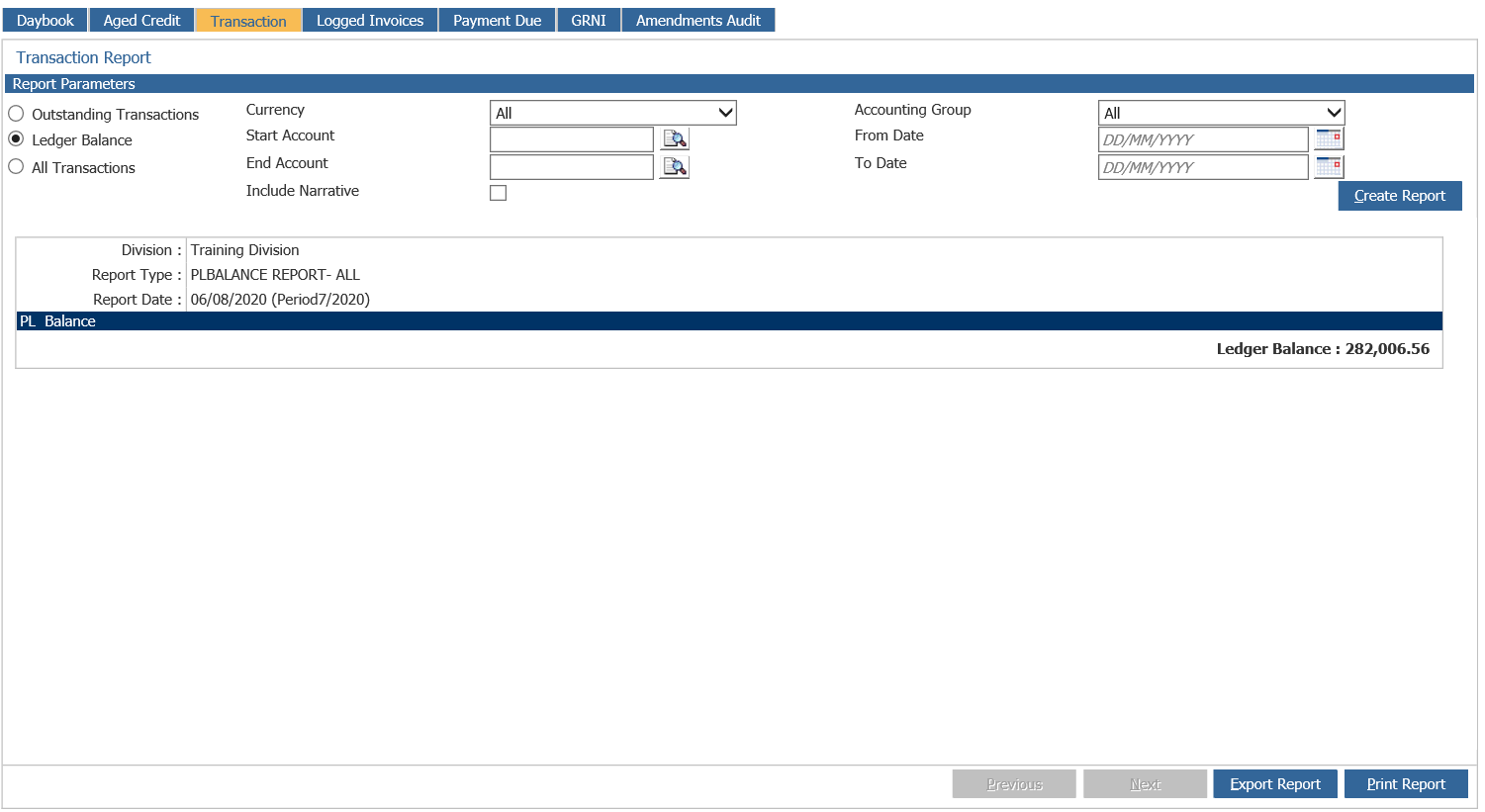
Ledger Balance – Displays the total value of all outstanding transactions on the purchase ledger. This should reconcile to the creditor control balance sheet nominal codes.
All Transactions – Displays all purchase ledger transactions including those that have been paid or allocated.
Select the ‘Create Report’ option to display the report in the lower section of the screen:
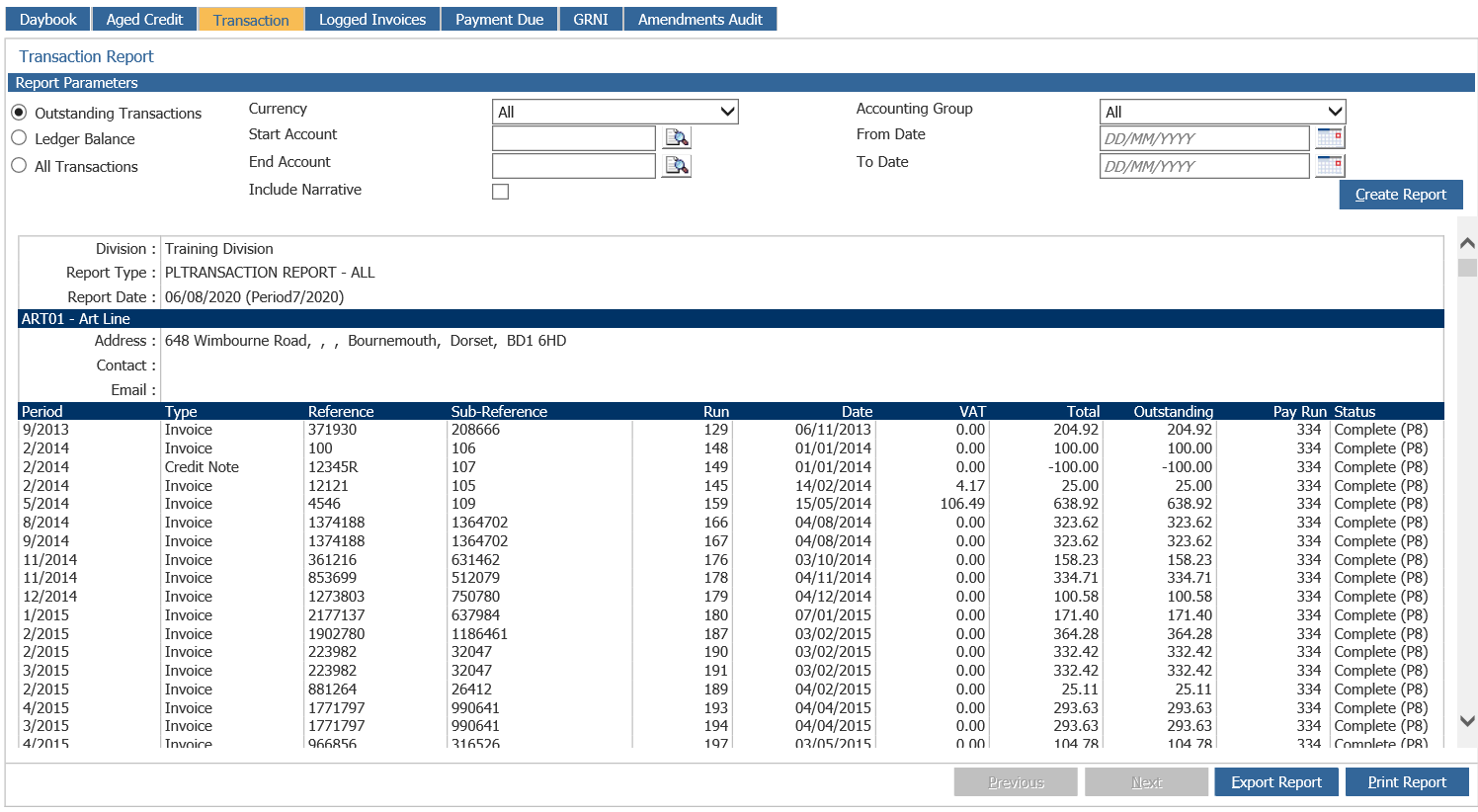
In the image above, the ‘Outstanding Transactions’ option has been selected. Each purchase ledger account is displayed as a separate line on the report, along with every outstanding transaction recorded against the account. A total account balance is also displayed:
The display also includes the accounting period in which the transaction was created, along with the transaction type, the reference and sub reference. The Run number and posting date are also displayed, with the VAT content of the transaction and the total value outstanding. The Pay Run is displayed (blank in the case of unpaid transactions) and finally the Status is shown.
The name of the account displayed acts as a link field, allowing access to the purchase ledger account enquiry screen by double clicking on an account.
The ‘Ledger Balance’ option should be used once a month to verify that the ledger totals agree with the nominal ledger balances, before closing the month end. When the ‘Ledger Balance’ option is selected.
The purchase ledger transaction report, once generated, can be printed by selecting the ‘Print Report’ option. This displays and prints in sections so once the first section has printed, select ‘Next’ to display and print the next section.