
The Aged Credit report is used to control the money owed by the dealership to its’ suppliers. This report prints outstanding supplier values which are shown in separate columns for each accounting period – in this way, the age of the creditors are highlighted.
Various display options can be configured. Within the ‘Account Details’ section, particular accounting groups can be identified for reporting purposes. An account range can be specified using the fields on the top right hand side of the screen. The ‘Reporting Options’ section is used to consolidate the report at different levels of the company structure. Finally, the ‘Period End Dates’ to be displayed can be adjusted if required. The dates in these fields dictate the bands displayed on the Aged Debt Report, and default to the nominal ledger period end dates. The report by date can be either Transaction date or Due date and a summary or full report can be displayed. The full report includes the supplier address and telephone number details. Once these fields have been populated, select the ‘Create Report’ option. The report is then displayed within the lower half of the screen.
The ‘Expand/Collapse’ option that appears can be used to hide the search criteria at the top of the screen, allowing a larger section of the report to be displayed.
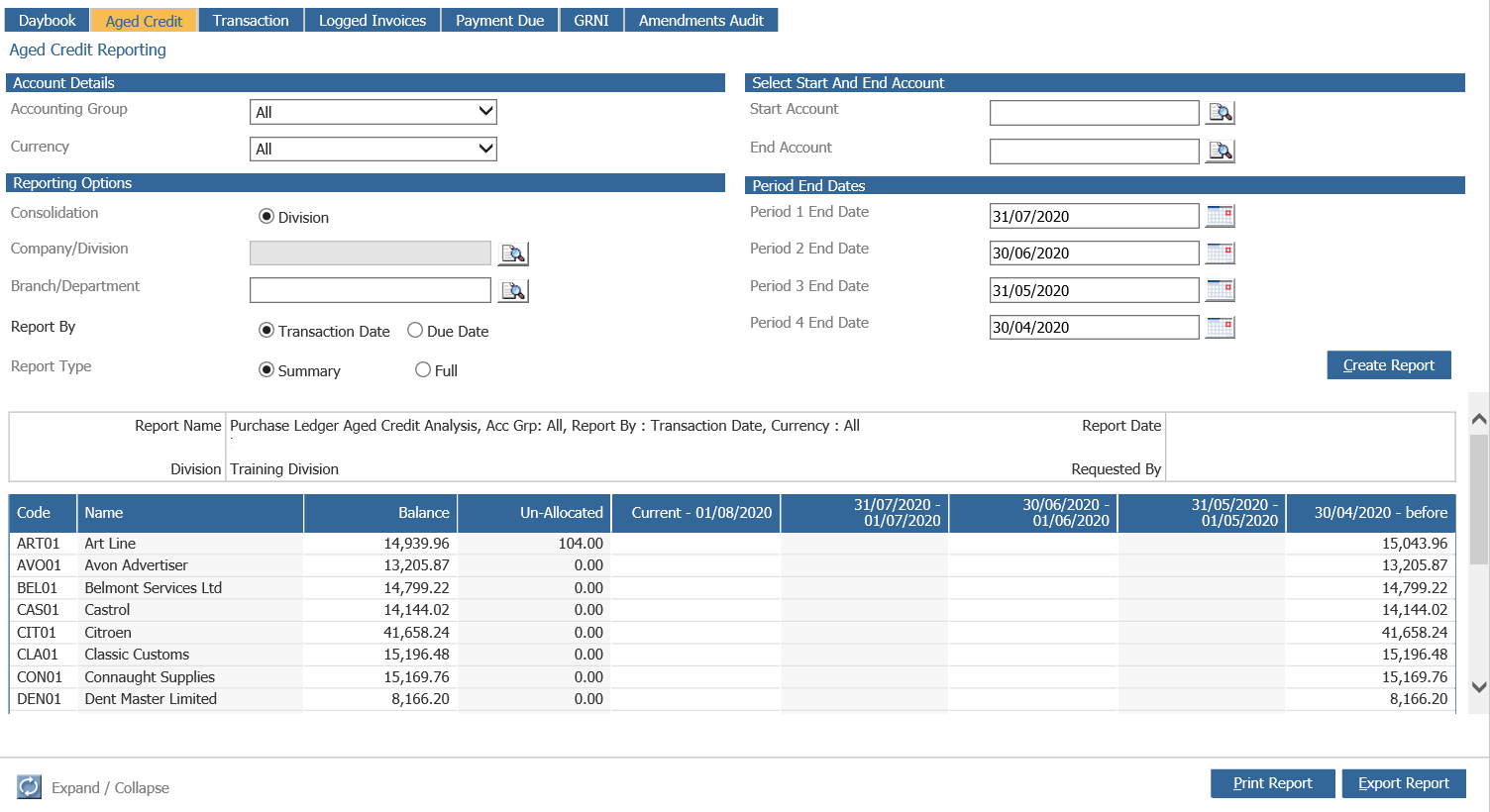
The account code, name account balance and the total value of any unallocated receipts are displayed. The next columns display the aged debt, allowing the rate at which existing debt has accumulated to be viewed.
Each account code acts as a link – click on the account line to display the transaction account enquiry screen.
The report can be printed or exported into Excel using the Download Button. 