
The Spend Analysis report provides a tool to analyse the turnover with suppliers. This report can be used at Enterprise level to identify the spend patterns across a group of dealers.
The information is analysed by Supplier, Nominal Code or Accounting Category, with the facility to switch between these when viewing the report.

An enquiry on total spend with a supplier will list all the nominal codes to which purchase ledger invoices have been coded, along with the period of posting.
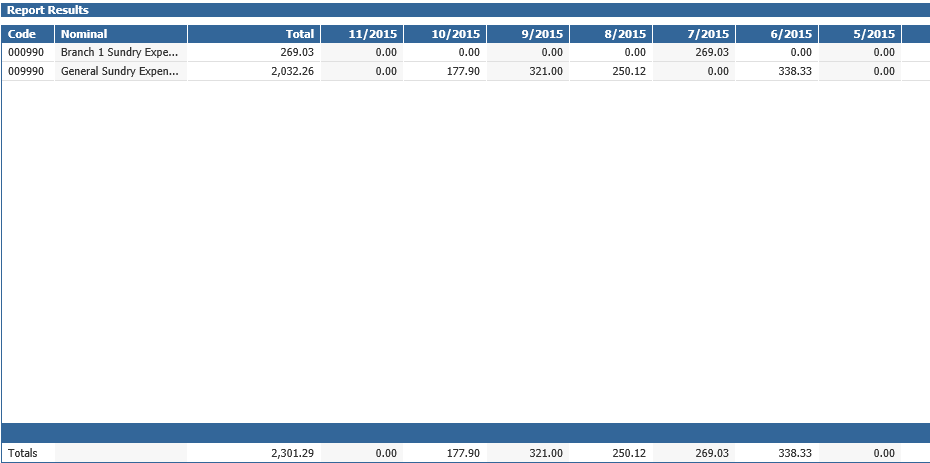
Double clicking onto the purchase value of a selected period will display the individual invoices for that period, enabling the invoice details and scanned documents to be viewed.
Double clicking on a particular invoice on this screen will display the nominal ledger transaction drill down screen.
Alternatively, drilling into the nominal code itself, or clicking ‘Breakdown’ on a selected account will show other supplier purchases that are coded to the same nominal code.
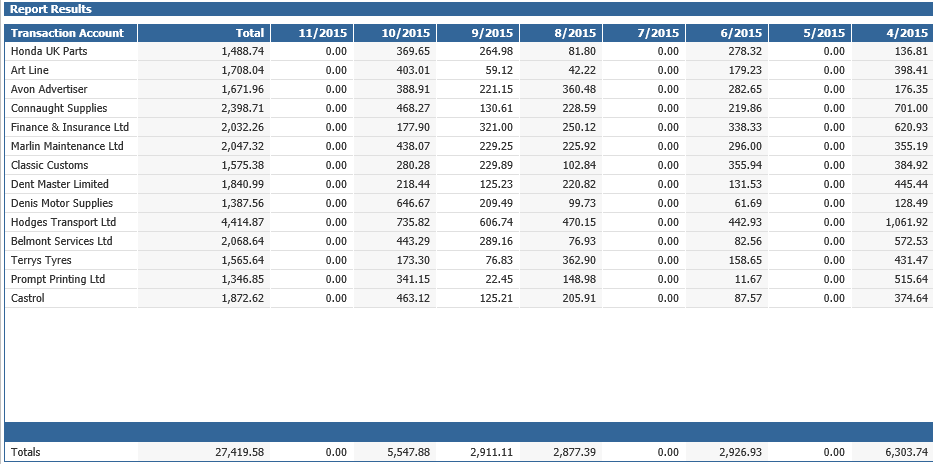
Purchase figures are available for a 12 month rolling spend and the start and end periods can be selected.
Select a Nominal Code in the criteria screen to report all suppliers whose invoices have been processed to the code. This can also be reported at Enterprise level. When reporting at Enterprise level, the values for each business are shown and can be drilled into for further detail.
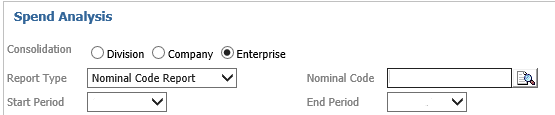
Select an Analysis Code in the criteria screen to use the groups to which all nominal codes are allocated to when the system is set up. This enables reporting across a range of codes that may be distributed over a number of cost centres, identifying the suppliers that are coded into these Analysis Codes, as well as an analysis of each of the nominal codes within the Analysis Code group.

VAT Input Tax is excluded from the values reported.
Logged invoices are reported only for the period they are processed. This means that the original logging of the invoice is excluded and the invoice is only reported for the period of the nominal ledger costing.
Purchase Ledger postings to GRNI are included. As receipts of parts and purchase orders are debited directly to stock, these are not shown on the analysis of the invoices, which are themselves generally coded against GRNI. As a result, the GRNI control code set within parameters will be reported. Price variances and receipt differences will also be shown.
Where Purchase Ledger invoices are used to create Fixed Assets, the asset details can be viewed from the drill down along with any scanned documents.
Data is collated overnight for this report.