
Question
Why are the showroom service visitors coming under the wrong branch?
Answer
The service visitors icon in Showroom shows you all the customers who are visiting from service that are due in today. This is dictated by the contact category chosen when creating a future contact.
If a service visitor is showing in the wrong branch, you will need to go CRM > Enquiry, then search for the customer that you are looking for as shown below.
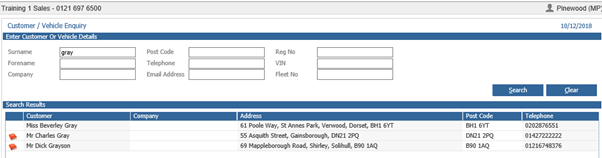
Then double click into the customer line that you are looking for and this will bring up the customer’s CRM record. In the ‘Customer’ tab you will be able to see which branch this visitor has been created in:
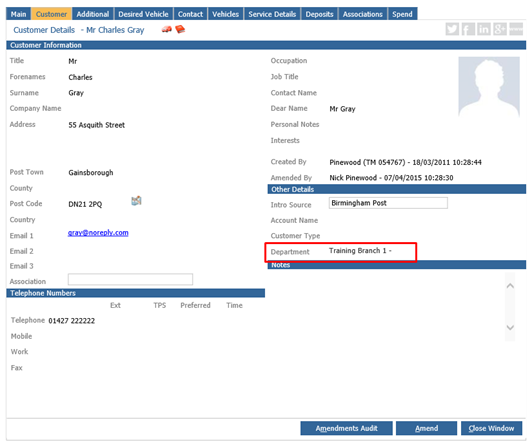
If you click ‘Amend’ and select the ‘Department’ option, you will be able to follow the company structure to select the correct branch that you are looking for, like shown in the screenshot below.
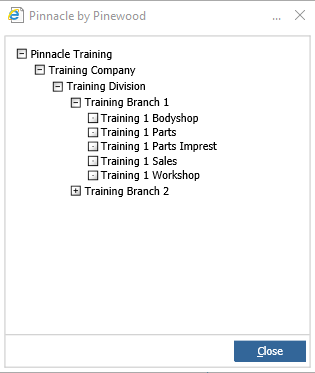
Double click into the desired location and this will then populate in the department box.
Once the correct department is selected, then click the save button. Then the service visitors will show in the correct branch.